

































Recharge Destiny: Rising — Acheter des Silver
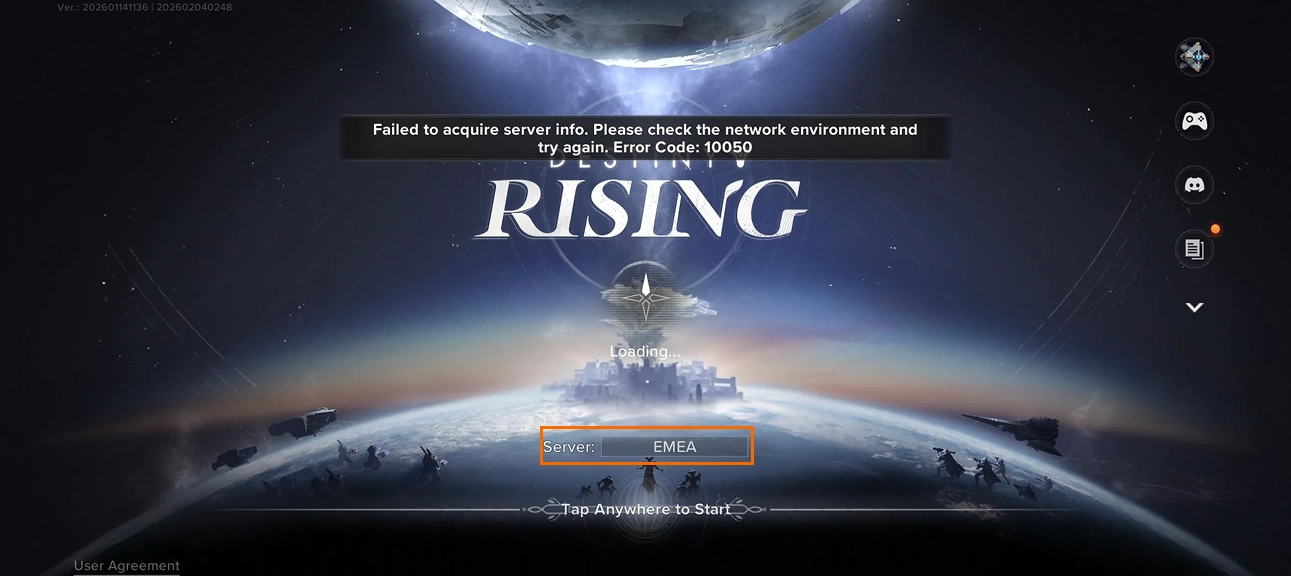
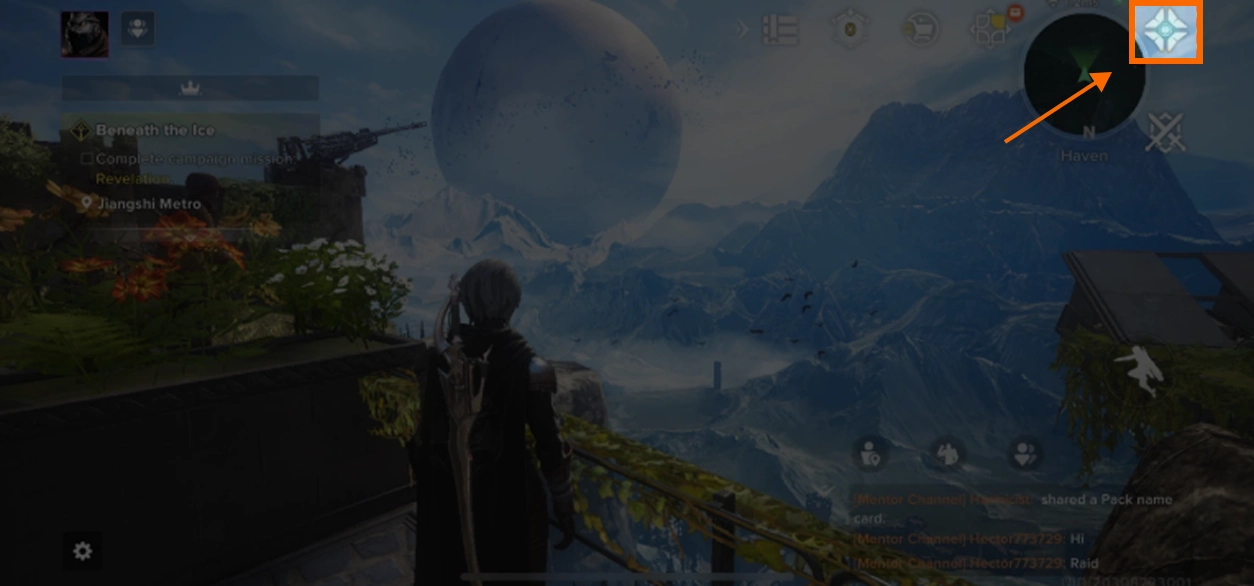
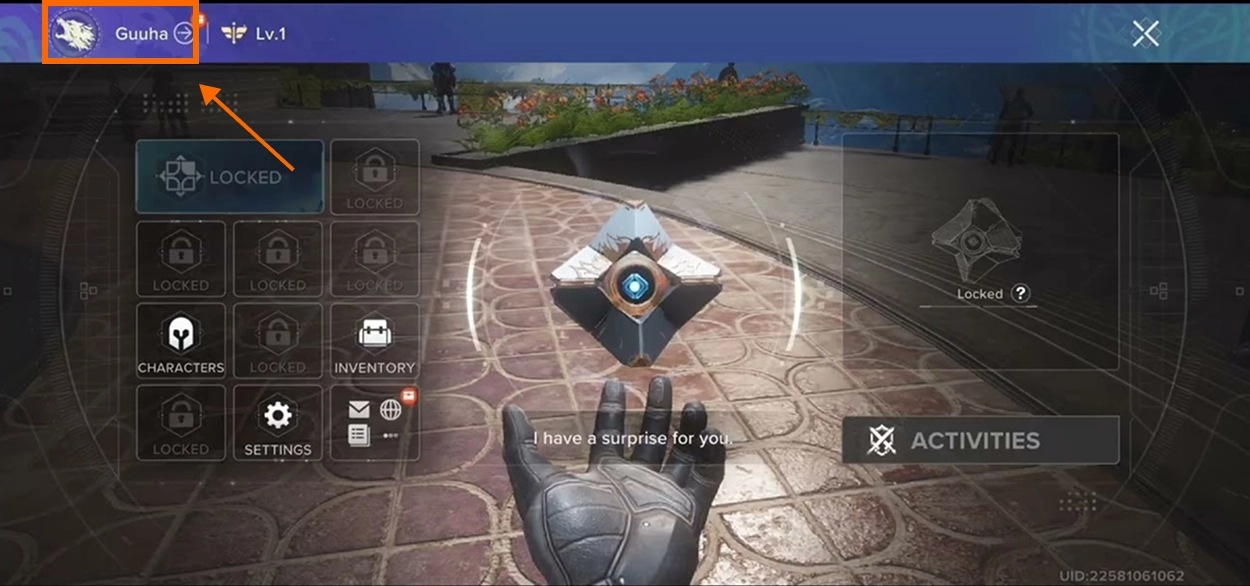
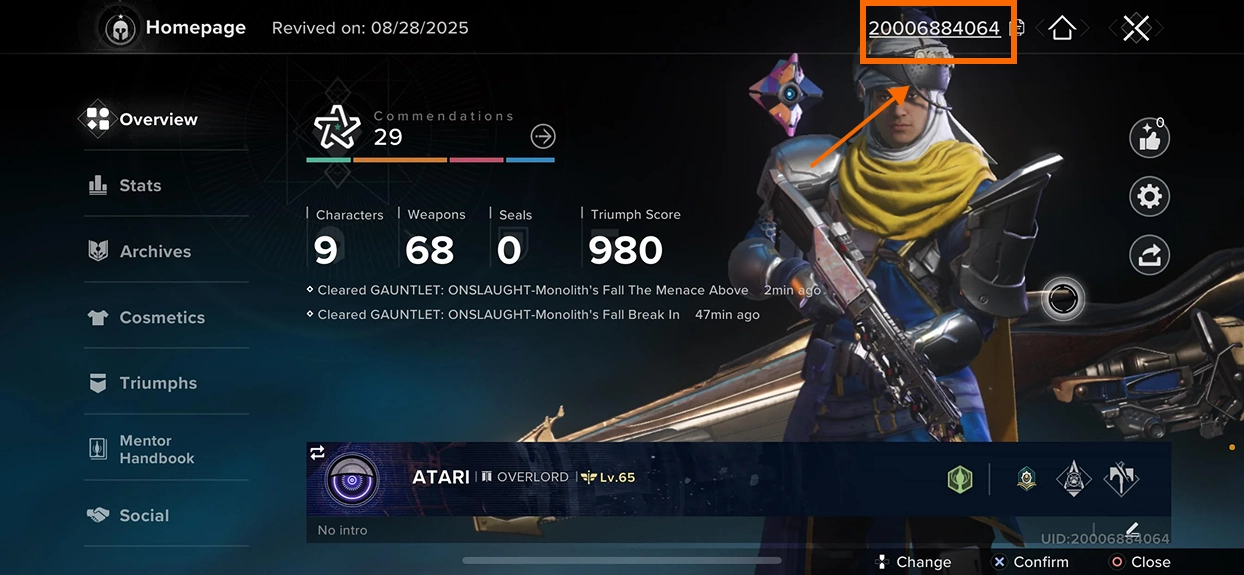
Recharger des Destiny: Rising Silver peut rester simple. Avec la recharge directe BUFFHUB, il suffit de renseigner votre Server et votre UID : aucun mot de passe de compte de jeu n'est demandé. Choisissez la quantité de Silver souhaitée, vérifiez vos informations, effectuez le paiement puis retournez dans le jeu une fois la commande traitée.
Quelles offres de recharge Destiny: Rising sont disponibles sur BUFFHUB ?
BUFFHUB propose plusieurs montants de Destiny: Rising Silver aux joueurs qui souhaitent disposer de davantage de monnaie payante pour les contenus disponibles dans le Store. Choisissez la quantité adaptée à vos besoins et vérifiez votre Server et votre UID avant de finaliser l'achat.
Une façon plus pratique de préparer votre prochaine recharge de Silver
La quantité de Silver dont vous avez besoin dépend souvent de ce qui est actuellement proposé dans le Store. Pouvoir comparer directement les montants, les prix et les informations nécessaires au paiement permet donc de choisir plus facilement sans compliquer inutilement la recharge.
-
Des Silver à un prix plus avantageux — Comparez les options de recharge Destiny: Rising Silver proposées à des prix plus accessibles avant d'acheter.
-
Davantage d'économies pendant les promotions — Les remises et tarifs promotionnels disponibles peuvent réduire davantage le coût de votre recharge.
-
Server + UID, sans mot de passe — Effectuez la recharge directe sans communiquer votre mot de passe Destiny: Rising.
-
Un paiement qui reste simple — Plusieurs moyens de paiement et un traitement efficace des commandes facilitent le passage en caisse.
Avec BUFFHUB, vous pouvez choisir vos Destiny: Rising Silver en fonction du budget que vous souhaitez réellement consacrer à votre achat. Cette plateforme de recharge de jeux propose des quantités de Silver à des prix compétitifs, avec les réductions et offres promotionnelles disponibles. Au moment du paiement, plusieurs moyens de paiement sont proposés dans un environnement de transaction sécurisé. Comme cette recharge utilise uniquement le Server et l'UID, aucun accès inutile au compte n'est nécessaire et votre mot de passe Destiny: Rising n'est pas demandé. Les commandes sont traitées rapidement après confirmation du paiement et des informations du joueur, et une assistance client 24/7 est disponible pour les questions liées aux commandes. BUFFHUB propose également des recharges pour des jeux comme Fate War, Duet Night Abyss et Once Human.
À propos de Destiny: Rising
Destiny: Rising est un RPG shooter de science-fiction free-to-play situé dans une timeline alternative de l'univers Destiny. Les joueurs incarnent des Lightbearers, explorent de nouveaux lieux, développent leur roster de personnages et participent à l'histoire, aux activités en coopération, au PvP et à des défis PvE de plus grande ampleur.
🔫 Combats FPS & TPS
Passez de la vue à la première personne à la vue à la troisième personne et adaptez vos personnages, armes et abilities à chaque affrontement.
✨ Développez votre roster de Lightbearers
Faites progresser différents personnages jouables et préparez votre roster pour les missions scénarisées, les activités en coopération, les modes compétitifs et les défis saisonniers.
🌌 Découvrez davantage d'activités
Profitez de contenu solo, de missions en coopération, de PvP, d'exploration en monde ouvert et d'affrontements PvE plus vastes au fil de l'évolution de Destiny: Rising.



















































































































buffhub is just built different.