
















Related searches
0 results
Not found
No content related to ""
theme-light theme-light-text
theme-dark-text theme-light
APEX

APEX

broadcast broadcast
Due to a large number of orders, delivery may be delayed by 1-5 minutes. Please wait patiently.
500 Apex Coins
500 Apex Coins
$ 4.70
$ 4.99
1000 Apex Coins
1000 Apex Coins
$ 9.39
$ 9.99
2000+150 Apex Coins
2000+150 Apex Coins
$ 18.99
$ 19.99
4000 + 350 Apex Coins
$ 36.40
$ 39.99
6000 + 700 Apex Coins
$ 53.06
$ 59.99
10,000+1500 Apex Coins Bundle
$ 80.72
$ 99.99
Ultimate Battle Pass
$ 9.39
$ 9.99
Ultimate Battle Pass
$ 18.99
$ 19.99
10 Exotic Shards
10 Exotic Shards
$ 9.39
$ 9.99
40+10 Exotic Shards
40+10 Exotic Shards
$ 36.40
$ 39.99
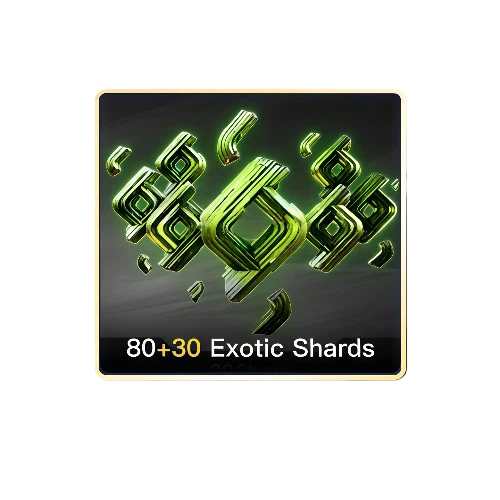
80+30 Exotic Shards
80+30 Exotic Shards
$ 63.57
$ 79.99
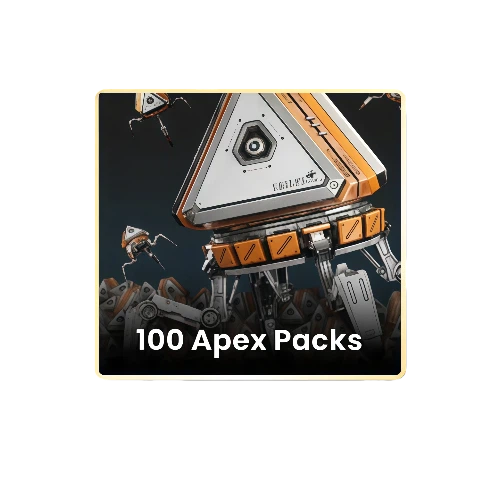
100 Apex Packs
100 Apex Packs
$ 80.72
$ 99.99

Quantity

Price
$0.00
HOW TO BUY?
Total
- +

0

Overall Rating
5.0
2,643 reviews
Overall Rating
5.0
Based on 2,643 reviews
  • 5 Star
    100%
  • 4 Star
    0%
  • 3 Star
    0%
  • 2 Star
    0%
  • 1 Star
    0%
Product Introduction
Recharge guide
User Reviews(2,643)

APEX LEGENDS TOP-UP

BUY APEX COINS
ON BUFFHUB

Apex Coins are the premium currency used for Apex Packs, items in the rotating Store, new Legends, and eligible Battle Pass purchases in Apex Legends. BUFFHUB provides a Global Login Top-up option for supported accounts, with different Apex Coin packages available on the product page. Because this is a login-based recharge rather than a UID-only top-up, review the account information required for the selected order before purchasing.


Why Top Up Apex Legends on BUFFHUB?

BUFFHUB gives Apex Legends players more than a place to select an Apex Coin package. The main advantages are a secure checkout environment, multiple payment methods, efficient Login Top-up processing, current price savings, and 24/7 support if an order needs attention. Because this product requires account access information, the required details are also shown as part of the selected recharge process instead of being treated like a UID-only order.

BUFFHUB Advantage What It Means for Your Apex Legends Top-Up
Flexible Payment With Secure Checkout BUFFHUB provides multiple payment methods, giving players more flexibility when purchasing Apex Coins from different regions. Checkout takes place in a secure transaction environment, while the account information needed for the Login Top-up is handled separately as part of the order process.
Fast Login Top-Up Processing Once the required EA account information has been submitted correctly and verified, Apex Legends orders can move into fast, efficient processing. Many orders are handled within a short period, although actual completion time can vary with account verification, order volume, or additional checks.
Competitive Apex Coin Prices and Current Discounts BUFFHUB offers Apex Coin packages at competitive prices. Selected packages may also include discounted pricing, current offers, or other available savings, so you can compare the live package price before choosing how many Apex Coins to buy.
24/7 Order Support 24/7 customer support is available for order-related questions involving payment, submitted account information, processing status, or other recharge issues. The 24/7 availability refers to support hours and does not imply an instant response or guaranteed resolution time.

For Apex Legends, the important distinction is that this is a Login Top-up rather than a simple UID delivery service. BUFFHUB combines the account-based recharge method with current Apex Coin pricing, available discounts, multiple payment choices, secure checkout, efficient processing, and 24/7 support. Check the package and account requirements shown for your order before continuing; the full login and Backup Code instructions are covered in the recharge guide.


What Can You Use Apex Coins For?

Apex Coins are a premium currency used across several parts of the Apex Legends Store. Available products and offers can change over time, so check the current in-game Store before deciding how many coins you need.

  • Battle Pass

    Eligible Battle Pass options can be purchased with Apex Coins, giving access to additional rewards as you progress through the pass.

  • Rotating Store Items

    Apex Coins can be used for eligible items and bundles offered through the rotating in-game Store, including cosmetic content.

  • Apex Packs

    Apex Coins can be spent on eligible Apex Packs, which contain cosmetic items or crafting currency. Availability can vary by territory.

  • Legends and Other Eligible Store Content

    Apex Coins can also be used to unlock new Legends and purchase other eligible content offered through the current in-game Store.


About Apex Legends

Apex Legends is a free-to-play Hero shooter developed by Respawn Entertainment and published by Electronic Arts. Players choose Legends with different abilities and compete in squad-based modes built around movement, gunplay, positioning, and team coordination. Apex Coins are one of the game's premium currencies and can be used for eligible Store content, Apex Packs, new Legends, and Battle Pass purchases.
More down down
Fold Up up up
 

Apex Legends Top-Up Information & Guidelines

This Apex Legends product uses Login Top-up for supported Global accounts. Before ordering, prepare the EA account information requested on the product page and make sure it belongs to the account that should receive the purchased Apex Coins or other selected Apex content.

Item Details
Platform PC and supported console accounts
Server Global
Top-Up Method Login Top-up
Required Information EA login email, EA account password, and an unused EA Backup Code may be required for the selected Login Top-up order.
Processing Time Orders are typically processed quickly after the required account information has been verified. Many orders are completed within several minutes, but actual timing can vary with order volume, account verification, and additional checks.
After Processing Once the order is complete, log back in to Apex Legends and check the intended account to confirm that the purchased Apex Coins or selected content has been credited.
Important Notes: 1. Enter the requested EA account information carefully to reduce the chance of processing delays.
2. Do not log in to the same Apex Legends account while the Login Top-up is being processed, as simultaneous access can interfere with the order.
3. EA Backup Codes are one-time sign-in codes. Use an unused code when one is requested for the order.
4. For additional account security, consider changing your EA password after the top-up has been completed.

How to Find Your EA Backup Codes

EA Backup Codes are one-time codes connected to EA's two-factor authentication system. They can be used to sign in when the usual verification method is unavailable, and one unused code may be requested as part of this Login Top-up.

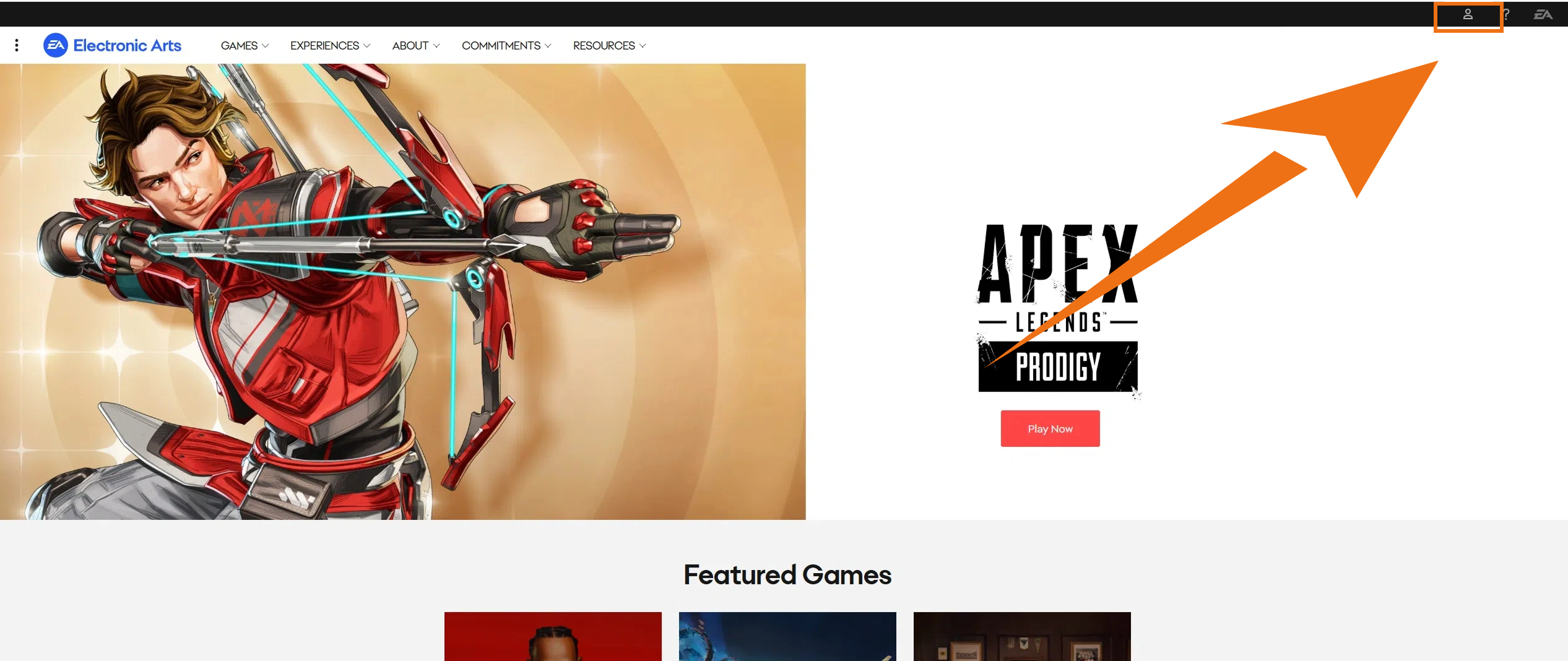
1 Sign in to your EA Account on the official EA website and open the account security settings.
EA Account Settings page
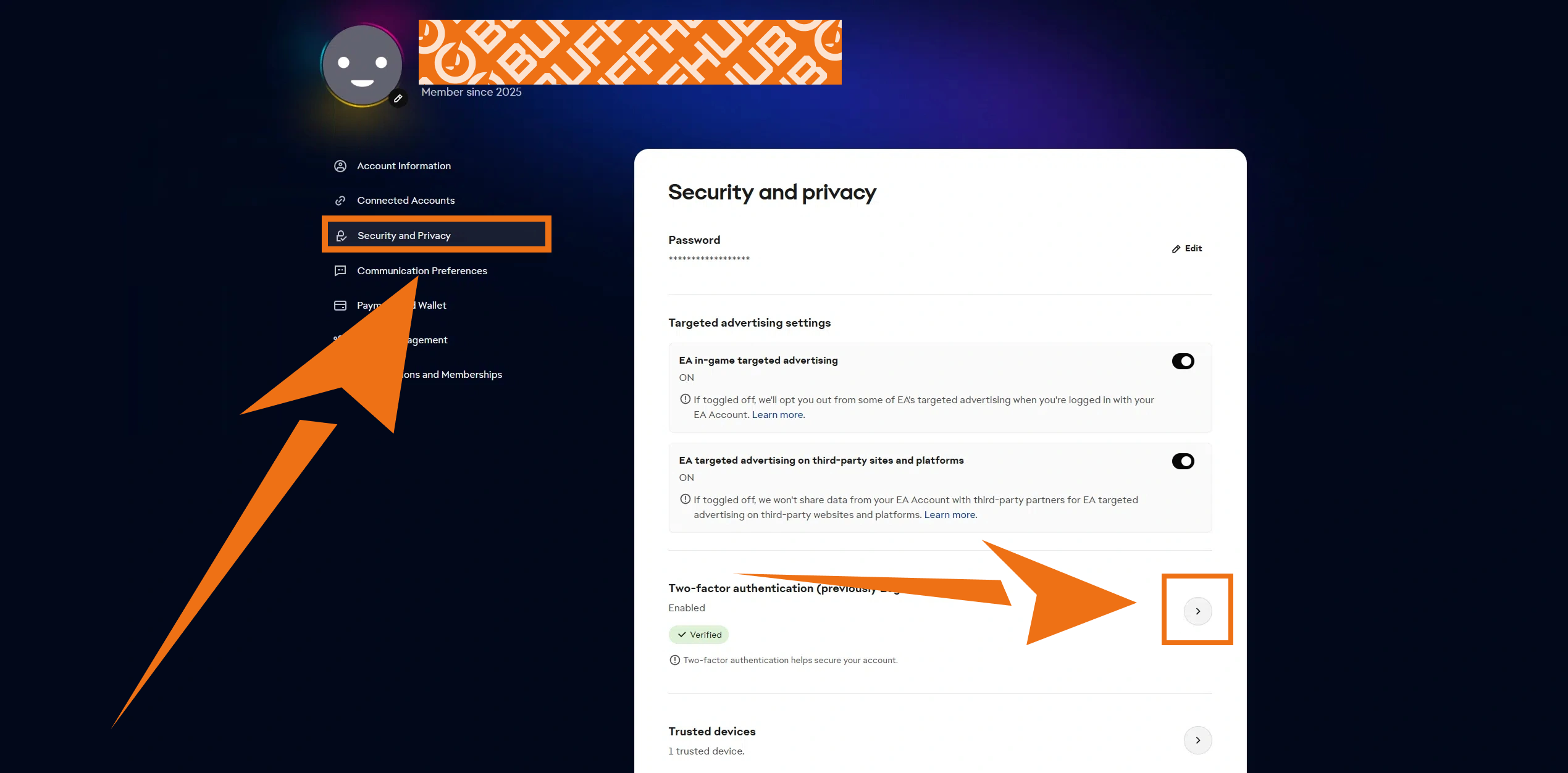
2 Open the two-factor authentication or Login Verification settings and select the option to view your Backup Codes.
EA Login Verification and Backup Codes section
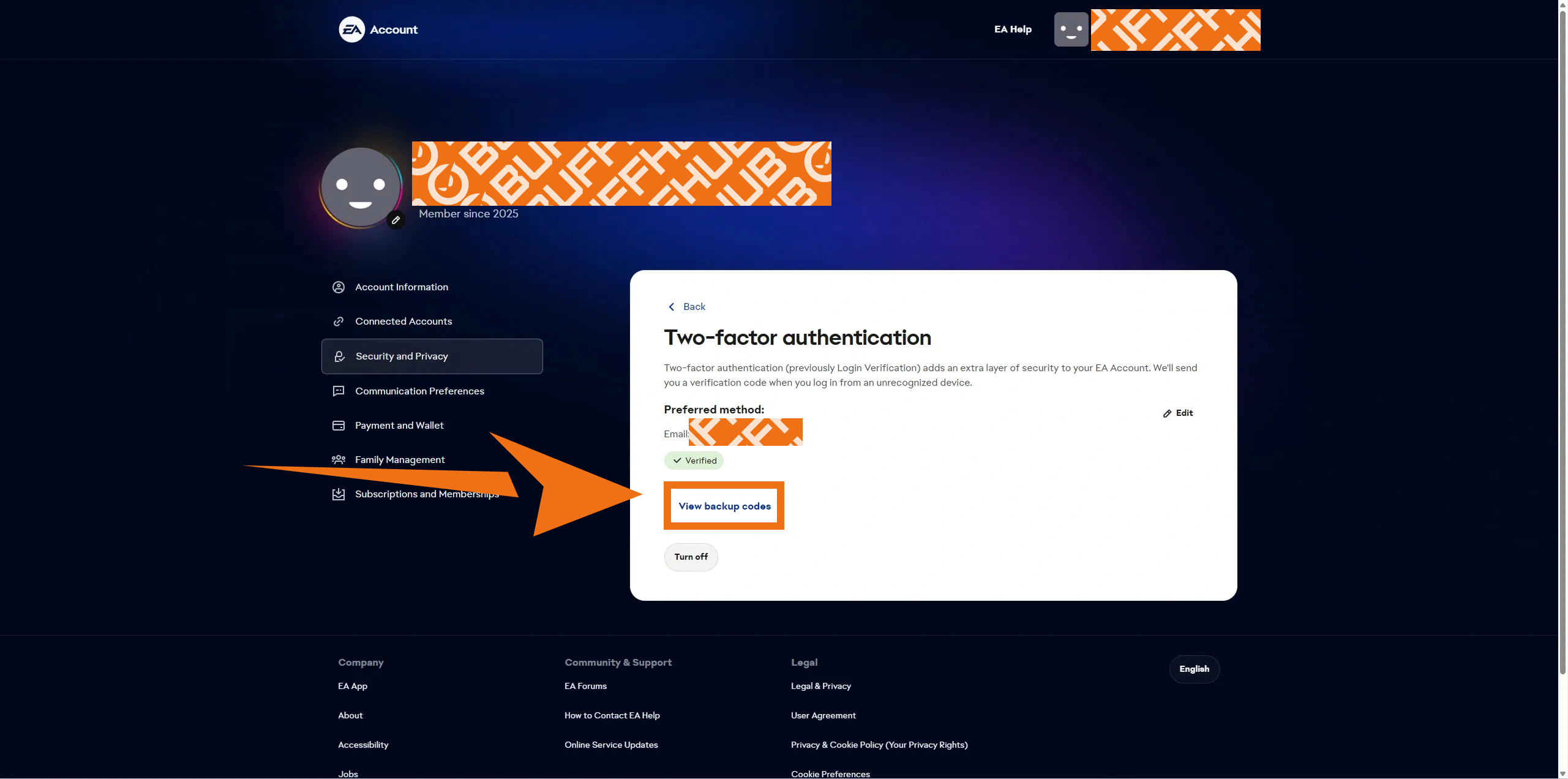
3 Copy one unused Backup Code. EA Backup Codes are one-time sign-in codes, so make sure the code you submit has not already been used.


EA Backup Codes displayed in the EA Account security settings

How to Top Up Apex Legends on BUFFHUB

Before starting, prepare the EA account information requested for the Login Top-up and make sure you are using the account that should receive the purchase.

1
Open BUFFHUB: Go to the BUFFHUB website, choose your preferred language and displayed currency, and log in to your BUFFHUB account.

2
Find Apex Legends: Open Game Top-up and select Apex Legends.
3
Choose Your Product: Select the Apex Coin package or other available Apex Legends product you want. Review the current product details, price, and available discount, then click “Buy Now”.
4
Complete Checkout: Choose an available payment method and complete the secure checkout process.
6
Confirm the Result: Once the order is marked as complete, open Apex Legends and check the intended account for the purchased Apex Coins or selected content. You can also review your order status in your BUFFHUB account history.
 

Frequently Asked Questions (FAQ)

1. How long does an Apex Legends top-up take?

After the required EA account information has been submitted correctly and verified, orders are typically processed within several minutes. Actual completion time can be longer during busy periods or when additional account or payment checks are needed.

2. What information is required for this Apex Legends Login Top-up?

The order may require your EA login email, EA account password, and an unused EA Backup Code. Follow the information fields shown for the selected product and make sure the details belong to the account that should receive the recharge.

3. What is an EA Backup Code?

EA Backup Codes are one-time codes provided as part of EA's two-factor authentication system. EA states that they can be used to sign in from a new device when the normal verification method is unavailable. Use an unused code when one is requested for your Login Top-up.

4. Should I log in to Apex Legends while the top-up is processing?

It is better not to log in to the same account while the Login Top-up is being processed. Waiting until the order is complete helps avoid simultaneous-login conflicts during the recharge.

5. How do I confirm that my order is complete?

Check the order status in your BUFFHUB account. Once the order is complete, open Apex Legends and verify the Apex Coin balance or selected content on the intended account.

More down down
Fold Up up up
U660184850
Purchased 6000 + 700 Apex Coins · Sep 17, 2026

Got my coins, doing a happy dance!

OLksy6
Purchased 4000 + 350 Apex Coins · Sep 17, 2026

Instructions were clear. No confusion.

U125993069
Purchased 2000+150 Apex Coins · Sep 16, 2026

Service impeccabile.

U324554887
Purchased 500 Apex Coins · Sep 16, 2026

Siap untuk season baru!

SmileyFace
Purchased 500 Apex Coins · Sep 15, 2026

:)

U269602113
Purchased 4000 + 350 Apex Coins · Sep 15, 2026

Sudah rekomendasikan ke teman.

View All Comments
Sort By :
Latest
U660184850
Purchased 6000 + 700 Apex Coins

Got my coins, doing a happy dance!

Sep 17, 2026
OLksy6
Purchased 4000 + 350 Apex Coins

Instructions were clear. No confusion.

Sep 17, 2026
U125993069
Purchased 2000+150 Apex Coins

Service impeccabile.

Sep 16, 2026
U324554887
Purchased 500 Apex Coins

Siap untuk season baru!

Sep 16, 2026
SmileyFace
Purchased 500 Apex Coins

:)

Sep 15, 2026
U269602113
Purchased 4000 + 350 Apex Coins

Sudah rekomendasikan ke teman.

Sep 15, 2026
View All Comments

Product Introduction

  • Alipay Alipay
  • ApplePay ApplePay
  • bancontact bancontact
  • bancontact-1 bancontact-1
  • billease billease
  • blik blik
  • boleto boleto
  • boost boost
  • bpi bpi
  • dana dana
  • Ewallet Ewallet
  • gcash gcash
  • GooglePay GooglePay
  • Ideal Ideal
  • kakao_pay kakao_pay
  • Klarna Klarna
  • konbini konbini
  • Kplus Kplus
  • line line
  • MBWAY MBWAY
  • multibanco multibanco
  • mybank mybank
  • naverpay naverpay
  • NetBanking NetBanking
  • oxxo oxxo
  • payco payco
  • paynow paynow
  • payu payu
  • pix pix
  • Qiwi Qiwi
  • rabbit rabbit
  • samsung samsung
  • sberpay sberpay
  • SBP SBP
  • SEPA SEPA
  • skrill skrill
  • spei spei
  • swish swish
  • tng tng
  • Tosspay Tosspay
  • truemoney truemoney
  • usdt usdt
  • Visa Visa
  • Visa-mastercard Visa-mastercard
  • Visa-mastercard+jbc Visa-mastercard+jbc
  • yoomoney yoomoney
  • Alipay Alipay
  • ApplePay ApplePay
  • bancontact bancontact
  • bancontact-1 bancontact-1
  • billease billease
  • blik blik
  • boleto boleto
  • boost boost
  • bpi bpi
  • dana dana
  • Ewallet Ewallet
  • gcash gcash
  • GooglePay GooglePay
  • Ideal Ideal
  • kakao_pay kakao_pay
  • Klarna Klarna
  • konbini konbini
  • Kplus Kplus
  • line line
  • MBWAY MBWAY
  • multibanco multibanco
  • mybank mybank
  • naverpay naverpay
  • NetBanking NetBanking
  • oxxo oxxo
  • payco payco
  • paynow paynow
  • payu payu
  • pix pix
  • Qiwi Qiwi
  • rabbit rabbit
  • samsung samsung
  • sberpay sberpay
  • SBP SBP
  • SEPA SEPA
  • skrill skrill
  • spei spei
  • swish swish
  • tng tng
  • Tosspay Tosspay
  • truemoney truemoney
  • usdt usdt
  • Visa Visa
  • Visa-mastercard Visa-mastercard
  • Visa-mastercard+jbc Visa-mastercard+jbc
  • yoomoney yoomoney
Language & Currency
  • Language
    English
    中文(繁体)
    日本語
    Bahasa Indonesia
    Bahasa Melayu
    Français
    Italiano
    Deutsch
    Русский
    Español
    한국어
  • Display Currency
    $ USD
    € EUR
    £ GBP
    C$ CAD
    A$ AUD
    S$ SGD
    Ұ JPY
    ₩ KRW
    SA SAR
    AED AED
    RM MYR
    ₱ PHP
    Rp IDR
    ฿ THB
    NT$ TWD
    HK$ HKD
    ₫ VND
    MX$ MXN
    R$ BRL
    ₽ RUB