
















Related searches
0 results
Not found
No content related to ""
theme-light theme-light-text
theme-dark-text theme-light
Heartopia

Heartopia

broadcast broadcast
Join the BUFFHUB Discord community and instantly receive a $10 discount coupon
Junior Membership
Junior Membership
$ 0.42
$ 0.49
Full Membership
Full Membership
$ 2.54
$ 2.99
60 Heart Diamond
60 Heart Diamond
$ 0.84
$ 0.99
300 Heart Diamond
300 Heart Diamond
$ 4.22
$ 4.99
680 Heart Diamond
680 Heart Diamond
$ 9.30
$ 10.99
1,280 Heart Diamond
1,280 Heart Diamond
$ 16.90
$ 19.99
1,980 Heart Diamond
1,980 Heart Diamond
$ 26.19
$ 30.99
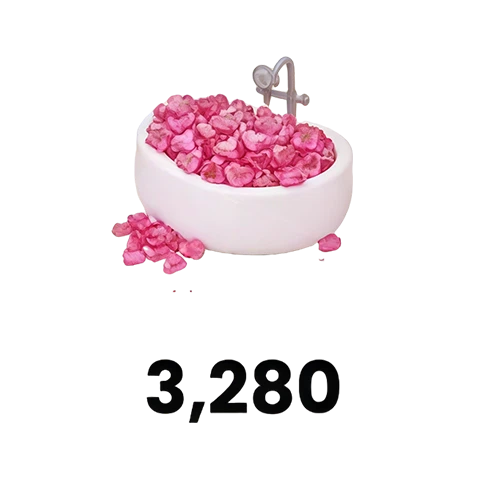
3,280 Heart Diamond
3,280 Heart Diamond
$ 43.09
$ 50.99
6,480 Heart Diamond
6,480 Heart Diamond
$ 84.51
$ 99.99

Quantity

Price
$0.00
HOW TO BUY?
Total
- +

₩0

Overall Rating
5.0
2,226 reviews
Overall Rating
5.0
Based on 2,226 reviews
  • 5 Star
    100%
  • 4 Star
    0%
  • 3 Star
    0%
  • 2 Star
    0%
  • 1 Star
    0%
Product Introduction
Recharge guide
User Reviews(2,226)
BUFFHUB TOP-UP SERVICE

Heartopia Top-Up — Buy Heart Diamond on BUFFHUB

Heartopia is a relaxing multiplayer life simulation game built around creativity, hobbies, home design, and spending time with friends. Heart Diamond is the game's premium currency and can be used for selected outfits, furniture, decorations, and other paid content shown in the in-game store. BUFFHUB currently provides both Self-Service Top-Up and Assisted Top-Up for Heartopia, with Self-Service Top-Up recommended when you want the more direct of the two available routes.

What Are the Advantages of Topping Up Heartopia on BUFFHUB?

Heartopia uses a login-based top-up flow on BUFFHUB, so a useful recharge option should make more than the Heart Diamond amount clear. You should be able to compare the current price and discount, choose the fulfillment route that suits you, see the payment choices before checkout, and know where to get help if an order needs attention.

  • 01

    Compare Heart Diamond Prices and Current Discounts Before You Buy

    BUFFHUB offers Heartopia packages at competitive prices, while selected Heart Diamond amounts and other products may also show current discounts, promotional pricing, or other available savings. Because prices and promotions can change, checking the live product price before payment gives you a clearer picture of what the pack will actually cost instead of relying on a fixed discount promise.

  • 02

    Choose Between Self-Service and Assisted Top-Up

    Heartopia is one of the BUFFHUB products where you can choose between two login-based fulfillment routes rather than being limited to a single order method. Current service information lists Self-Service Top-Up at about 5–10 minutes and Assisted Top-Up at about 15 minutes under typical conditions. These are estimated processing times rather than guaranteed delivery windows, and verification, payment review, server conditions, or order volume can make some orders take longer.

  • 03

    Use Multiple Payment Methods in a Secure Checkout Environment

    BUFFHUB provides multiple payment methods and a secure checkout and transaction environment for supported Heartopia orders. The payment choices available to you can depend on your region and checkout session, so you can review the available options and final order amount before completing payment. Because Heartopia uses Login Top-up rather than a password-free UID recharge, also check the account information requested by the selected route before submitting an order.

  • 04

    Get 24/7 Support for Payment, Login, and Order Questions

    BUFFHUB provides 24/7 customer support for Heartopia order-related questions. That can be useful when an order involves login verification, submitted account information, payment review, or a delivery-status question. The 24/7 availability refers to support coverage and should not be read as a guaranteed response or resolution time.

The practical difference for Heartopia is that you can compare the Heart Diamond price and current savings first, then choose between Self-Service and Assisted Top-Up based on how you want the order handled. The account requirements and full instructions for both routes are covered in the top-up guide below.

About Heartopia

Heartopia is a relaxing multiplayer life simulation game where you can build and decorate your home, develop different hobbies, and spend time with friends in a laid-back town. Activities include home decoration, gardening, fishing, cooking, and birdwatching, while outfits and animal companions give you more ways to personalize your daily life in the game. If you enjoy slower-paced social and life simulation games, Heartopia is built around that kind of play.

About Heart Diamond:

Heart Diamond is Heartopia’s premium currency. It is sold through several denominations and can be used for selected premium content available through the game, including eligible outfits, furniture, decorations, and other store items. The exact products, prices, bonuses, and event content available to an account depend on what is currently shown in the in-game store.

More down down
Fold Up up up

Heartopia Top-Up Information & Important Notes

Item Details
Supported Platforms Heartopia mobile and PC versions supported by this BUFFHUB top-up route (excluding the Steam version)
*The current BUFFHUB guide states that account progress is shared between the supported PC and mobile versions and that cross-platform top-ups are supported.
Supported Servers Americas / Asia / Global / Southeast Asia / Taiwan, Hong Kong and Macau (Traditional Chinese Server)
Required Information
1. Login method and the corresponding account information requested by the selected route, such as Google or Facebook login details
2. UID (Player ID) and character name
3. Verification code if the login process requests one
Estimated Processing Time Self-Service Top-Up: about 5–10 minutes / Assisted Top-Up: about 15 minutes under typical conditions. Actual timing may vary.
Important Notes

1. Check your login information, UID, character name, region, and server carefully before submitting the order. BUFFHUB processes the top-up according to the information you provide, so incorrect account details can affect delivery. Once the order is complete, log in to Heartopia and confirm that the intended Heart Diamond or pack has been credited.

2. Heartopia store prices can differ by region and displayed currency. If the BUFFHUB instructions for your order require you to compare against a USD-denominated pack, check the corresponding in-game pack value carefully before continuing rather than relying only on a converted price.

How to Top Up Heartopia on BUFFHUB

Login Top-Up: Self-Service Top-Up

01
Visit BUFFHUB and Place the Order: Open BUFFHUB, select your preferred language and display currency, and sign in to your BUFFHUB account. Go to “Top Up” > “Heartopia,” choose the Heart Diamond amount or pack you need, review the order information, and complete payment.
02
Choose Self-Service Top-Up: Select the Self-Service Top-Up option for the order when it is available.
03
Sign In to the Heartopia Account: Select the login method required by the order, such as Google or Facebook, and complete the login. After signing in, check that the region, server, UID, and character information correspond to the account you want to top up.
04
Open the In-Game Store: Enter Heartopia and open the relevant in-game store page used by the Self-Service Top-Up flow.
05
Confirm the Matching Pack: Check that the in-game product matches the Heart Diamond amount or pack purchased through BUFFHUB, then continue through the Self-Service Top-Up flow.
06
Keep the Self-Service Session Active: The redemption process can take several minutes. Keep the operation page open while it is being processed, and avoid signing in to the same Heartopia account from another device or location during this period. The current BUFFHUB instructions state that login information is cleared after you leave the Self-Service Top-Up results page.
07
Confirm Delivery: Once the top-up process is complete, check the order notification or result page. You can then return to Heartopia and confirm that the intended Heart Diamond or purchased pack has been credited.

Login Top-Up: Assisted Top-Up

01
Visit BUFFHUB: Open the BUFFHUB website, select your preferred language and display currency, and sign in to your BUFFHUB account.
02
Find Heartopia Assisted Top-Up: From the navigation menu, select “Top Up” > “Heartopia (Assisted Top-Up).”
03
Confirm the Product: Select the Heart Diamond amount or pack you want. Check the product information and current price, then click “buy now.”
04
Complete Payment: Choose one of the payment methods currently available at checkout, review the final order amount, and complete the transaction.
06
Check the Completed Top-Up:
Order Page: Follow the order page until the processing status shows that the top-up has been completed.
Buy History: You can also open “Buy History” to review the current order status and top-up progress.
Confirm Delivery: Once the order is complete, sign in to Heartopia and check the Heart Diamond balance or contents of the purchased pack.

Heartopia Top-Up FAQ

Q1 Which Heartopia platforms are supported by this BUFFHUB top-up service?

A1: The current BUFFHUB guide lists supported Heartopia mobile and PC versions while excluding the Steam version. It also states that progress is shared between the supported mobile and PC versions and that cross-platform top-ups are supported. Check the server and account information shown for your order before proceeding.

Q2 What is Heart Diamond used for in Heartopia?

A2: Heart Diamond is Heartopia’s premium currency. It can be used for selected paid content available in the game, including eligible outfits, furniture, decorations, and other store products. The exact selection depends on what is currently available in the in-game store.

Q3 How long does a Heartopia top-up usually take on BUFFHUB?

A3: Current BUFFHUB service information lists Self-Service Top-Up at about 5–10 minutes and Assisted Top-Up at about 15 minutes under typical conditions. These are estimates rather than guaranteed delivery times. Verification, payment review, server conditions, or order volume can make processing take longer.

Q4 Can I log in to Heartopia while my order is being processed?

A4: Avoid logging in to the same Heartopia account while an Assisted Top-Up order is being processed because another login can interrupt the active session. For Self-Service Top-Up, the current instructions also advise against accessing the same account from another device or location while the redemption is in progress.

Q5 What happens to the login information after the Heartopia top-up?

A5: BUFFHUB's current Heartopia instructions state that Self-Service login information is cleared after you leave the top-up results page. For Assisted Top-Up, the current instructions also state that the staff member logs out after completing the process and clears the relevant login records. If you want an additional security step after confirming delivery, you can also update the password associated with your game login account.



More down down
Fold Up up up
U276819829
Purchased 1,980 Heart Diamond · Sep 28, 2026

safe and fast

U584659494
Purchased 300 Heart Diamond · Sep 28, 2026

Fast, safe and cheaper.

U654861329
Purchased 1,980 Heart Diamond · Sep 27, 2026

legit

U649993376
Purchased 1,280 Heart Diamond · Sep 27, 2026

Super fast made it myself

U997355427
Purchased Junior Membership · Sep 26, 2026

Keren banget fitur self-service-nya

U580712568
Purchased 1,280 Heart Diamond · Sep 26, 2026

быстро и надёжно

View All Comments
Sort By :
Latest
U276819829
Purchased 1,980 Heart Diamond

safe and fast

Sep 28, 2026
U584659494
Purchased 300 Heart Diamond

Fast, safe and cheaper.

Sep 28, 2026
U654861329
Purchased 1,980 Heart Diamond

legit

Sep 27, 2026
U649993376
Purchased 1,280 Heart Diamond

Super fast made it myself

Sep 27, 2026
U997355427
Purchased Junior Membership

Keren banget fitur self-service-nya

Sep 26, 2026
U580712568
Purchased 1,280 Heart Diamond

быстро и надёжно

Sep 26, 2026
View All Comments

Product Introduction

Remind

  • Alipay Alipay
  • ApplePay ApplePay
  • bancontact bancontact
  • bancontact-1 bancontact-1
  • billease billease
  • blik blik
  • boleto boleto
  • boost boost
  • bpi bpi
  • dana dana
  • Ewallet Ewallet
  • gcash gcash
  • GooglePay GooglePay
  • Ideal Ideal
  • kakao_pay kakao_pay
  • Klarna Klarna
  • konbini konbini
  • Kplus Kplus
  • line line
  • MBWAY MBWAY
  • multibanco multibanco
  • mybank mybank
  • naverpay naverpay
  • NetBanking NetBanking
  • oxxo oxxo
  • payco payco
  • paynow paynow
  • payu payu
  • pix pix
  • Qiwi Qiwi
  • rabbit rabbit
  • samsung samsung
  • sberpay sberpay
  • SBP SBP
  • SEPA SEPA
  • skrill skrill
  • spei spei
  • swish swish
  • tng tng
  • Tosspay Tosspay
  • truemoney truemoney
  • usdt usdt
  • Visa Visa
  • Visa-mastercard Visa-mastercard
  • Visa-mastercard+jbc Visa-mastercard+jbc
  • yoomoney yoomoney
  • Alipay Alipay
  • ApplePay ApplePay
  • bancontact bancontact
  • bancontact-1 bancontact-1
  • billease billease
  • blik blik
  • boleto boleto
  • boost boost
  • bpi bpi
  • dana dana
  • Ewallet Ewallet
  • gcash gcash
  • GooglePay GooglePay
  • Ideal Ideal
  • kakao_pay kakao_pay
  • Klarna Klarna
  • konbini konbini
  • Kplus Kplus
  • line line
  • MBWAY MBWAY
  • multibanco multibanco
  • mybank mybank
  • naverpay naverpay
  • NetBanking NetBanking
  • oxxo oxxo
  • payco payco
  • paynow paynow
  • payu payu
  • pix pix
  • Qiwi Qiwi
  • rabbit rabbit
  • samsung samsung
  • sberpay sberpay
  • SBP SBP
  • SEPA SEPA
  • skrill skrill
  • spei spei
  • swish swish
  • tng tng
  • Tosspay Tosspay
  • truemoney truemoney
  • usdt usdt
  • Visa Visa
  • Visa-mastercard Visa-mastercard
  • Visa-mastercard+jbc Visa-mastercard+jbc
  • yoomoney yoomoney
Language & Currency
  • Language
    English
    中文(繁体)
    日本語
    Bahasa Indonesia
    Bahasa Melayu
    Français
    Italiano
    Deutsch
    Русский
    Español
    한국어
  • Display Currency
    $ USD
    € EUR
    £ GBP
    C$ CAD
    A$ AUD
    S$ SGD
    Ұ JPY
    ₩ KRW
    SA SAR
    AED AED
    RM MYR
    ₱ PHP
    Rp IDR
    ฿ THB
    NT$ TWD
    HK$ HKD
    ₫ VND
    MX$ MXN
    R$ BRL
    ₽ RUB