













Related searches
0 results
Not found
No content related to ""
theme-light theme-light-text
theme-dark-text theme-light
Fortnite

Fortnite

broadcast broadcast
Join the BUFFHUB Discord community and instantly receive a $10 discount coupon
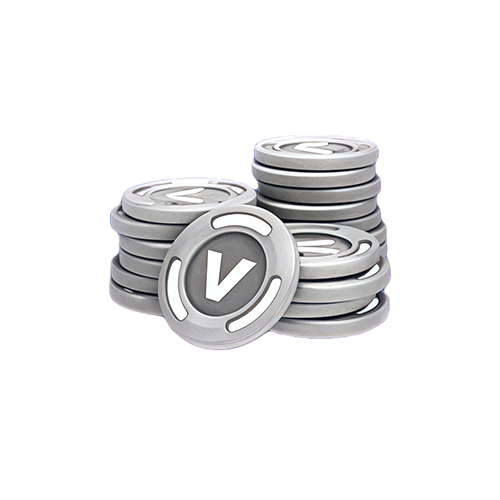
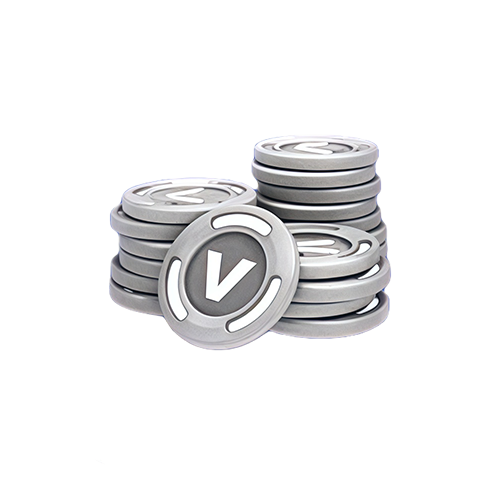
800 V-Bucks
800 V-Bucks
$ 7.12
$ 8.99
2,400 V-Bucks
2,400 V-Bucks
$ 18.23
$ 22.99
4,500 V-Bucks
4,500 V-Bucks
$ 29.30
$ 36.99
12,500 V-Bucks
12,500 V-Bucks
$ 71.28
$ 89.99

Quantity

Price
$0.00
HOW TO BUY?
Total
- +

0

Overall Rating
5.0
2,618 reviews
Overall Rating
5.0
Based on 2,618 reviews
  • 5 Star
    99%
  • 4 Star
    1%
  • 3 Star
    0%
  • 2 Star
    0%
  • 1 Star
    0%
Product Introduction
Recharge guide
User Reviews(2,618)
 

Fortnite Top-Up — Buy V-Bucks Online

Need more V-Bucks for an Outfit, Emote, Pickaxe, Battle Pass, or another eligible Fortnite purchase? BUFFHUB currently offers several V-Bucks denominations through a Login Top-Up service, with the current price and available discount shown before checkout. Because this is a manual login-based service rather than a UID-only recharge, check the supported platform and account requirements before placing your order.

What Can You Use Fortnite V-Bucks For?

What are V-Bucks? V-Bucks are Fortnite's in-game currency. They are used for eligible purchases across Fortnite, including cosmetic items and other content offered through Fortnite's current stores and passes.

What can you buy? Depending on the content currently available, V-Bucks can be used for items such as Outfits, Emotes, Pickaxes, and other cosmetics, as well as eligible Fortnite passes. Cosmetic purchases change how you look or express yourself in-game rather than giving you a direct competitive advantage.

How do returns work? Not every V-Bucks purchase follows the same return rules. Many eligible Item Shop purchases can be canceled or returned under Epic Games' current Cancel Purchase and Return Ticket rules, while passes and certain other purchases are excluded. Check the applicable Fortnite refund rules before spending your V-Bucks.

Why Does BUFFHUB Work Well for a Fortnite V-Bucks Top-Up?

Fortnite players usually care about a few practical things when buying V-Bucks: how quickly the order can be handled, whether the current price is worth paying, what payment choices are available, and what happens if the Login Top-Up needs attention. BUFFHUB puts those points at the center of the purchase instead of treating every V-Bucks order as just another game recharge.

FAST ORDER HANDLING

Fortnite Manual Top-Ups Are Usually Processed in Around 15 Minutes

Speed is one of the clearest advantages of the current Fortnite service. After the required login information and any requested verification are available, BUFFHUB usually processes manual V-Bucks orders in around 15 minutes. The exact completion time can still vary with verification needs, order conditions, or current processing volume, but the service is designed around efficient order handling rather than leaving the purchase open-ended.

That matters when you already know which V-Bucks amount you want and would rather get back to Fortnite than wait through an unclear fulfillment process. If extra account confirmation is needed, the order can be followed through BUFFHUB support instead of relying on a fixed delivery guarantee.

Competitive V-Bucks Prices with Real Discounts

BUFFHUB lists Fortnite V-Bucks at competitive prices, so you can compare the actual cost of the denomination you want before buying. Selected V-Bucks products may also include discounted pricing, current offers, or other available savings. Price and discount are shown separately because a lower listed price and an active promotion are two different ways a Fortnite order can offer better value.

More Payment Choice with a Secure Checkout

BUFFHUB provides multiple payment methods, giving players more flexibility when paying for a Fortnite top-up from different regions. Checkout is handled through a secure transaction environment. Because Fortnite currently uses Login Top-Up on BUFFHUB, the required account information and verification requirements are also shown before the manual purchase is processed.

24/7 Support for Orders That Need Attention

Manual top-ups can occasionally need an extra verification code, account confirmation, or order-status check. BUFFHUB provides 24/7 customer support for help with payment questions, submitted account information, verification requests, and order progress. The benefit is not a promise of instant replies or guaranteed resolution times, but having an assistance channel available whenever your Fortnite order needs follow-up.

For Fortnite, the main value is easy to compare: a V-Bucks order can combine competitive pricing and active discounts with around-15-minute manual processing, multiple payment methods, secure checkout, and 24/7 support. Before ordering, simply check the V-Bucks amount you want and make sure your account meets the current Login Top-Up requirements. The detailed platform, login, and processing instructions are covered in the top-up guide.

Fortnite Game Overview


Fortnite is Epic Games' evolving online game platform, first launched in 2017. Battle Royale remains one of its best-known experiences, while Zero Build offers Battle Royale gameplay without building mechanics. Fortnite also includes other experiences such as Save the World and a huge range of creator-made islands and modes available through Discover.

Your Fortnite content is tied closely to your Epic Games account, allowing progression and most owned items to appear across linked platforms. Purchased V-Bucks are the main exception because wallet availability can depend on the platform and region, so players who switch devices should check the current Fortnite Shared Wallet rules when managing their balance.

More down down
Fold Up up up

Fortnite Top-Up Info & Important Reminders

Item Description
Supported Platforms PC and Mobile
(Nintendo and PlayStation account logins are currently not supported for this manual top-up service.)
Supported Region Global
Top-Up Method Login Top-Up
Required Information
1. Game Login Account
2. Password
3. Verification Code when requested
Estimated Processing Time Manual orders are usually processed in around 15 minutes after the required information is available. Actual processing time may vary.

Important Tips

Check Your Account Information: Make sure the login account, password, and any requested verification information are correct before submitting the order. Incorrect details can delay manual processing.

Check the Displayed Currency: Product or checkout pricing may be displayed in a different currency depending on the selected region or currency setting. Confirm the V-Bucks denomination and final amount before payment.

Xbox Account Note: The current BUFFHUB product instructions state that Xbox accounts cannot be used for repeated proxy purchases. Check with customer support if you are unsure whether your account meets the current requirements.

Watch for Verification Messages: If your order requires additional Epic Games account verification, keep an eye on BUFFHUB customer support messages and provide the requested verification information when needed.

Check Your V-Bucks Platform: Purchased V-Bucks can follow different wallet rules across platforms. In particular, V-Bucks purchased on non-Nintendo platforms do not normally appear in the Nintendo Switch V-Bucks balance.

How to Top Up Fortnite V-Bucks on BUFFHUB

Login Top-Up: Manual Service Guide

01
Visit BUFFHUB: Go to the BUFFHUB website, select your preferred language and displayed currency, and log in to your account.
02
Find Fortnite: From the navigation menu, select Game Top-Up > Fortnite.
03
Confirm Your Order: Choose the V-Bucks denomination currently available that you want to purchase, then review the product details, price, and any current discount before clicking buy now.
04
Complete Payment: Choose an available payment method, review your order, and complete checkout.
05
Submit Your Information and Wait: Provide the required login information through the order page or customer support flow. A top-up specialist will use the submitted information to complete the manual purchase. Do not log in to your Fortnite account while the order is being processed.
Fortnite manual top-up order information submission page After the required information has been submitted successfully, the system will redirect you to the Waiting Page while the top-up specialist begins processing the order.

06
Check the Completed Top-Up:

· Page Redirect: Once processing is complete, the page will redirect to the top-up success page.

· Check Your Order: You can also open “Purchase History” to review your current order status and processing progress.

· Check Your V-Bucks: Once the order is confirmed as completed, log in to Fortnite on the appropriate supported platform and check your V-Bucks balance.


Frequently Asked Questions (FAQ)

Q1: How long does a Fortnite V-Bucks Login Top-Up take?

Manual Fortnite top-up orders are usually processed in around 15 minutes after the required account information is available. Actual completion time can vary if additional verification is needed or processing volume is higher than usual. If your order is taking longer than expected, you can contact BUFFHUB's 24/7 customer support to check its status.


Q2: How does BUFFHUB handle security for Fortnite top-ups?

BUFFHUB processes payment through a secure transaction environment and uses the account information required for the current Login Top-Up method to process the manual purchase. Check that your login information, selected V-Bucks amount, and verification details are correct before submitting the order.




Q3: What payment methods can I use for a Fortnite top-up?

BUFFHUB provides multiple payment methods at checkout. Available payment options can vary by country or region, so use the methods displayed on your checkout page when placing the order.

Q4: Can I transfer purchased V-Bucks directly to a friend?

No. V-Bucks purchased on your account cannot be transferred directly to another player's account. Epic Games currently states that gifting V-Bucks to another player requires an eligible physical V-Bucks card; Fortnite's separate gifting system can be used for eligible Item Shop content instead.

Q5: Why does my V-Bucks balance look different on another platform?

Purchased V-Bucks do not always share across every Fortnite platform. Most supported platforms use Fortnite's Shared Wallet, but Nintendo Switch has separate V-Bucks wallet rules, and some regional restrictions also apply. If the balance looks different, check the Epic Games account and platform where the V-Bucks were purchased before assuming the top-up is missing.

More down down
Fold Up up up
U906952509
Purchased 800 V-Bucks · Sep 21, 2026

Puas! Layanan customer service ramah.

U444260383
Purchased 4,500 V-Bucks · Sep 21, 2026

Processo semplice. Consigliato.

U916836087
Purchased 2,400 V-Bucks · Sep 19, 2026

Funciona perfectamente.

rnzPxBB
Purchased 12,500 V-Bucks · Sep 19, 2026

👌

U204400967
Purchased 800 V-Bucks · Sep 19, 2026

Muy rápido, recomendado.

U309747179
Purchased 800 V-Bucks · Sep 19, 2026

Buen precio y rápido.

View All Comments
Sort By :
Latest
U906952509
Purchased 800 V-Bucks

Puas! Layanan customer service ramah.

Sep 21, 2026
U444260383
Purchased 4,500 V-Bucks

Processo semplice. Consigliato.

Sep 21, 2026
U916836087
Purchased 2,400 V-Bucks

Funciona perfectamente.

Sep 19, 2026
rnzPxBB
Purchased 12,500 V-Bucks

👌

Sep 19, 2026
U204400967
Purchased 800 V-Bucks

Muy rápido, recomendado.

Sep 19, 2026
U309747179
Purchased 800 V-Bucks

Buen precio y rápido.

Sep 19, 2026
View All Comments

Product Introduction

  • Alipay Alipay
  • ApplePay ApplePay
  • bancontact bancontact
  • bancontact-1 bancontact-1
  • billease billease
  • blik blik
  • boleto boleto
  • boost boost
  • bpi bpi
  • dana dana
  • Ewallet Ewallet
  • gcash gcash
  • GooglePay GooglePay
  • Ideal Ideal
  • kakao_pay kakao_pay
  • Klarna Klarna
  • konbini konbini
  • Kplus Kplus
  • line line
  • MBWAY MBWAY
  • multibanco multibanco
  • mybank mybank
  • naverpay naverpay
  • NetBanking NetBanking
  • oxxo oxxo
  • payco payco
  • paynow paynow
  • payu payu
  • pix pix
  • Qiwi Qiwi
  • rabbit rabbit
  • samsung samsung
  • sberpay sberpay
  • SBP SBP
  • SEPA SEPA
  • skrill skrill
  • spei spei
  • swish swish
  • tng tng
  • Tosspay Tosspay
  • truemoney truemoney
  • usdt usdt
  • Visa Visa
  • Visa-mastercard Visa-mastercard
  • Visa-mastercard+jbc Visa-mastercard+jbc
  • yoomoney yoomoney
  • Alipay Alipay
  • ApplePay ApplePay
  • bancontact bancontact
  • bancontact-1 bancontact-1
  • billease billease
  • blik blik
  • boleto boleto
  • boost boost
  • bpi bpi
  • dana dana
  • Ewallet Ewallet
  • gcash gcash
  • GooglePay GooglePay
  • Ideal Ideal
  • kakao_pay kakao_pay
  • Klarna Klarna
  • konbini konbini
  • Kplus Kplus
  • line line
  • MBWAY MBWAY
  • multibanco multibanco
  • mybank mybank
  • naverpay naverpay
  • NetBanking NetBanking
  • oxxo oxxo
  • payco payco
  • paynow paynow
  • payu payu
  • pix pix
  • Qiwi Qiwi
  • rabbit rabbit
  • samsung samsung
  • sberpay sberpay
  • SBP SBP
  • SEPA SEPA
  • skrill skrill
  • spei spei
  • swish swish
  • tng tng
  • Tosspay Tosspay
  • truemoney truemoney
  • usdt usdt
  • Visa Visa
  • Visa-mastercard Visa-mastercard
  • Visa-mastercard+jbc Visa-mastercard+jbc
  • yoomoney yoomoney
Language & Currency
  • Language
    English
    中文(繁体)
    日本語
    Bahasa Indonesia
    Bahasa Melayu
    Français
    Italiano
    Deutsch
    Русский
    Español
    한국어
  • Display Currency
    $ USD
    € EUR
    £ GBP
    C$ CAD
    A$ AUD
    S$ SGD
    Ұ JPY
    ₩ KRW
    SA SAR
    AED AED
    RM MYR
    ₱ PHP
    Rp IDR
    ฿ THB
    NT$ TWD
    HK$ HKD
    ₫ VND
    MX$ MXN
    R$ BRL
    ₽ RUB