















Related searches
0 results
Not found
No content related to ""
theme-light theme-light-text
theme-dark-text theme-light
Dark War Survival

Dark War Survival

broadcast broadcast
Join the BUFFHUB Discord community and instantly receive a $10 discount coupon
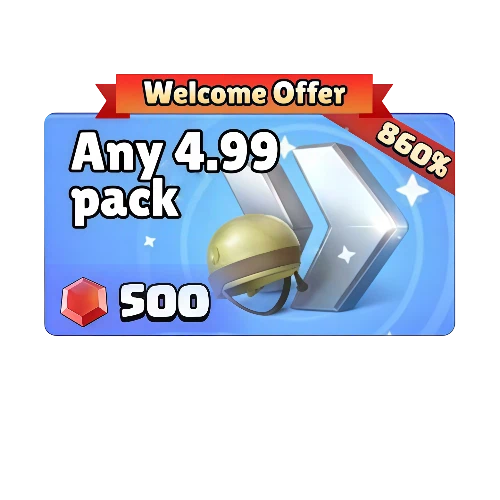
Any $4.99 pack
Total 0/1
Any $4.99 pack
$ 4.04
$ 4.99
500 Rubies
500 Rubies
$ 4.40
$ 4.99
1000 Rubies
1000 Rubies
$ 8.81
$ 9.99
2000 Rubies
2000 Rubies
$ 17.62
$ 19.99
5000 Rubies
5000 Rubies
$ 44.05
$ 49.99
10000 Rubies
10000 Rubies
$ 88.11
$ 99.99
Standard All-In-One Packs
$ 171.06
$ 184.95
0.99 Standard Packs
0.99 Standard Packs
$ 0.89
$ 0.99
2.99 Standard Packs
2.99 Standard Packs
$ 2.64
$ 2.99
4.99 Standard Packs
4.99 Standard Packs
$ 4.40
$ 4.99
9.99 Standard Packs
9.99 Standard Packs
$ 8.81
$ 9.99
19.99 Standard Packs
$ 17.62
$ 19.99
49.99 Standard Packs
$ 44.05
$ 49.99
99.99 Standard Packs
$ 88.11
$ 99.99
Road to Dawn
Road to Dawn
$ 8.81
$ 9.99
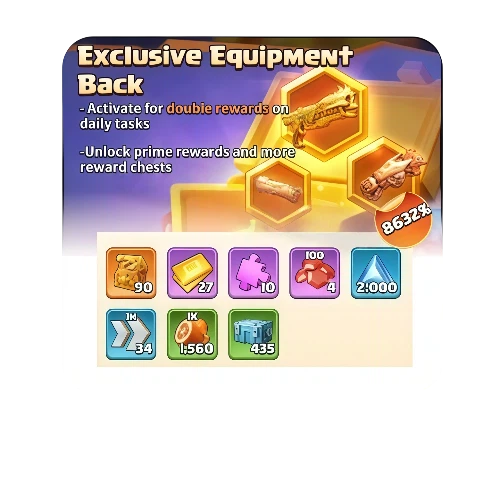
Exclusive Equipment Back
$ 17.62
$ 19.99
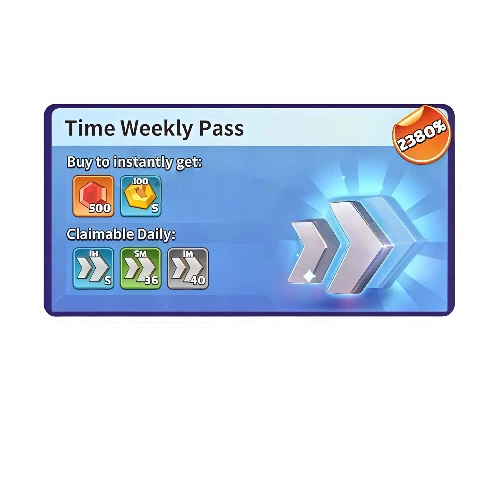
Time Weekly Pass
Time Weekly Pass
$ 4.40
$ 4.99
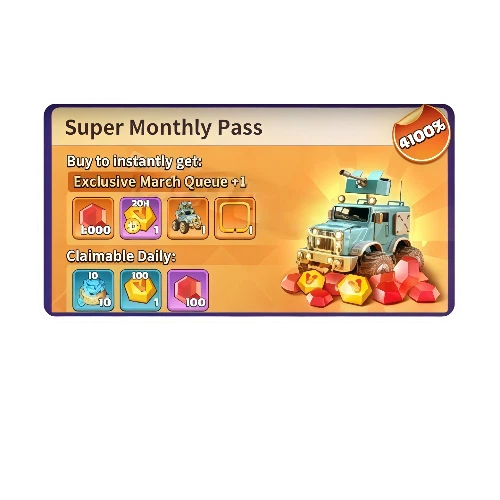
Super Monthly Pass
Super Monthly Pass
$ 8.81
$ 9.99
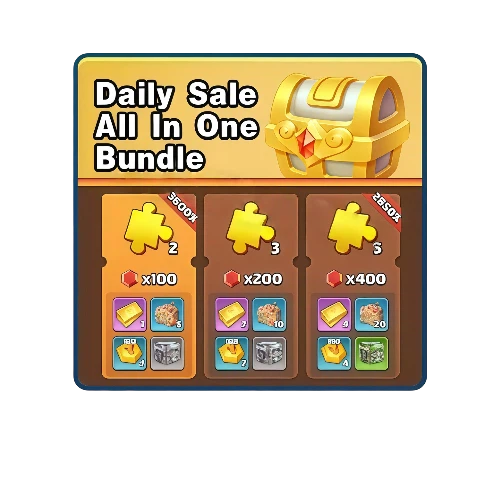
Daily All-In-One Sales Bundle
$ 4.40
$ 4.99
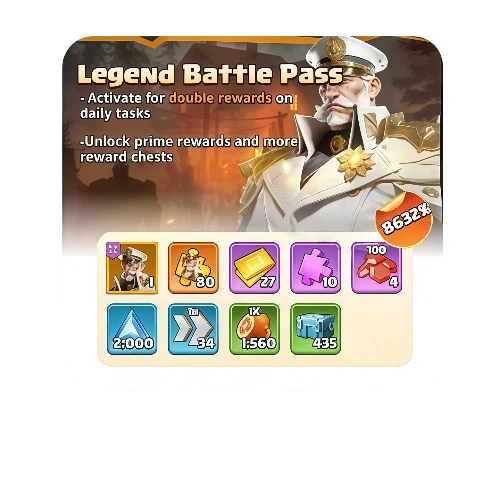
Legend Battle Pass
Legend Battle Pass
$ 17.62
$ 19.99
Hero Codes
Hero Codes
$ 22.02
$ 24.99

Quantity

Price
$0.00
HOW TO BUY?
Total
- +

0

Overall Rating
5.0
2,778 reviews
Overall Rating
5.0
Based on 2,778 reviews
  • 5 Star
    99%
  • 4 Star
    1%
  • 3 Star
    0%
  • 2 Star
    0%
  • 1 Star
    0%
Product Introduction
Recharge guide
User Reviews(2,778)
Global Login Top-Up

Dark War:Survival Top-Up -- Rubies & Standard Packs

Rubies and Standard Packs Available on BUFFHUB

Dark War:Survival puts steady pressure on your Shelter, survivors, resources, and long-term progression as the zombie apocalypse expands around you. BUFFHUB currently provides Global Login Top-Up for Rubies and Standard Packs, with both self-service and manual purchase workflows covered in the guide. Before ordering, compare the live product price, check any current in-game bonus, and make sure you have the information required for the top-up method you plan to use.

First Top-Up Bonus Details

What is the first top-up bonus?

Dark War:Survival may display first-purchase or first-top-up rewards for eligible accounts or products. Because the exact offer can depend on your account history and the promotion currently shown in-game, check the live bonus on your account before purchasing rather than assuming that a previous offer still applies.

Bonus Eligibility Rules

First-purchase rewards are tied to the eligibility conditions of the current offer and may only be available once for the qualifying purchase. Treat the reward and requirements displayed in Dark War:Survival as the final reference before placing your order.

Three Things Worth Checking Before You Top Up Dark War:Survival

A Dark War:Survival purchase is easier to judge when you separate the decision into three parts: how much value you are getting, which Login Top-Up route fits the product, and how your payment and account information are handled. BUFFHUB also provides top-up pages for other survival strategy games, including Whiteout Survival, Last War: Survival, Kingshot, Tiles Survive!, and Last Z: Survival Shooter.

01

Stretch Your Ruby Budget Before You Commit

Start with the live price instead of assuming every Ruby amount gives the same value. BUFFHUB currently lists lower-priced Dark War:Survival top-up options across selected Ruby denominations and Standard Packs, with strong current discounts and promotional pricing on eligible products. Since the saving can differ from one pack to another, compare the package you actually need and the final checkout total before paying.

02

Match the Login Top-Up Method to What You Are Buying

Dark War:Survival on BUFFHUB uses a Global Login Top-Up workflow rather than a simple UID-only recharge. The current guide provides both Self-Service Login Top-Up and Manual Login Top-Up, so the information you prepare depends on the route and product you select. If you are buying a Standard Pack through the manual route, keep a screenshot of the exact in-game pack ready when requested so the order can be matched to the intended item.

03

Keep Checkout and Account Handling Clear

Payment is completed through a secure checkout flow using supported payment processors, while the game-account information depends on the Login Top-Up method you choose. With Self-Service Login Top-Up, you sign in through the top-up portal yourself; Manual Login Top-Up may require account login and verification details so the purchase can be completed on the correct account. Follow only the fields shown for your selected order, and avoid logging in to the game from another session while the recharge is still being processed.

24/7 Support Order-related assistance is available 24/7 if you need help checking payment, login information, or order status.
Multiple Payments BUFFHUB provides multiple payment methods, with the actual options shown according to your region and checkout page.
Fast Processing Current Dark War:Survival orders are often processed in around 5 minutes, although verification, order volume, or other temporary conditions can extend the wait.
Global Login Top-Up The current BUFFHUB product route is listed for the Global Server and uses Login Top-Up.

For most Dark War:Survival orders, the useful checks are simple: compare the live Ruby or pack price, choose the correct Login Top-Up workflow, submit the requested information carefully, and check the existing order before placing another payment if delivery takes longer than expected.

About Dark War:Survival

Dark War:Survival is a zombie-apocalypse strategy game for mobile devices. After society collapses, players build and expand a Shelter, assign survivors to different jobs, manage resources, and work toward rebuilding civilization in a hostile environment.

As your Shelter grows, you can develop facilities, explore the wider world, strengthen your roster of survivors, and cooperate with other players through Alliance features. The mix of Shelter development, resource planning, survivor management, events, and larger-scale strategy gives the game its long-term progression loop.

More down down
Fold Up up up

Top-Up Information and Important Notes

Item Details
Supported Platform Mobile Devices (Android / iOS)
Supported Region Global Server
Required Information
1. Game Account + Password + Verification Method + Screenshot of the Item You Want to Purchase (Login Method)

2. Character Name / UID

Estimated Delivery Time Processing often takes around 5 minutes, although actual delivery time can vary
Important Notice: Please make sure that all submitted information is accurate. If you use a Login Top-Up method that requires account credentials, consider changing your password after the order is complete. Do not log in to the same game account from another session while the top-up is being processed, as this may interrupt the active session or delay the order.

Top-Up Guide

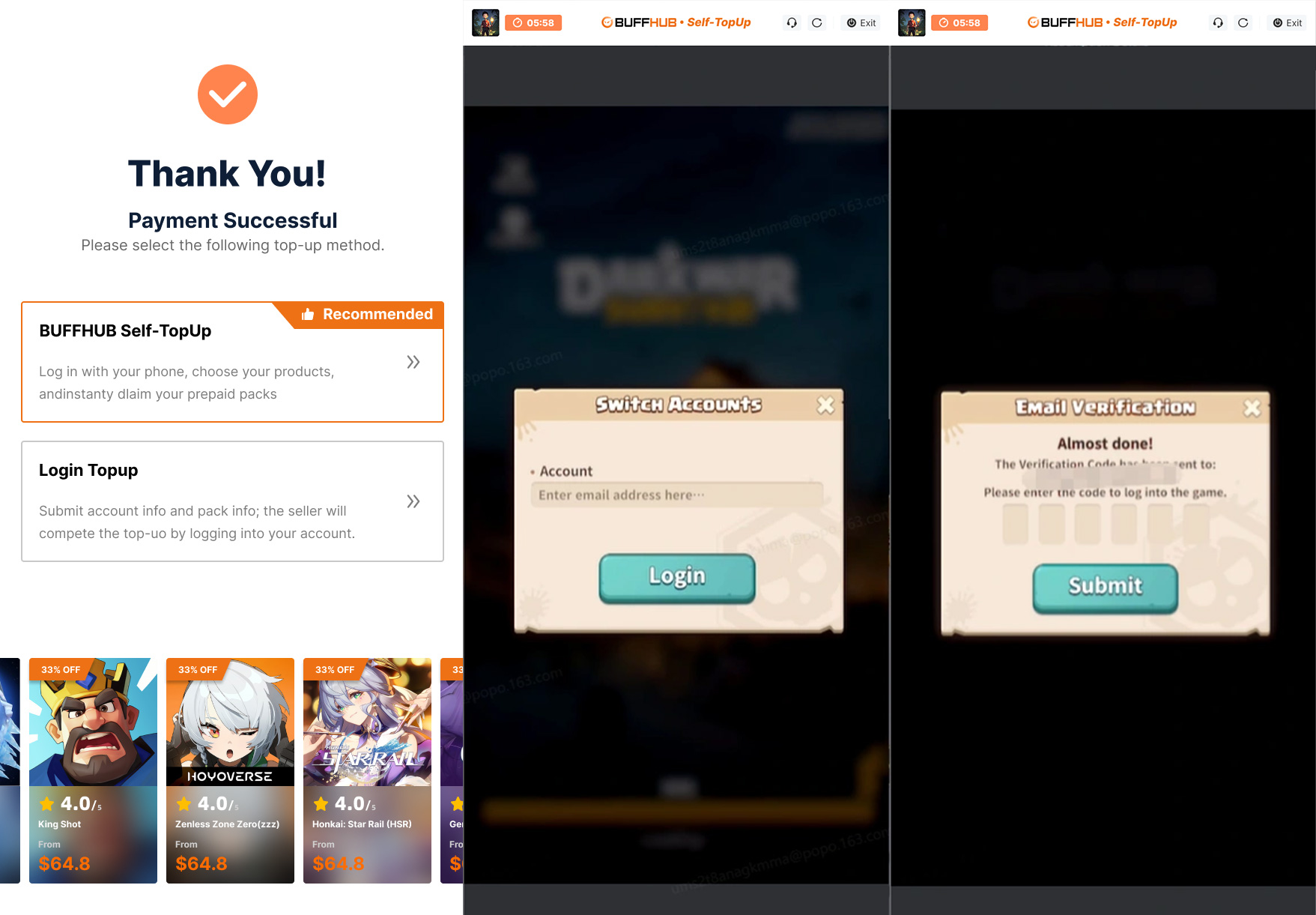
Self-Service Login Top-Up (Recommended)

01

Open the Login Portal:

Open the game through the Self-Service Login Top-Up portal, sign in to the account you want to recharge, and go to the in-game store.

Dark War Survival Self-Service Login Top-Up portal
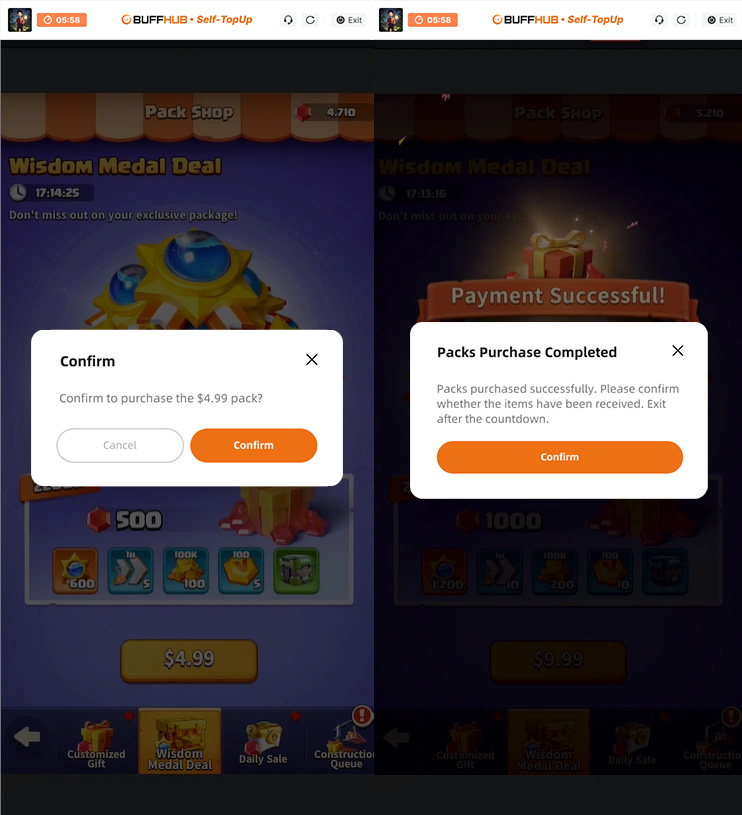
02

Confirm the Item:

Select the item you want to purchase, confirm that it matches your order, click “Confirm,” and complete the payment or redemption step shown in the portal.

Confirming an item during Dark War Survival Self-Service Top-Up
03

Confirm Delivery:

Open “Purchase History” to check the order status. Once the order is complete, log back in to Dark War:Survival and confirm that the purchased item or balance appears on the correct account.

04

Automatic Session Data Removal:

After the top-up is successfully completed and you exit the Self-Service portal, the current BUFFHUB process states that the login records used for that session are automatically cleared.

Login Top-Up: Manual Top-Up Guide

01

Visit the Website: Go to the BUFFHUB website, select your preferred language and currency, and log in to your account.

02

Find the Product: From the navigation menu on the homepage, select “Game Top-Up” > Dark War:Survival (Manual Top-Up).

03

Confirm Your Order: Select the bundle, monthly pass, Ruby denomination, or other available top-up option you want to purchase, then click “buy now”.

04

Complete Payment: Choose one of the payment methods currently available at checkout, review the final order total, and complete the transaction.

05

Submit Your Information and Wait: Provide the login and verification information requested on the order page or contact customer support if assistance is needed. BUFFHUB staff will then use the submitted information to process the purchase on the correct game account. Please do not log in to the same game account while the order is being processed.

Waiting page after submitting information for a Dark War Survival manual top-up

After your information has been submitted successfully, the system will take you to the Waiting Page. Keep the order available while the manual top-up is being processed and check the order status if the wait is longer than expected.

06

Top-Up Complete:

· Page Redirect: After the order has been processed, the page will redirect to the top-up success page.

· Order Tracking: You can also open “Purchase History” to check the current order status and top-up progress.

· Check Your Purchase: Once the order is marked as completed, log in to your Dark War:Survival account and confirm the purchased item or in-game balance.

Frequently Asked Questions (FAQ)

QUESTIONS & ANSWERS

Q1: What can Rubies be used for in Dark War:Survival?

Rubies are a premium in-game currency used for eligible progression features, shop functions, and event purchases. Their exact uses depend on the current game systems and events; for example, official game updates have included Ruby purchases for selected event items, while other progression systems can also offer Ruby-based options.

Q2: How do I find my character UID?

After logging in to Dark War:Survival, tap your profile avatar in the upper-left corner, then open “Settings” to view and copy your character UID. Check the UID carefully before submitting it with your order.

Q3: Does Dark War:Survival Login Top-Up require a password?

The current BUFFHUB Dark War:Survival product uses Login Top-Up rather than a UID-only direct recharge. Self-Service Login Top-Up requires you to sign in through the top-up portal, while Manual Login Top-Up may require account login details and verification information. Follow the fields shown for the method selected on your order.

Q4: Should I log in to the game while my top-up is being processed?

It is better not to log in to the same Dark War:Survival account from another session while the order is still being processed. A second login may interrupt the active top-up session or delay completion, so wait until the order status shows that processing has finished.

Q5: Which payment methods does BUFFHUB support?

BUFFHUB supports multiple payment methods, but the exact options available can vary by region and checkout page. Choose from the payment methods currently displayed when you place your Dark War:Survival order.

More down down
Fold Up up up
U211330366
Purchased Road to Dawn · Sep 11, 2026

Ottimo, consiglio a tutti.

U424933370
Purchased 500 Rubies · Sep 11, 2026

Sangat membantu, prosesnya mudah.

U720212175
Purchased Super Monthly Pass · Sep 11, 2026

またリピートします。

U292958623
Purchased 49.99 Standard Packs · Sep 11, 2026

Terima kasih, prosesnya cepat dan tidak ribet.

U529505691
Purchased Hero Codes · Sep 11, 2026

Мгновенное пополнение. Отлично.

Sakura_Tokyo
Purchased 500 Rubies · Sep 11, 2026

Oke banget, langsung masuk.

View All Comments
Sort By :
Latest
U211330366
Purchased Road to Dawn

Ottimo, consiglio a tutti.

Sep 11, 2026
U424933370
Purchased 500 Rubies

Sangat membantu, prosesnya mudah.

Sep 11, 2026
U720212175
Purchased Super Monthly Pass

またリピートします。

Sep 11, 2026
U292958623
Purchased 49.99 Standard Packs

Terima kasih, prosesnya cepat dan tidak ribet.

Sep 11, 2026
U529505691
Purchased Hero Codes

Мгновенное пополнение. Отлично.

Sep 11, 2026
Sakura_Tokyo
Purchased 500 Rubies

Oke banget, langsung masuk.

Sep 11, 2026
View All Comments

Product Introduction

  • Alipay Alipay
  • ApplePay ApplePay
  • bancontact bancontact
  • bancontact-1 bancontact-1
  • billease billease
  • blik blik
  • boleto boleto
  • boost boost
  • bpi bpi
  • dana dana
  • Ewallet Ewallet
  • gcash gcash
  • GooglePay GooglePay
  • Ideal Ideal
  • kakao_pay kakao_pay
  • Klarna Klarna
  • konbini konbini
  • Kplus Kplus
  • line line
  • MBWAY MBWAY
  • multibanco multibanco
  • mybank mybank
  • naverpay naverpay
  • NetBanking NetBanking
  • oxxo oxxo
  • payco payco
  • paynow paynow
  • payu payu
  • pix pix
  • Qiwi Qiwi
  • rabbit rabbit
  • samsung samsung
  • sberpay sberpay
  • SBP SBP
  • SEPA SEPA
  • skrill skrill
  • spei spei
  • swish swish
  • tng tng
  • Tosspay Tosspay
  • truemoney truemoney
  • usdt usdt
  • Visa Visa
  • Visa-mastercard Visa-mastercard
  • Visa-mastercard+jbc Visa-mastercard+jbc
  • yoomoney yoomoney
  • Alipay Alipay
  • ApplePay ApplePay
  • bancontact bancontact
  • bancontact-1 bancontact-1
  • billease billease
  • blik blik
  • boleto boleto
  • boost boost
  • bpi bpi
  • dana dana
  • Ewallet Ewallet
  • gcash gcash
  • GooglePay GooglePay
  • Ideal Ideal
  • kakao_pay kakao_pay
  • Klarna Klarna
  • konbini konbini
  • Kplus Kplus
  • line line
  • MBWAY MBWAY
  • multibanco multibanco
  • mybank mybank
  • naverpay naverpay
  • NetBanking NetBanking
  • oxxo oxxo
  • payco payco
  • paynow paynow
  • payu payu
  • pix pix
  • Qiwi Qiwi
  • rabbit rabbit
  • samsung samsung
  • sberpay sberpay
  • SBP SBP
  • SEPA SEPA
  • skrill skrill
  • spei spei
  • swish swish
  • tng tng
  • Tosspay Tosspay
  • truemoney truemoney
  • usdt usdt
  • Visa Visa
  • Visa-mastercard Visa-mastercard
  • Visa-mastercard+jbc Visa-mastercard+jbc
  • yoomoney yoomoney
Language & Currency
  • Language
    English
    中文(繁体)
    日本語
    Bahasa Indonesia
    Bahasa Melayu
    Français
    Italiano
    Deutsch
    Русский
    Español
    한국어
  • Display Currency
    $ USD
    € EUR
    £ GBP
    C$ CAD
    A$ AUD
    S$ SGD
    Ұ JPY
    ₩ KRW
    SA SAR
    AED AED
    RM MYR
    ₱ PHP
    Rp IDR
    ฿ THB
    NT$ TWD
    HK$ HKD
    ₫ VND
    MX$ MXN
    R$ BRL
    ₽ RUB