















Related searches
0 results
Not found
No content related to ""
theme-light theme-light-text
theme-dark-text theme-light
Brawl Stars

Brawl Stars

broadcast broadcast
Join the BUFFHUB Discord community and instantly receive a $10 discount coupon
Brawl Pass Plus Special Offer
Total 0/1
Brawl Pass Plus Special Offer
$ 10.29
$ 12.99
Brawl Pass
Brawl Pass
$ 7.21
$ 8.99
Brawl Pass Plus
Brawl Pass Plus
$ 10.81
$ 12.99
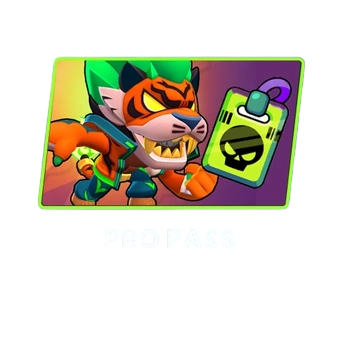
PRO PASS
PRO PASS
$ 20.70
$ 24.99
30 Gems
30 Gems
$ 1.65
$ 1.99
80 Gems
80 Gems
$ 4.23
$ 4.99
170 Gems
170 Gems
$ 8.02
$ 9.99
360 Gems
360 Gems
$ 16.46
$ 19.99
950 Gems
950 Gems
$ 42.31
$ 49.99
2000 Gems
2000 Gems
$ 80.97
$ 99.99
Any $0.99 Pack
Any $0.99 Pack
$ 0.80
$ 0.99
Any $3.99 Pack
Any $3.99 Pack
$ 3.29
$ 3.99
Any $4.99 Pack
Any $4.99 Pack
$ 4.23
$ 4.99
Any $5.99 Pack
Any $5.99 Pack
$ 4.74
$ 5.99
Any $6.99 Pack
Any $6.99 Pack
$ 5.66
$ 6.99
Any $7.99 Pack
Any $7.99 Pack
$ 6.76
$ 7.99
Any $9.99 Pack
Any $9.99 Pack
$ 8.02
$ 9.99
Any $16.99 Pack
Any $16.99 Pack
$ 13.96
$ 16.99
Any $19.99 Pack
Any $19.99 Pack
$ 16.46
$ 19.99
Any $34.99 Pack
Any $34.99 Pack
$ 28.21
$ 34.99
Any $69.99 Pack
Any $69.99 Pack
$ 59.94
$ 69.99

Quantity

Price
$0.00
HOW TO BUY?
Total
- +

0

Overall Rating
5.0
2,658 reviews
Overall Rating
5.0
Based on 2,658 reviews
  • 5 Star
    100%
  • 4 Star
    0%
  • 3 Star
    0%
  • 2 Star
    0%
  • 1 Star
    0%
Product Introduction
Recharge guide
User Reviews(2,658)
 
Premium Recharge Center

Brawl Stars Top-Up — Gems & Brawl Pass

Discounted Options • Fast Order Processing

Brawl Stars moves quickly, but not every purchase serves the same goal. Gems are a flexible premium currency that can be used for Brawlers, Skins, XP Doublers, extra Challenge attempts, selected Shop offers, and Brawl Pass tier progression. The Brawl Pass and Brawl Pass Plus are separate purchases, so the better choice depends on whether you want flexible Gems or the current season's paid reward track.

BUFFHUB currently lists discounted Brawl Stars Gems, Passes, and eligible in-game packs, with current prices and savings shown on the product page before checkout. Order processing is designed to be quick, while the actual discount and processing time depend on the product and top-up method you select.

What Can You Use Brawl Stars Gems For?

Gems work best as a flexible currency rather than a shortcut for every part of progression. You can spend them on Brawlers, cosmetics, XP-related options, Shop offers, and selected convenience features depending on what your account needs at the time.

Speed Up Brawl Pass Progress:

Gems can be used to unlock the next Brawl Pass tier without earning more Brawl Pass XP first. The Brawl Pass and Brawl Pass Plus themselves are separate purchases, so Gems are mainly useful here when you want to move through the reward track faster rather than purchase the paid pass itself.

Pick Skins & Cosmetics You Actually Want:

Gems can be used for Skins and other eligible cosmetic purchases, giving you more freedom to spend on the Brawlers you play most. Cosmetic availability and prices can change as the Shop and Catalog rotate, so it makes more sense to check the current selection before spending.

Add New Brawlers Faster:

Gems can be used to purchase new Brawlers when the option is available. Credits remain another major way to unlock Brawlers through Brawler Blast, so Gems give you an additional option when you would rather spend premium currency than wait for more Credits.

XP Doublers, Shop Offers & Name Changes:

Gems can also be used for XP Doublers, extra Challenge attempts, and selected Shop offers. Your first player-name change is free; the second costs 60 Gems, with later name changes costing more, so Gems can also cover the occasional account customization you decide to make.

From Shop Pick to Match Queue: How BUFFHUB Fits a Brawl Stars Top-Up

A Brawl Stars order is easier to judge when you separate it into three moments: what you compare before paying, what information and payment route you use during checkout, and what happens once the order is submitted. BUFFHUB keeps those decisions on the same product flow. You can also find top-up options for Identity V, VALORANT, and Marvel Rivals.

Before ordering

Compare the Deal with What You Actually Want to Unlock

BUFFHUB offers lower-priced Brawl Stars Gems, Passes, and eligible pack options, with current promotional discounts displayed on the product page. That gives you a chance to compare the available saving before paying and choose the amount that fits your goal, whether you are budgeting for a Skin, a new Brawler, a Brawl Pass, or another Shop purchase.

During checkout

Match the Payment Method and Account Route to the Order

BUFFHUB provides multiple payment methods, with the exact choices depending on your region and checkout page, and payments are handled through a secure checkout environment. For the current Self-Service Top-Up route, you use your Supercell ID email and verification code, so you do not need to share a game-account password for that flow. Manual Top-Up can require account login credentials and a password depending on the selected mode, so always follow the information request shown on your order page.

After checkout

Use the Faster Route When Available, with Support If You Need It

Self-Service Top-Ups are usually processed in around 3–5 minutes, while Manual Top-Ups typically take about 15 minutes. These are approximate processing times rather than fixed guarantees and can vary with account verification, order volume, or the selected product. If you need help checking an order or recharge step, BUFFHUB provides 24/7 customer support for order-related questions.

The practical advantage is being able to check the current price first, use the payment and top-up route that matches your order, and then follow the processing status without treating every Brawl Stars purchase as the same kind of recharge.

Brawl Stars Introduction

Brawl Stars is a fast-paced multiplayer action game developed by Supercell, combining quick team battles, survival-style Showdown matches, and a large roster of Brawlers with different combat roles and abilities.

• Fast-Paced Tactical Combat: Matches are built around quick decisions and positioning across modes such as Gem Grab, Showdown, Brawl Ball, and Heist, with each mode using different objectives and team strategies.
• Dynamic Brawler System: Players choose from a large roster of Brawlers with different basic attacks, Super abilities, Gadgets, Star Powers, Hypercharges, and combat roles, making team composition and matchup knowledge important.
• Built for Quick Mobile Matches: Brawl Stars is available on iOS and Android, with short match formats that work well for solo play, team queues, or quick sessions with friends.
More down down
Fold Up up up

Top-Up Info & Important Notes

Supported Devices Mobile Devices (iOS / Android)
Supported Servers Global Server
Required Information
1. Supercell ID Email & Verification Code
2. Account Login Credentials & Password (depending on top-up mode)
Delivery Time Self-Service Top-Up: usually around 3–5 mins, Manual Top-Up: approximately 15 mins

How to Check Your Supercell ID and Account Linking

To make sure the correct Brawl Stars account is used for the purchase, follow these steps:

  • Open Game Interface: Tap the top-right menu icon, then tap "Link/Bind" at the bottom.
  • Account Selection: If you don't have a Supercell ID, create a new one; if you already have one, click "Yes, Log In".
  • Enter Email: Click "Continue", enter the email address you want to link, and click "Log In".
  • Email Verification: Check your inbox and enter the 6-digit verification code.
  • Complete Setup: Create a new Supercell ID, enter your preferred name, and click "Continue" to finish. You can then view the linked Supercell ID account.
💡 BUFFHUB Quick Tip: Linking your Supercell ID in advance helps keep your game progress connected to your account and prepares it for the current Supercell ID-based Self-Service Top-Up flow.

Top-Up Guide

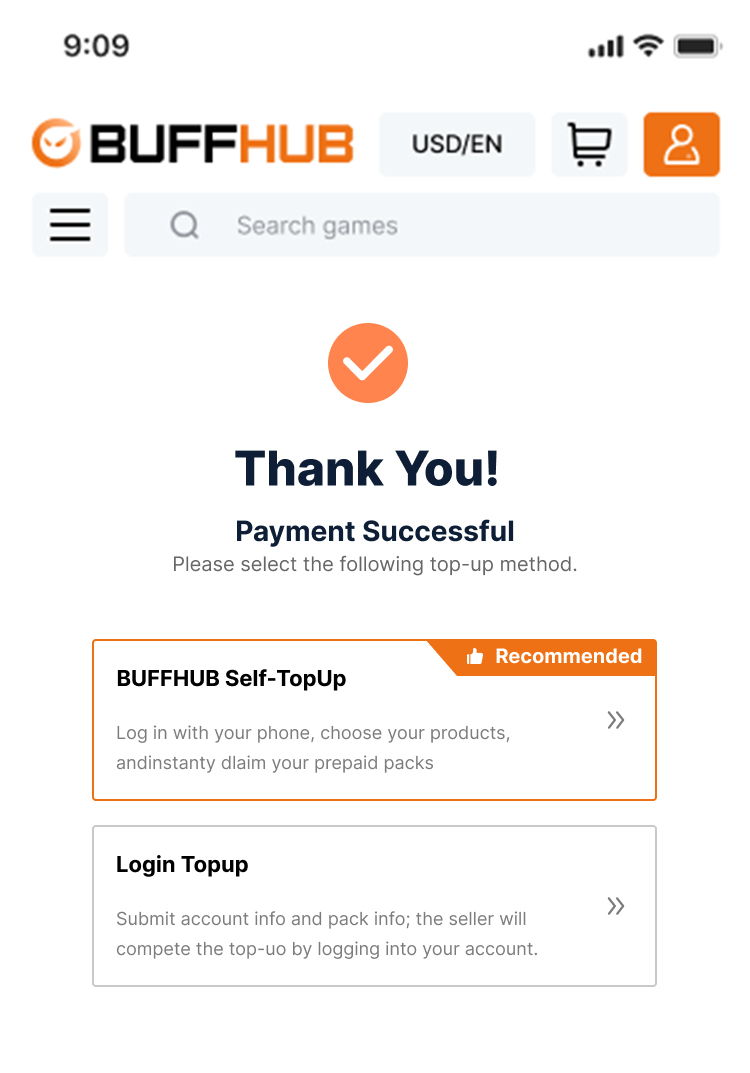
Step 1: Select Mode

After purchasing your Brawl Stars product, select the [Self-Service Top-Up] method.

Brawl Stars Self-Service Top-Up selection step

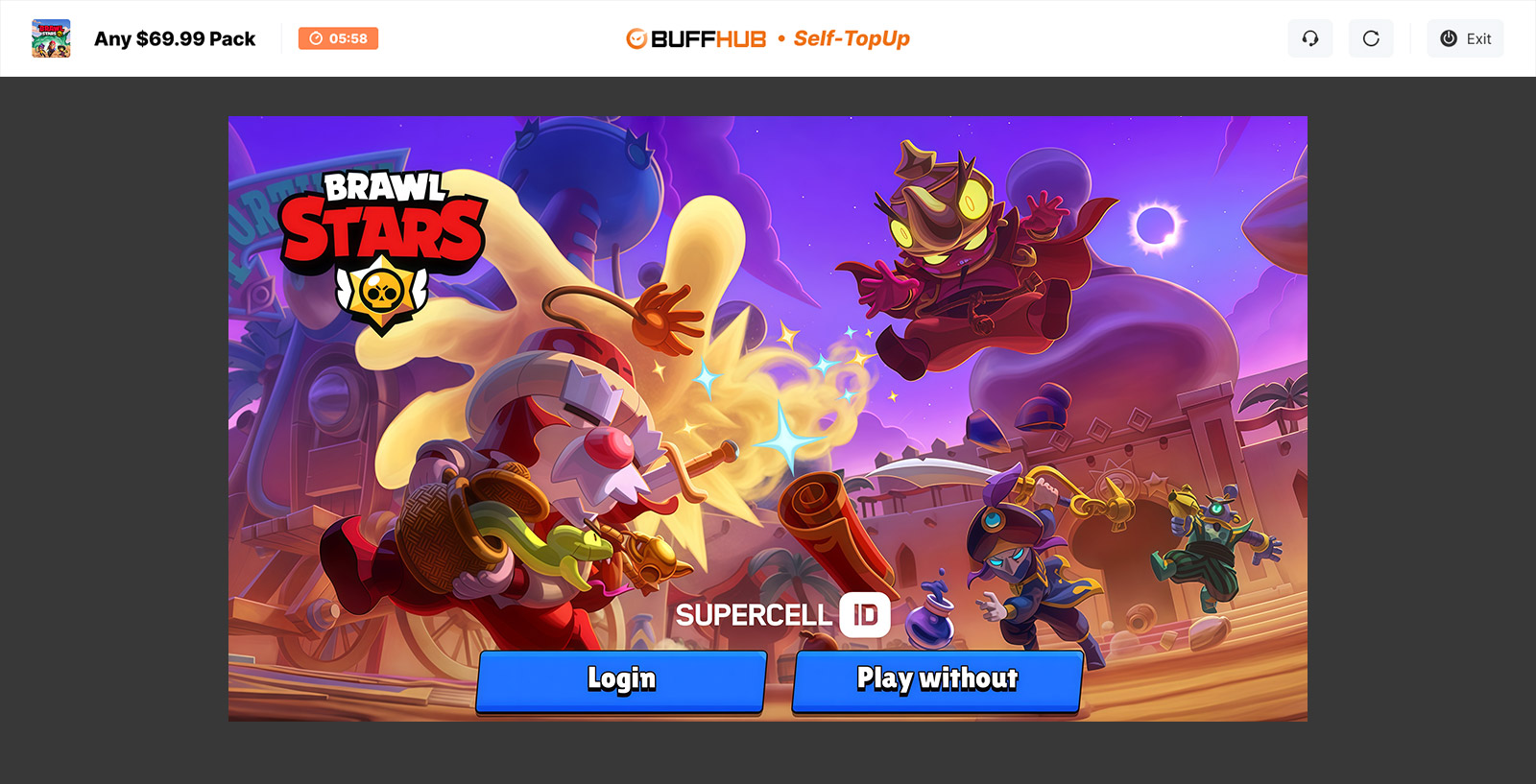
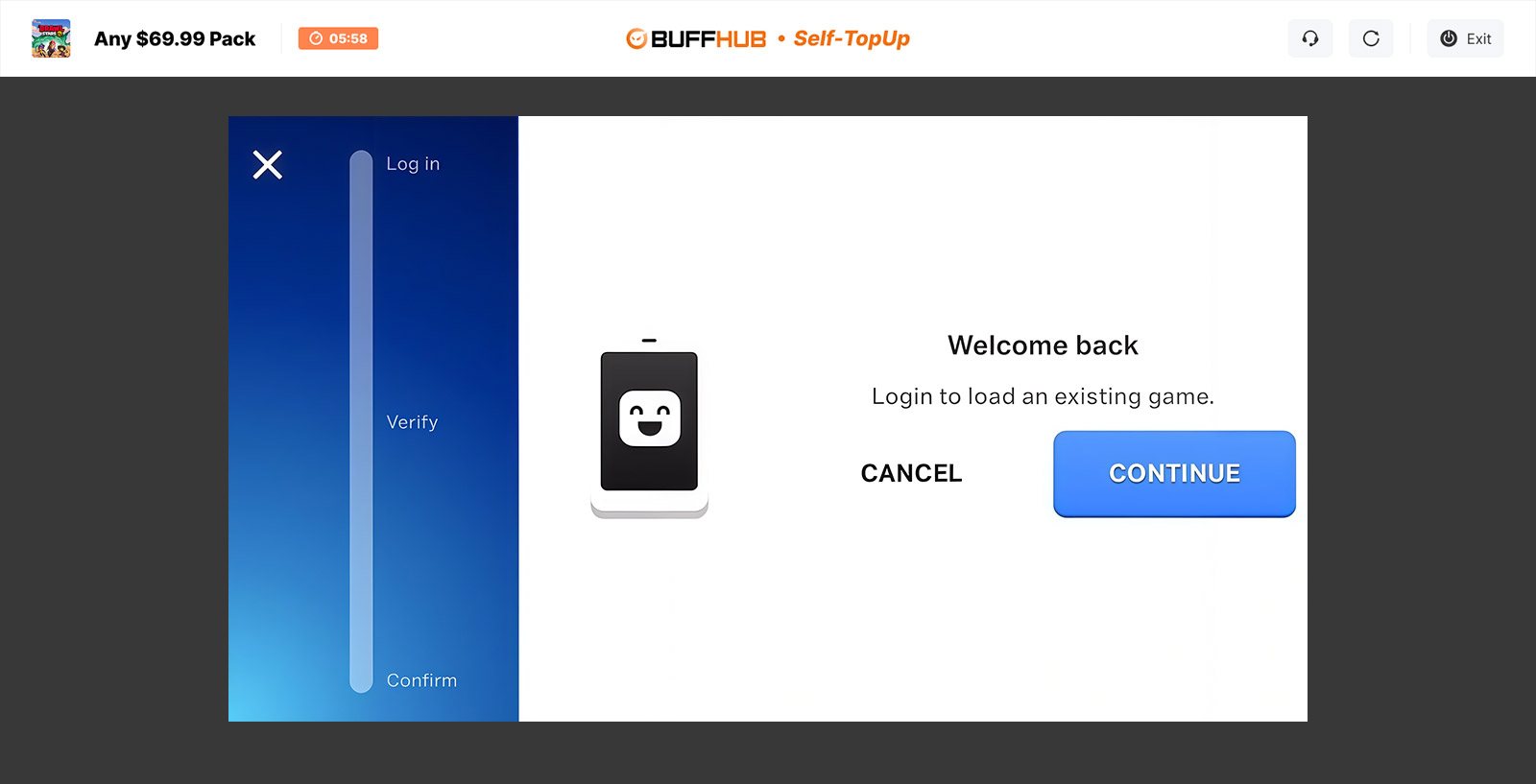
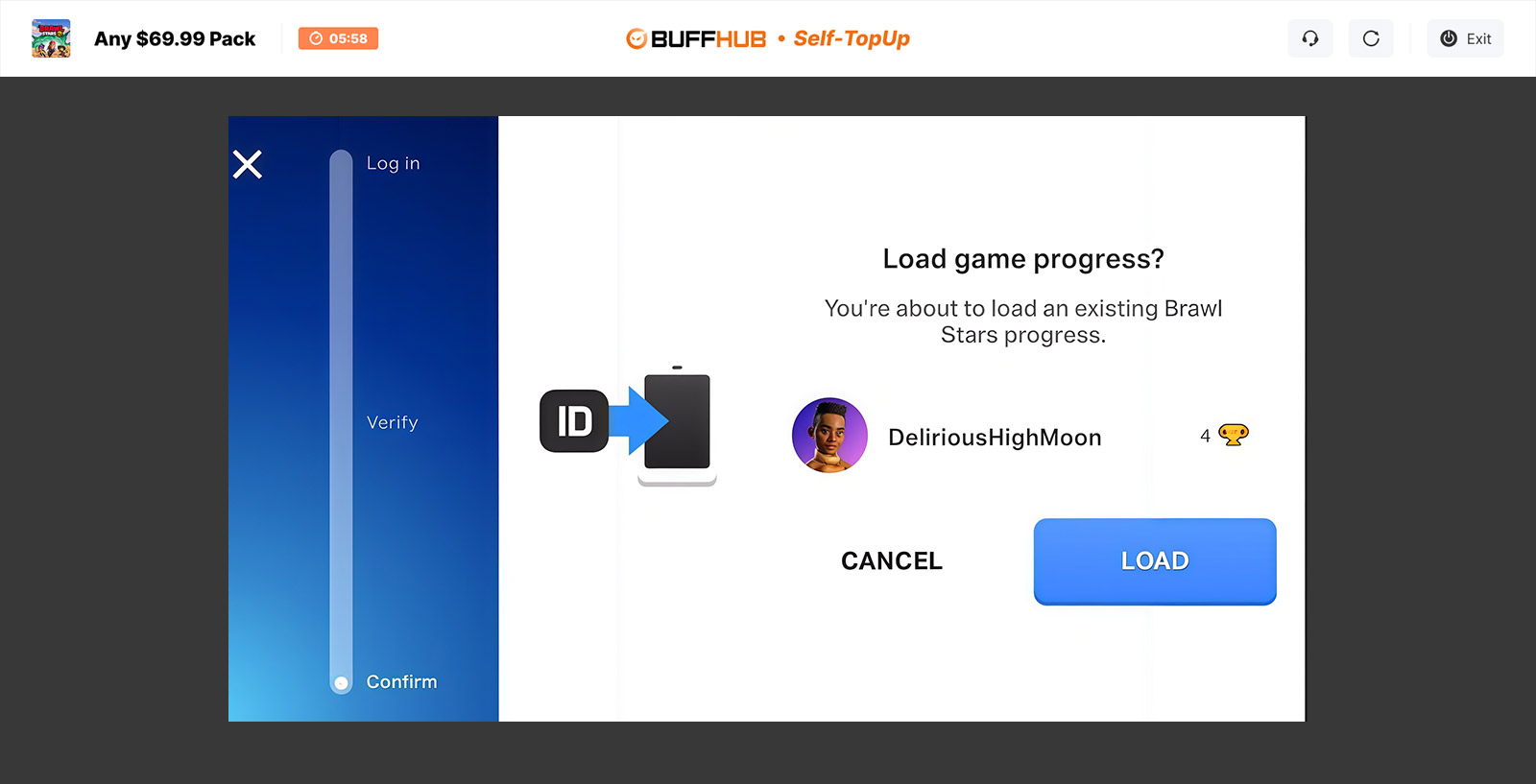
Step 2: Account Login

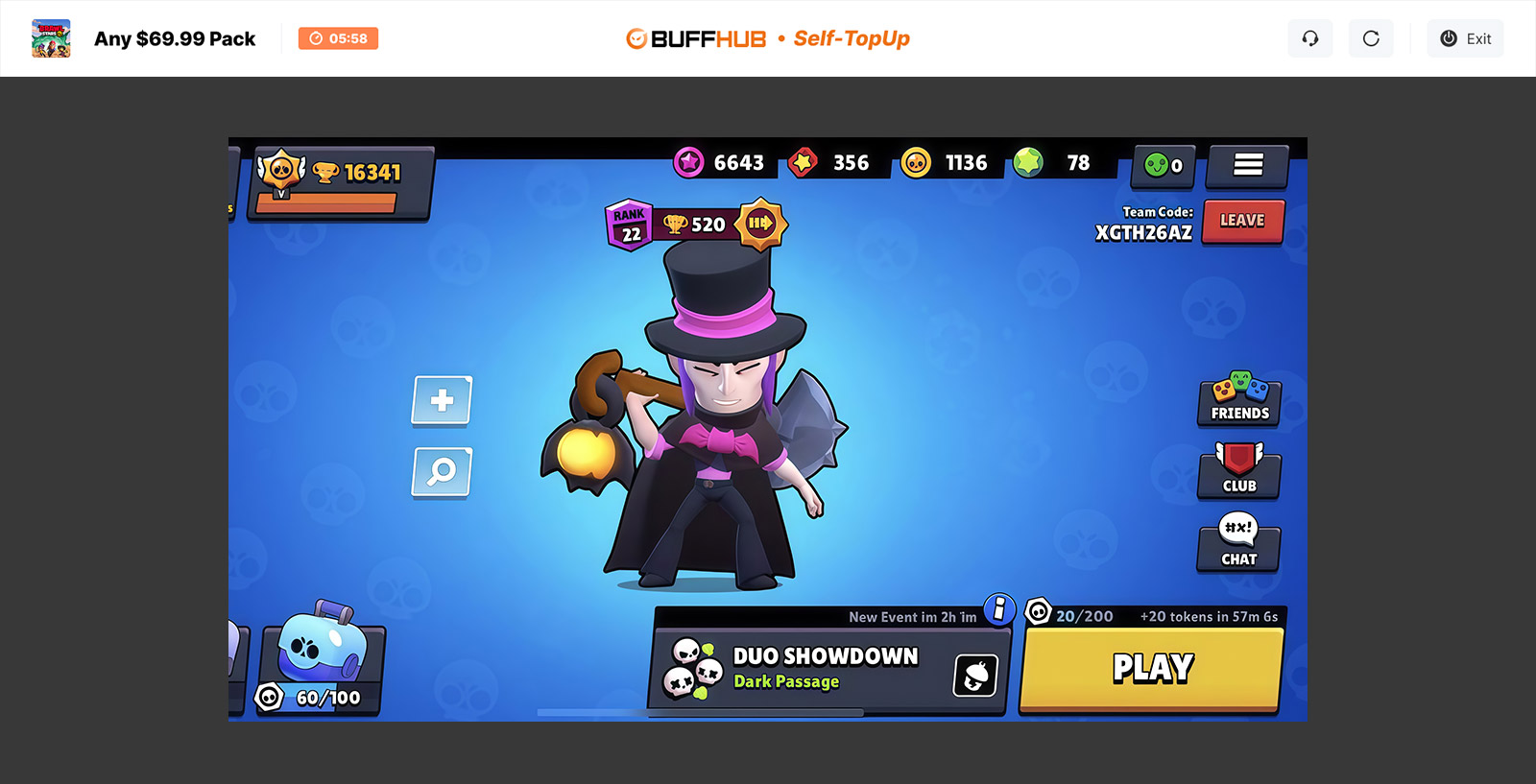
Enter the game interface, log in to your account, and then open the in-game Shop. Please log in using your Supercell ID.
Note: Apple accounts are currently not supported. If needed, link your Supercell ID first, then use that account to log in.
Brawl Stars Supercell ID login step Brawl Stars Self-Service Top-Up account screen Brawl Stars in-game Shop during Self-Service Top-Up
 
Brawl Stars product selection during Self-Service Top-Up

Step 3: Confirm and Claim

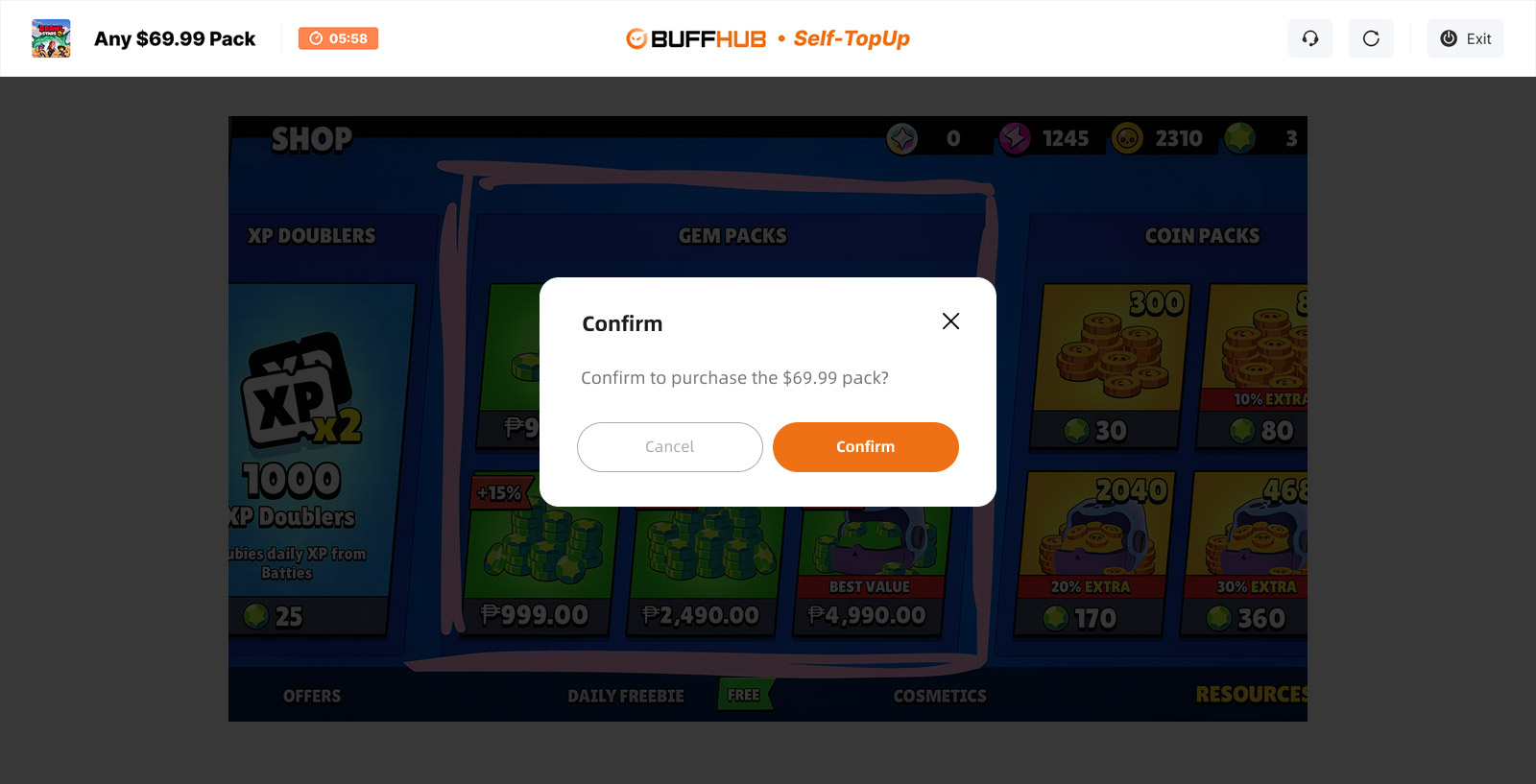
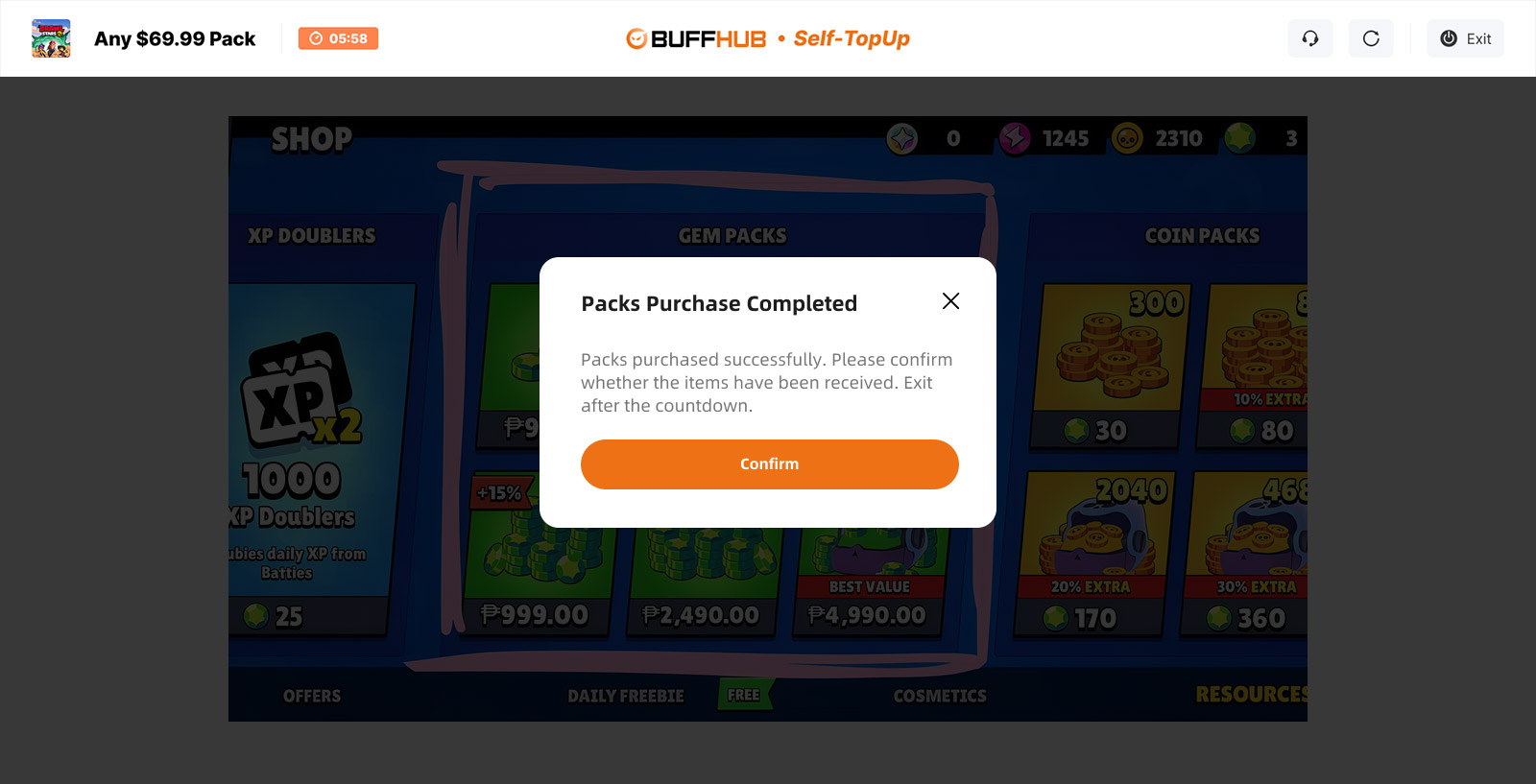
Confirm the information for the product or pass you want to acquire, complete the claim, and then exit the feature. Your login details will be automatically cleared after you leave the Self-Service Top-Up page.

Confirm Brawl Stars Self-Service Top-Up product Complete Brawl Stars Self-Service Top-Up claim

Login Top-Up: Manual Top-Up Guide

  1. 01
    Visit Page: Go to the BUFFHUB website, select your preferred language and currency, and log in.
  2. 02
    Find Product: In the homepage navigation bar, click Game Top-Up > Brawl Stars (Manual Top-Up).
  3. 03
    Confirm Order: Select your desired Brawl Pass, pack, or top-up denomination, then click "Buy Now".
  4. 04
    Complete Payment: Choose your preferred payment method and complete the transaction.
  5. 05
    Submit Info & Wait: Provide your login details on the order page or contact customer support. The order-processing team will then log in and complete the purchase. During this process, please do not log in to your account.
    Brawl Stars manual top-up order submission page After the information is submitted successfully, the system will automatically redirect you to the Waiting Page. Please wait while the team processes your order.

  6. 06
    Top-Up Completed:
    · Page Redirect: Once processing is complete, the page will automatically redirect to the top-up success page. · Check Status: You can also open "Purchase History" at any time to check the current order status and top-up progress. · Start Playing: Once the order is confirmed as complete, log in to your Brawl Stars account and check the purchased product or balance.




Frequently Asked Questions (FAQ)

Q1: How long will it take to receive my Brawl Stars purchase after topping up?

Self-Service Top-Ups usually take around 3–5 minutes, while Manual Top-Ups typically take about 15 minutes. These are approximate processing times and can vary. If your order takes longer than expected, contact BUFFHUB's 24/7 customer support to check its status.

Q2: Why do I need to provide my Supercell ID email and verification code?

The Self-Service Top-Up flow uses your Supercell ID to access the relevant in-game purchase interface for your account. The current process requires your linked email and verification code, and the login information is automatically cleared after you exit the Self-Service Top-Up feature.




Q3: Can I use an Apple account for the Brawl Stars top-up?

No. The current BUFFHUB top-up flow does not support direct processing through an Apple account. If you play on iOS, link your Brawl Stars account to Supercell ID first and use that account for the supported login process.

Q4: Should I buy Brawl Pass or Gems?

They serve different purposes. Brawl Pass and Brawl Pass Plus are separate paid products that unlock the season's premium reward tracks, while Gems are a flexible currency for Brawlers, Skins, XP Doublers, extra Challenge attempts, selected Shop offers, and Brawl Pass tier progression. If you mainly want the current season's Pass rewards, choose the Pass; if you want flexibility for different Shop purchases, Gems may fit better.

More down down
Fold Up up up
gamer4life
Purchased 80 Gems · Sep 11, 2026

迅速で問題ありませんでした。また利用します。

U521963632
Purchased Brawl Pass · Sep 11, 2026

I was worried about my account safety, but it went smoothly. Thx!

U297088102
Purchased 950 Gems · Sep 11, 2026

簡単で早かった。また利用します。

U756736442
Purchased 950 Gems · Sep 11, 2026

簡単で早かったです。ありがとうございます。

U772417328
Purchased 360 Gems · Sep 11, 2026

Ga perlu tunggu lama-lama, langsung main. Top!

U414326052
Purchased 80 Gems · Sep 11, 2026

Быстро и надёжно. Спасибо.

View All Comments
Sort By :
Latest
gamer4life
Purchased 80 Gems

迅速で問題ありませんでした。また利用します。

Sep 11, 2026
U521963632
Purchased Brawl Pass

I was worried about my account safety, but it went smoothly. Thx!

Sep 11, 2026
U297088102
Purchased 950 Gems

簡単で早かった。また利用します。

Sep 11, 2026
U756736442
Purchased 950 Gems

簡単で早かったです。ありがとうございます。

Sep 11, 2026
U772417328
Purchased 360 Gems

Ga perlu tunggu lama-lama, langsung main. Top!

Sep 11, 2026
U414326052
Purchased 80 Gems

Быстро и надёжно. Спасибо.

Sep 11, 2026
View All Comments

Product Introduction

  • Alipay Alipay
  • ApplePay ApplePay
  • bancontact bancontact
  • bancontact-1 bancontact-1
  • billease billease
  • blik blik
  • boleto boleto
  • boost boost
  • bpi bpi
  • dana dana
  • Ewallet Ewallet
  • gcash gcash
  • GooglePay GooglePay
  • Ideal Ideal
  • kakao_pay kakao_pay
  • Klarna Klarna
  • konbini konbini
  • Kplus Kplus
  • line line
  • MBWAY MBWAY
  • multibanco multibanco
  • mybank mybank
  • naverpay naverpay
  • NetBanking NetBanking
  • oxxo oxxo
  • payco payco
  • paynow paynow
  • payu payu
  • pix pix
  • Qiwi Qiwi
  • rabbit rabbit
  • samsung samsung
  • sberpay sberpay
  • SBP SBP
  • SEPA SEPA
  • skrill skrill
  • spei spei
  • swish swish
  • tng tng
  • Tosspay Tosspay
  • truemoney truemoney
  • usdt usdt
  • Visa Visa
  • Visa-mastercard Visa-mastercard
  • Visa-mastercard+jbc Visa-mastercard+jbc
  • yoomoney yoomoney
  • Alipay Alipay
  • ApplePay ApplePay
  • bancontact bancontact
  • bancontact-1 bancontact-1
  • billease billease
  • blik blik
  • boleto boleto
  • boost boost
  • bpi bpi
  • dana dana
  • Ewallet Ewallet
  • gcash gcash
  • GooglePay GooglePay
  • Ideal Ideal
  • kakao_pay kakao_pay
  • Klarna Klarna
  • konbini konbini
  • Kplus Kplus
  • line line
  • MBWAY MBWAY
  • multibanco multibanco
  • mybank mybank
  • naverpay naverpay
  • NetBanking NetBanking
  • oxxo oxxo
  • payco payco
  • paynow paynow
  • payu payu
  • pix pix
  • Qiwi Qiwi
  • rabbit rabbit
  • samsung samsung
  • sberpay sberpay
  • SBP SBP
  • SEPA SEPA
  • skrill skrill
  • spei spei
  • swish swish
  • tng tng
  • Tosspay Tosspay
  • truemoney truemoney
  • usdt usdt
  • Visa Visa
  • Visa-mastercard Visa-mastercard
  • Visa-mastercard+jbc Visa-mastercard+jbc
  • yoomoney yoomoney
Language & Currency
  • Language
    English
    中文(繁体)
    日本語
    Bahasa Indonesia
    Bahasa Melayu
    Français
    Italiano
    Deutsch
    Русский
    Español
    한국어
  • Display Currency
    $ USD
    € EUR
    £ GBP
    C$ CAD
    A$ AUD
    S$ SGD
    Ұ JPY
    ₩ KRW
    SA SAR
    AED AED
    RM MYR
    ₱ PHP
    Rp IDR
    ฿ THB
    NT$ TWD
    HK$ HKD
    ₫ VND
    MX$ MXN
    R$ BRL
    ₽ RUB