














Original Price $0
Discount -$0
Final Price
0
0% discount
Total
- +

0

shopping-cart
Rise of Kingdoms

Rise of Kingdoms

  • Kamakura's Warlord

    Kamakura's Warlord

    $ 0.88 $ 0.99
    -11%
    Login
    BUY NOW
  • Daily Special Offer

    Daily Special Offer

    $ 2.66 $ 2.99
    -11%
    Login
    BUY NOW
  • Monthly Special Offer

    Monthly Special Offer

    $ 4.44 $ 4.99
    -11%
    Login
    BUY NOW
  • Growth Fund

    Growth Fund

    $ 13.32 $ 14.99
    -11%
    Login
    BUY NOW
  • Super Value Bundle (0.99)

    Super Value Bundle (0.99)

    $ 0.88 $ 0.99
    -11%
    Login
    BUY NOW
  • Super Value Bundle ($4.99)

    Super Value Bundle ($4.99)

    $ 4.44 $ 4.99
    -11%
    Login
    BUY NOW
  • Any 0.99 Pack

    Any 0.99 Pack

    $ 0.88 $ 0.99
    -11%
    Login
    BUY NOW
  • Any 4.99 Pack

    Any 4.99 Pack

    $ 4.44 $ 4.99
    -11%
    Login
    BUY NOW
  • Any 9.99 Pack

    Any 9.99 Pack

    $ 8.88 $ 9.99
    -11%
    Login
    BUY NOW
  • Any 14.99 Pack

    Any 14.99 Pack

    $ 13.32 $ 14.99
    -11%
    Login
    BUY NOW
  • 任何19.99包装

    任何19.99包装

    $ 17.77 $ 19.99
    -11%
    Login
    BUY NOW
  • Any $29.99 Pack

    Any $29.99 Pack

    $ 26.66 $ 29.99
    -11%
    Login
    BUY NOW
  • Any 49.99 Pack

    Any 49.99 Pack

    $ 44.43 $ 49.99
    -11%
    Login
    BUY NOW
  • Any 74.99 Pack

    Any 74.99 Pack

    $ 66.65 $ 74.99
    -11%
    Login
    BUY NOW
  • Any 99.99 Pack

    Any 99.99 Pack

    $ 88.87 $ 99.99
    -11%
    Login
    BUY NOW
  • Any 499.99 Pack

    Any 499.99 Pack

    $ 444.3 $ 499.99
    -11%
    Login
    BUY NOW
  • Any 999.99 Pack

    Any 999.99 Pack

    $ 888.88 $ 999.99
    -11%
    Login
    BUY NOW
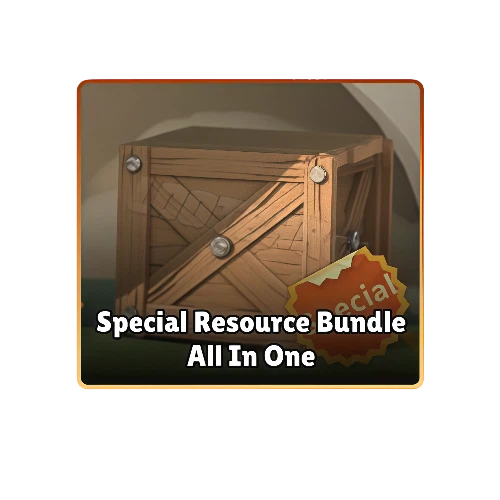
  • Special Resource Bundle All In One

    Special Resource Bundle All In One

    $ 146.61 $ 164.95
    -11%
    Login
    BUY NOW
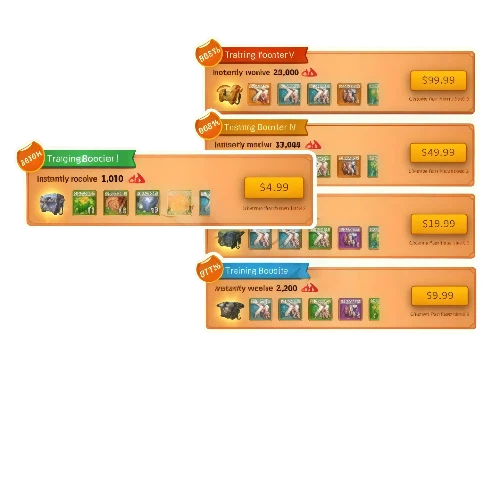
  • Training Booster All-In-One

    Training Booster All-In-One

    $ 164.38 $ 184.95
    -11%
    Login
    BUY NOW
  • Fistful of Gems 200

    Fistful of Gems 200

    $ 0.88 $ 0.99
    -11%
    Login
    BUY NOW
  • Pile of Gems 1050

    Pile of Gems 1050

    $ 4.44 $ 4.99
    -11%
    Login
    BUY NOW
  • Pouch of Gems 2200

    Pouch of Gems 2200

    $ 8.88 $ 9.99
    -11%
    Login
    BUY NOW
  • Bucket of Gems 4600

    Bucket of Gems 4600

    $ 17.77 $ 19.99
    -11%
    Login
    BUY NOW
  • Barrel of Gems 12000

    Barrel of Gems 12000

    $ 44.43 $ 49.99
    -11%
    Login
    BUY NOW
  • Wagon of Gems 25000

    Wagon of Gems 25000

    $ 88.88 $ 99.99
    -11%
    Login
    BUY NOW
  • Product Introduction
  • Recharge guide
  • User Reviews(0)
  • Rise of Kingdoms Gems Top-Up Deals——Accelerate Your Civilization and Conquer the Kingdom

    Want to upgrade buildings, research technologies, and train troops faster in Rise of Kingdoms? Having enough Gems can help you reduce waiting times, purchase important items, increase your VIP Level, and stay ahead during crucial stages of development. BUFFHUB now supports Self-TopUp for Rise of Kingdoms. Simply select the Gems or bundle you need, complete your payment, and log in through the Self-TopUp interface to redeem the corresponding content from the in-game Store for a faster and smoother top-up experience.

    Why Top Up Rise of Kingdoms on BUFFHUB?

    We are a trusted game top-up platform serving millions of players across more than 200 popular games — including Rise of Kingdoms, Coin Master, MONOPOLY GO!, Township, and Homescapes. Here is why you should choose BUFFHUB:

    • Lowest Price Guarantee — Our prices are consistently lower than those in the in-game Store. When you need affordable Rise of Kingdoms Gems, BUFFHUB offers highly competitive rates so you can get more value from every purchase.
    • Stackable Coupons for Up to 10% Off — Both new and returning customers can apply discount coupons on top of our already low prices. This gives you even better value and helps you save more than purchasing directly from the in-game Store.
    • Self-TopUp — No Need to Share Your Password with Staff — Your account security is always one of our top priorities. Self-TopUp is completed through an independent login interface, so you do not need to send your password to a staff member, making the entire process more direct and secure.
    • Fast Delivery — Self-TopUp usually takes around 3-5 minutes, while Manual Top-Up usually takes around 15 minutes. Even when new events launch or the servers are busy, most orders can still be completed quickly. Get your Gems and bundles without delaying your kingdom's development.
    • No Ban Guarantee — We use secure and legitimate payment and top-up channels without black cards or payments from questionable sources. Your Rise of Kingdoms account will not be exposed to unnecessary risks caused by unreliable top-up methods.
    • 24/7 Customer Support — Experiencing a problem at 3 a.m.? Our team is available around the clock to help with your order or answer any questions related to your Rise of Kingdoms top-up.
    • Multiple Payment Methods — We support Visa, Mastercard, PayPal, digital wallets, debit cards, and a growing range of local payment methods. Whatever payment option you prefer, you can complete your top-up with ease.

    When you choose BUFFHUB, you are choosing a safer, faster, and more affordable Rise of Kingdoms Gems top-up experience. No complicated steps, just the resources you need — delivered quickly to your game account.

    About Rise of Kingdoms

    Rise of Kingdoms is a massively multiplayer real-time strategy mobile game. Players take on the role of a Governor and build their own civilization from the ground up, gathering resources, developing their city, researching technologies, and training armies to steadily increase the strength of their kingdom.

    The game features a variety of historical civilizations, each with its own Commanders, unit types, and combat style. Players can explore a massive shared map, join an Alliance, and engage in real-time battles against other players or enemy forces.

    What Are Gems in Rise of Kingdoms?

    Gems are an important resource in Rise of Kingdoms and become available once you have established your city. Gems can be used to purchase valuable items, unlock selected content, and directly reduce the time required for building, research, and troop training.

    Players can also spend Gems at the Mysterious Merchant, the Shop, and the VIP Shop, or exchange them for VIP Points. Upgrading a building to Level 25 requires one Master's Blueprint for each building, and these essential items can also be obtained with Gems. Using Gems wisely can therefore save players a significant amount of time when developing their city, researching technologies, and increasing their overall power.

    More down down
    Fold Up up up

    Top-Up Information and Important Notes

    Item Details
    Applicable Platform Rise of Kingdoms Mobile Game (Android / iOS)
    Applicable Server International Server
    Top-Up Method Self-TopUp is currently supported. We recommend choosing Self-TopUp for a faster and more convenient top-up experience.
    Required Information
    1. Login method: Email (Recommended), Google, or Facebook
    2. Login details for the corresponding game account
    3. Character name or ROK UID if requested on the order page
    4. Login verification code if account verification is triggered
    5. An in-game screenshot of the bundle you want to purchase (Login Top-Up)
    Delivery Time Self-TopUp can usually be completed within a few minutes. The actual processing time may vary depending on the order and the current status of the game system.
    Top-Up Rewards When topping up Rise of Kingdoms Gems for the first time, you may receive additional in-game first-purchase rewards. Please refer to the current top-up rules displayed in the game for specific details.
    Important Notice Do not close the interface during the Self-TopUp redemption process, and do not log in to your game account from another device or location, as this may cause a login conflict. Apple accounts are not currently supported for direct Self-TopUp. Please link your game progress to Google, Facebook, or a supported Email login method first.

    Top-Up Tutorial

    Self-TopUp (Highly Recommended)

    For a faster and more convenient experience, we recommend choosing Self-TopUp:

    1. 1

      Choose Self-TopUp:

      Select the Gems or bundle you need on the Rise of Kingdoms product page, choose the Self-TopUp service, and complete your payment.

    2. 2

      Log In to Your Game Account:

      After completing your payment, enter the Self-TopUp interface and log in to your game account using Email, Google, or Facebook. If you originally used an Apple account, link your game progress to a supported login method first.

    3. 3

      Select Your Purchase:

      Enter the in-game Store, confirm the Gems package or bundle you purchased on the platform, and select the corresponding content for redemption.

    4. 4

      Wait for Redemption:

      Keep the interface open during the redemption process, and do not log in to your game account from another device or location, as this may cause a login conflict or interrupt the top-up process.

    5. 5

      Confirm Your Top-Up:

      Once the redemption is complete, the system will send you a completion notification. You can then log back in to Rise of Kingdoms to confirm that your Gems or bundle has been successfully delivered. Your login information will be automatically cleared after you exit the Self-TopUp interface.

    Note: Due to regional and currency differences, bundle prices in the Self-TopUp Store may be displayed in US dollars (USD). If you use another currency, you can switch the displayed currency to USD and select a bundle of equivalent value for redemption.

    If you encounter any problems during Self-TopUp, please contact customer support and provide your order and account information so our team can assist you.

    Login Top-Up: Manual Top-Up Tutorial

    1. 01

      Visit the Page: Go to the BUFFHUB website, select your preferred language and currency, and log in to your account.

    2. 02

      Find the Product: From the navigation menu on the homepage, select Game Top-Up > Rise of Kingdoms (Manual Top-Up).

    3. 03

      Confirm Your Order: Select the Gems package, bundle, or other top-up item you want, and then click “buy now”.

    4. 04

      Complete Payment: Select your preferred payment method and complete the transaction.

    5. 05

      Submit Your Information and Wait: Provide your login method, game account, password, character name, or ROK UID on the order page, or contact customer support directly. Our professional technician will then log in and complete the purchase. Please do not log in to your account during this process.

      Waiting page displayed after submitting information for a Rise of Kingdoms Manual Top-Up

      After your information has been successfully submitted, the system will automatically redirect you to the waiting page. Please wait a moment while our technician begins processing your order.

    6. 06

      Top-Up Complete:

      Page Redirect: Once our staff has completed the process, the page will automatically redirect to the top-up success page.

      Check Independently: You can also open Purchase History at any time to view your order status and check the progress of your top-up.

      Start Playing: Once the top-up has been confirmed, log in to your Rise of Kingdoms account to check your Gems balance or purchased bundle.

    Frequently Asked Questions (FAQ)

    Q1: What Are Gems in Rise of Kingdoms?

    Gems are an important in-game resource that can be used to purchase items from the Shop, Master's Blueprints, and VIP Points. They can also be spent directly to reduce the time required for building, technology research, and troop training.

    Q2: How Can I Find My ROK UID?

    After logging in to the game, tap your avatar in the upper-left corner of the screen. You can find your UID on your profile page. You may need to provide this information when submitting a Manual Top-Up order or contacting customer support.

    Q3: Which Login Methods Does Self-TopUp Support?

    You can currently log in using Email, Google, or Facebook, with Email being the recommended option. Make sure the login account you use is linked to the correct Rise of Kingdoms game progress.

    Q4: Can I Use an Apple Account for Self-TopUp?

    Apple accounts are not currently supported for direct Self-TopUp. If you originally played using an Apple account, link your game account to Google, Facebook, or a supported Email login method first.

    Q5: How Long Does a Top-Up Usually Take?

    Self-TopUp can usually be completed within a few minutes. Processing may take longer if the order requires additional verification, the game system is busy, or a login issue occurs. If your order is delayed, contact customer support to check its status.

    Q6: Can I Receive Additional Rewards for My First Top-Up?

    When topping up Rise of Kingdoms Gems for the first time, you may receive additional first-purchase rewards in the game. Reward contents and eligibility requirements may change with current events, so please refer to the rules displayed on the in-game top-up page.

    More down down
    Fold Up up up
    Rise of Kingdoms
    0.0
    679Sold

    0 reviews

    • All reviews
    • Image
    • 5
      0%
    • 4
      0%
    • 3
      0%
    • 2
      0%
    • 1
      0%
    • Latest
    • Most Helpful

    No reviews yet.

    Product Introduction

    • Alipay
    • ApplePay
    • boost
    • dana
    • GooglePay
    • Ideal
    • idealWero
    • kakaopay
    • Klarna
    • konbini
    • line
    • MBWAY
    • naverpay
    • payco
    • samsung
    • SEPA
    • skrill
    • Tosspay
    • truemoney
    • usdt
    • Visa
    • VisaMastercard
    • Alipay
    • ApplePay
    • boost
    • dana
    • GooglePay
    • Ideal
    • idealWero
    • kakaopay
    • Klarna
    • konbini
    • line
    • MBWAY
    • naverpay
    • payco
    • samsung
    • SEPA
    • skrill
    • Tosspay
    • truemoney
    • usdt
    • Visa
    • VisaMastercard

    Language & Currency

    • Language

      Language
      English
      中文(繁体)
      日本語
      Bahasa Indonesia
      Bahasa Melayu
      Français
      Italiano
      Deutsch
      Русский
      Español
      한국어
    • Display Currency

      Display Currency
      $ USD
      € EUR
      £ GBP
      C$ CAD
      A$ AUD
      S$ SGD
      Ұ JPY
      ₩ KRW
      SA SAR
      AED AED
      RM MYR
      ₱ PHP
      Rp IDR
      ฿ THB
      NT$ TWD
      HK$ HKD
      ₫ VND
      MX$ MXN
      R$ BRL
      ₽ RUB
    loginTitle