













Related searches
0 results
Not found
No content related to ""
theme-light theme-light-text
theme-dark-text theme-light
Clash Royale

Clash Royale

broadcast broadcast
Join the BUFFHUB Discord community and instantly receive a $10 discount coupon
Diamond Pass Special Offer
Total 0/1
Diamond Pass Special Offer
$ 10.19
$ 11.99
Diamond Pass
Diamond Pass
$ 10.71
$ 11.99
Any $1.99 Pack
Any $1.99 Pack
$ 1.83
$ 1.99
Any $2.99 Pack
Any $2.99 Pack
$ 2.74
$ 2.99
Any $3.99 Pack
Any $3.99 Pack
$ 3.64
$ 3.99
Any $4.99 Pack
Any $4.99 Pack
$ 4.56
$ 4.99
Any $5.99 Pack
Any $5.99 Pack
$ 5.47
$ 5.99
Any $7.99 Pack
Any $7.99 Pack
$ 7.27
$ 7.99
Any $14.99 Pack
Any $14.99 Pack
$ 13.38
$ 14.99
Any $19.99 Pack
Any $19.99 Pack
$ 17.85
$ 19.99
Any $24.99 Pack
Any $24.99 Pack
$ 22.49
$ 24.99
Any $49.99 Pack
Any $49.99 Pack
$ 44.62
$ 49.99
1200 Gems
1200 Gems
$ 9.11
$ 9.99
500 Gems
500 Gems
$ 4.56
$ 4.99
80 Gems
80 Gems
$ 0.92
$ 0.99
2500 Gems
2500 Gems
$ 17.85
$ 17.99
6500 Gems
6500 Gems
$ 44.62
$ 44.99
14000 Gems
14000 Gems
$ 83.66
$ 99.99

Quantity

Price
$0.00
HOW TO BUY?
Total
- +

0

Overall Rating
5.0
3,035 reviews
Overall Rating
5.0
Based on 3,035 reviews
  • 5 Star
    99%
  • 4 Star
    1%
  • 3 Star
    0%
  • 2 Star
    0%
  • 1 Star
    0%
Product Introduction
Recharge guide
User Reviews(3,035)
STRATEGY & DECISION

Clash Royale
Gems Top-up Guide

Clash Royale is built around quick decisions in the arena, from managing Elixir to choosing when to pressure an opponent's towers. For this BUFFHUB product, Self-service Top-up is available if you prefer to complete the supported purchase flow yourself. A Manual Top-up option is also available for orders that use the login-based process.

Product Introduction: Gems, Pass Royale & Bundle Logic

Before choosing a Clash Royale top-up, it helps to separate what each product is actually for. Gems, Pass Royale, and value-matched bundles serve different purchase needs, so check the product type and amount before placing your order.

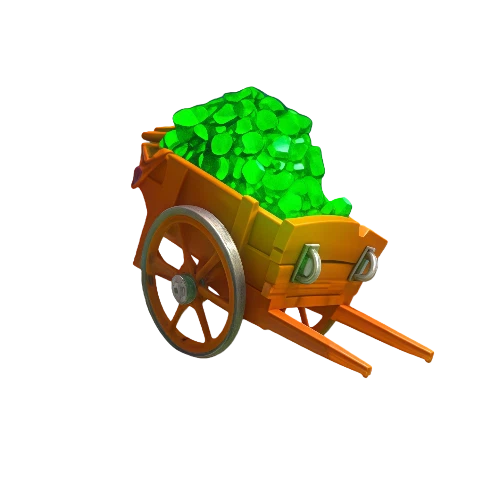
Gems: Gems are a premium in-game currency in Clash Royale. They can be used for Shop purchases such as chests and emotes, to cover missing Gold or cards for upgrades, to skip Pass Royale tiers, enter certain challenges, create tournaments, and access other eligible Gem-based features.
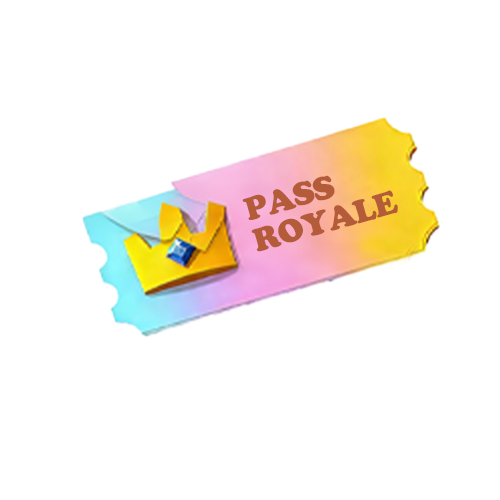
Pass Royale: Pass Royale is the game's premium seasonal reward track. As you earn Crowns, the paid track provides additional rewards such as Gems, Gold Crates, Wild Cards, cosmetics, and other progression items, with the exact rewards depending on the current season and account progression.
Bundle Logic:
USD Pricing: For value-matched bundle purchases, compare the USD value shown for your BUFFHUB order with the corresponding offer in the Clash Royale Shop before confirming the purchase. Selecting the matching value helps keep the order aligned with the product you paid for.

What Can You Use Clash Royale Gems For?

Cover Upgrade Gaps 01
If you are short on the Gold or cards needed for an upgrade, Gems can be used to cover missing resources. They can also speed up Clan card requests when you are working toward a specific upgrade.
Shop Purchases 02
Gems can be spent on eligible items in the Shop, including chests and emotes. This gives you another way to use your balance beyond card progression alone.
Challenges & Tournaments 03
Certain challenges require Gems to enter, while Gems can also be used to create tournaments or buy eligible bonus rewards from Global Tournaments.
Move Through Pass Royale Faster 04
If you want to reach a later Pass Royale reward sooner, Gems can be used to skip tiers. This is most useful when you already know which reward you are aiming for and do not want to wait for more Crowns.

Why BUFFHUB Makes Clash Royale Top-Ups Easier to Plan

The awkward part of a Clash Royale purchase is rarely the final click. It is deciding which amount matches the Shop offer, whether a current discount changes the value, which top-up route to use, and what happens after payment. BUFFHUB puts those decisions closer together so you can sort out the order before committing.

  • See the Cost Before You Commit — Start by comparing the product amount instead of automatically choosing the largest Gem option. BUFFHUB provides low-priced Clash Royale top-up choices, while eligible orders can use coupons offering up to 10% off. That makes both the base price and the current discount visible before you decide which bundle fits your budget.
  • Choose the Route, Then Follow One Flow — Clash Royale orders on this page can use Self-service Top-up or the separate Manual Top-up process, so you can check the required route before proceeding. Self-service lets you complete the supported purchase steps directly, while Manual Login orders are generally handled in around 30 minutes. Payment is completed through a secure checkout environment, and the selected order flow shows which account information is needed.
  • Finish Checkout Without Extra Guesswork — Multiple payment methods are available at checkout, so you can choose from the options supported for your order and region instead of relying on a single payment route. If you need help checking an order or understanding the purchase process, customer support is available 24/7 for order-related questions.

The goal is to reduce the number of decisions you have to revisit: compare the price and discount, match the correct Clash Royale product, choose the appropriate top-up route, and complete payment using an available option. Once those pieces are clear, the order is much easier to follow from checkout to completion.

Clash Royale

Clash Royale is a real-time strategy game developed by Supercell. Players build decks from collectible cards featuring Troops, Spells, and Buildings, then use them in fast PvP battles built around Elixir management, positioning, and timing.

Core Battle Mechanism: Players build an 8-card deck and spend Elixir to deploy Troops, cast Spells, or place Buildings. Destroying the enemy King Tower ends the battle immediately; otherwise, Crown Towers determine the result when time runs out.
Diverse Card System: Cards are divided into Troops, Spells, and Buildings, with rarities including Common, Rare, Epic, Legendary, and Champion. Evolutions, Heroes, and special deck slots add further options to deck building as you progress.
Different Ways to Battle: Trophy Road remains a core progression path, while Ranked play, challenges, Global Tournaments, and rotating game modes give players other ways to test their decks.
Clan Play: Joining a Clan lets you request and donate cards, trade with other players, share strategies, and take part in Clan Wars for additional rewards.
More down down
Fold Up up up

Top-up Basic Information

Item Details
Platform Mobile
Server International / Global
Required Info Supercell ID (Email Address), Player Name, Verification Code
Login Limit Supports Supercell ID login only

Important Hint: Ensure Supercell ID is bound in advance

Currently, Apple account top-up is not supported. Please follow these steps to bind and check your Supercell ID:

  1. 01 Launch the game and enter Settings.
  2. 02 Tap on "Supercell ID".
  3. 03 If you don't have one, tap "Register Now"; if you do, tap "Log In".
  4. 04 Enter your email, verify it, and check for the 6-digit code.
  5. 05 Enter the code and press "Submit" to complete.

How to top up Clash Royale Global on buffhub.com?

1
Enable Self-service Mode
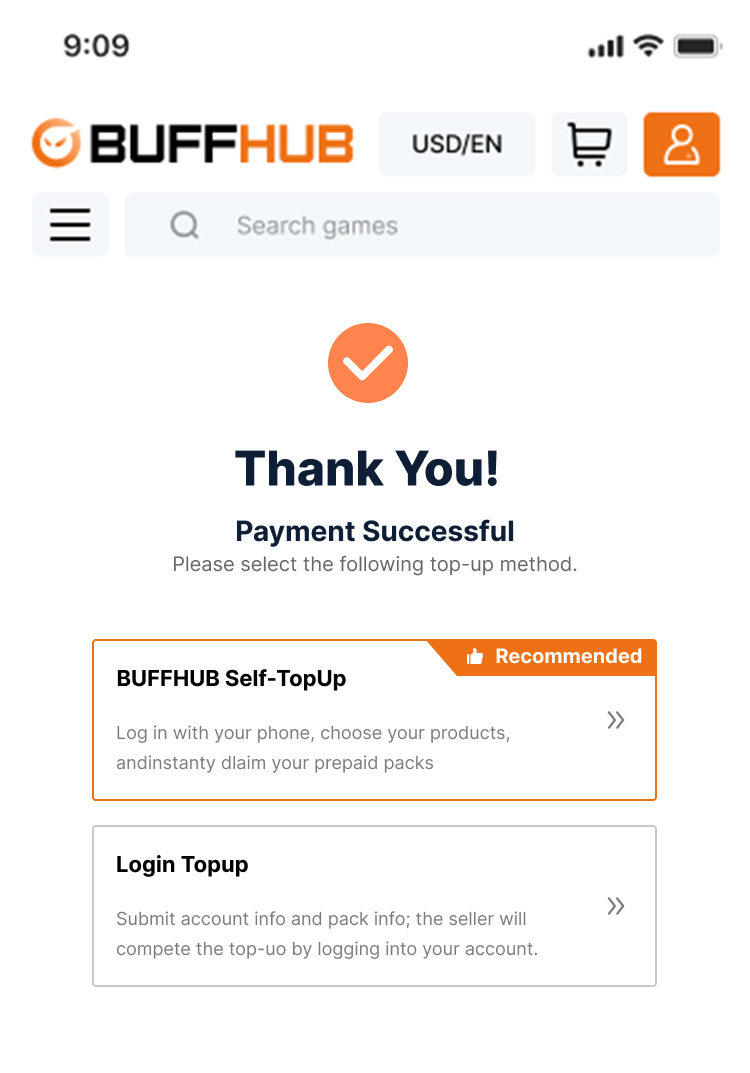
After purchasing a bundle, check and enable the [Self-service Top-up] function on the order page.
Enable the Self-service Top-up function on the order page
2
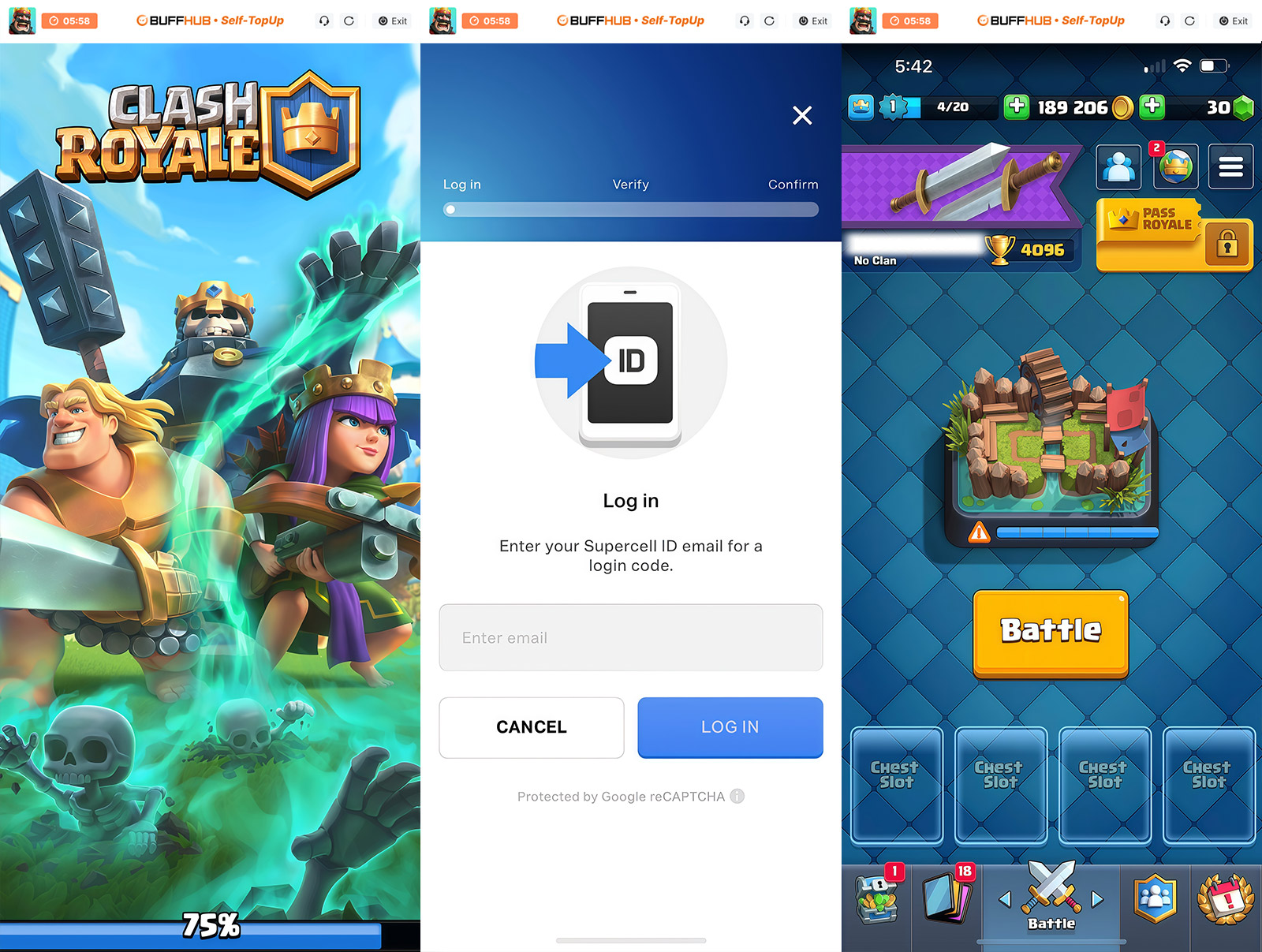
Log into the Game
Launch the game, enter the Shop interface, and complete the login using your Supercell ID. (Note: Apple accounts are not supported; please bind to Supercell ID first).
Log into the game shop using Supercell ID
3
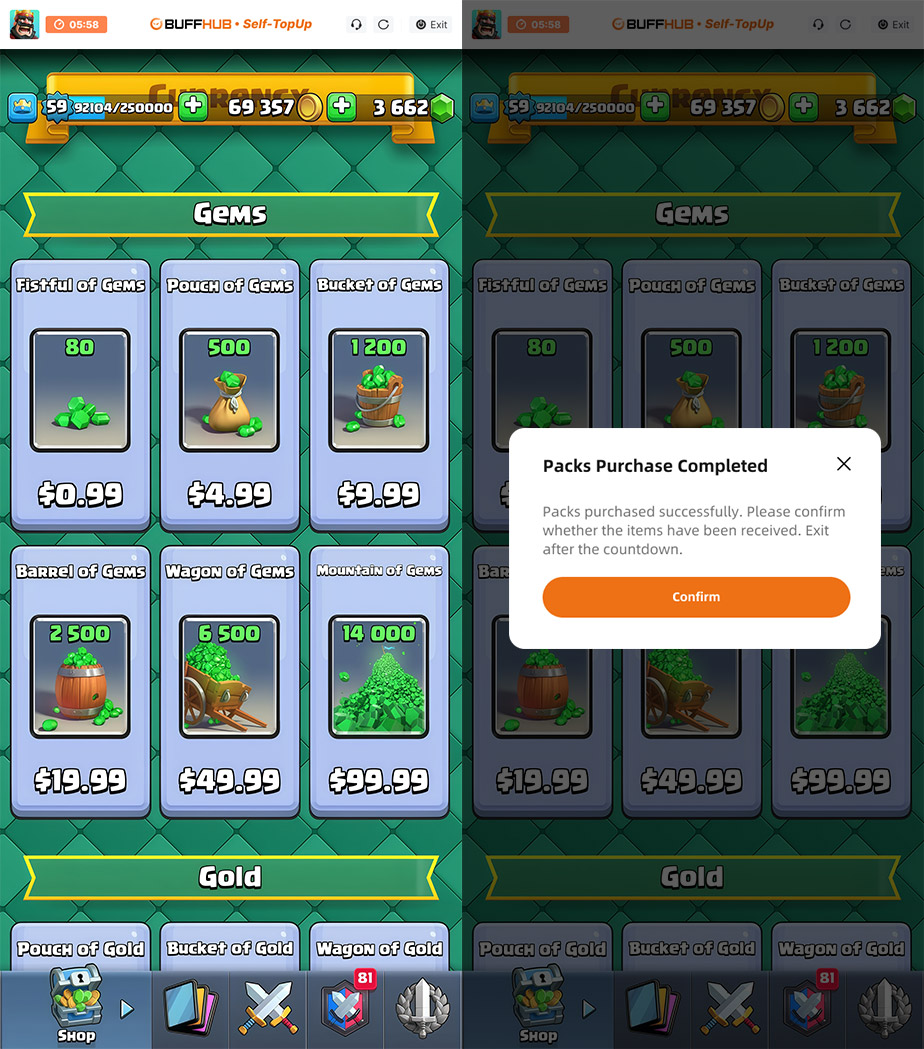
Execute Equivalent Exchange
In the Shop, click on the item that matches the value of the product you ordered on buffhub to complete the exchange.
4
Secure Logout & Cleanup
Once the exchange is finished, please log out and clear all login records to ensure account privacy and security.
Log out and clear all login records
5
Confirm Delivery
When you receive the "Top-up Complete" notification, log back into the game to verify that your resources have arrived.

Manual Top-up Tutorial

Manual Top-up: Login-based Tutorial

  1. 01
    Visit Page: Go to the BUFFHUB website, select your preferred language and currency, and log in.
  2. 02
    Find Product: In the navigation bar, click Top-up > Clash Royale (Manual Top-up) .
  3. 03
    Confirm Order: Select your desired bundle, monthly pass, or top-up amount, then click "Buy Now".
  4. 04
    Secure Payment: Choose your preferred payment method and complete the transaction.
  5. 05
    Submit Info & Wait: Provide your login details on the order page or contact support. Our professional technicians will then log in and complete the purchase. Do not log into your account during this process.
    Submit login information for the manual top-up process Once submitted, the system will automatically redirect you to the Waiting Page . Please wait a moment while our team handles your order.

  6. 06
    Completed:
    · Redirection: Once processed, the page will automatically redirect to the success page.

    · Check Status: You can check your "Purchase History" at any time for progress updates.
    · Start Playing: Once successful, log into your Clash Royale account and enjoy your resources.
WARNING

⚠️ Important Notes

  • Operational Rules: This is a login top-up product. To ensure a smooth process, do not enter the game until the top-up is complete. It is recommended to change your password afterward for safety.


  • Accuracy: Check your info carefully! Ensure all required information is accurate to avoid processing delays.
  • Price Variations: Due to regional game pricing or account-specific offers, if your bundle price differs (discount or premium), the purchase might fail.


  • Refund Policy: Products cannot be returned or exchanged once the top-up is successful. No refunds will be issued after payment.

Frequently Asked Questions (FAQ)

Q1: How long does the top-up take?

A: Manual login top-up takes some time. Generally, your purchased items will arrive within 30 minutes.

Q2: What can I use the Gems for?

A: Gems can be used to speed up chest unlocking, buy rare items in the Shop, get special offers, and join challenges. You can also exchange Gems for Gold.

Q3: Why do I need Gold, and can I swap Gems for it?

A: Gold is essential for upgrading cards and creating Clans. Yes, you can directly use Gems in-game to exchange for the Gold resources you need.

Q4: What if the top-up fails or I have issues?

A: If an issue occurs during the transaction, please click the customer service button and provide your account info to our specialists for handling.

More down down
Fold Up up up
U286596883
Purchased Any $5.99 Pack · Sep 22, 2026

Very good experience.

U830219568
Purchased 500 Gems · Sep 22, 2026

All good.

U237292437
Purchased Any $3.99 Pack · Sep 22, 2026

Good.

U101005337
Purchased 80 Gems · Sep 21, 2026

10/10

U530416653
Purchased Any $49.99 Pack · Sep 20, 2026

Great deal, worked perfectly.

U625424828
Purchased Diamond Pass · Sep 19, 2026

The best site for Clash Royale top-ups.

View All Comments
Sort By :
Latest
U286596883
Purchased Any $5.99 Pack

Very good experience.

Sep 22, 2026
U830219568
Purchased 500 Gems

All good.

Sep 22, 2026
U237292437
Purchased Any $3.99 Pack

Good.

Sep 22, 2026
U101005337
Purchased 80 Gems

10/10

Sep 21, 2026
U530416653
Purchased Any $49.99 Pack

Great deal, worked perfectly.

Sep 20, 2026
U625424828
Purchased Diamond Pass

The best site for Clash Royale top-ups.

Sep 19, 2026
View All Comments

Product Introduction

  • Alipay Alipay
  • ApplePay ApplePay
  • bancontact bancontact
  • bancontact-1 bancontact-1
  • billease billease
  • blik blik
  • boleto boleto
  • boost boost
  • bpi bpi
  • dana dana
  • Ewallet Ewallet
  • gcash gcash
  • GooglePay GooglePay
  • Ideal Ideal
  • kakao_pay kakao_pay
  • Klarna Klarna
  • konbini konbini
  • Kplus Kplus
  • line line
  • MBWAY MBWAY
  • multibanco multibanco
  • mybank mybank
  • naverpay naverpay
  • NetBanking NetBanking
  • oxxo oxxo
  • payco payco
  • paynow paynow
  • payu payu
  • pix pix
  • Qiwi Qiwi
  • rabbit rabbit
  • samsung samsung
  • sberpay sberpay
  • SBP SBP
  • SEPA SEPA
  • skrill skrill
  • spei spei
  • swish swish
  • tng tng
  • Tosspay Tosspay
  • truemoney truemoney
  • usdt usdt
  • Visa Visa
  • Visa-mastercard Visa-mastercard
  • Visa-mastercard+jbc Visa-mastercard+jbc
  • yoomoney yoomoney
  • Alipay Alipay
  • ApplePay ApplePay
  • bancontact bancontact
  • bancontact-1 bancontact-1
  • billease billease
  • blik blik
  • boleto boleto
  • boost boost
  • bpi bpi
  • dana dana
  • Ewallet Ewallet
  • gcash gcash
  • GooglePay GooglePay
  • Ideal Ideal
  • kakao_pay kakao_pay
  • Klarna Klarna
  • konbini konbini
  • Kplus Kplus
  • line line
  • MBWAY MBWAY
  • multibanco multibanco
  • mybank mybank
  • naverpay naverpay
  • NetBanking NetBanking
  • oxxo oxxo
  • payco payco
  • paynow paynow
  • payu payu
  • pix pix
  • Qiwi Qiwi
  • rabbit rabbit
  • samsung samsung
  • sberpay sberpay
  • SBP SBP
  • SEPA SEPA
  • skrill skrill
  • spei spei
  • swish swish
  • tng tng
  • Tosspay Tosspay
  • truemoney truemoney
  • usdt usdt
  • Visa Visa
  • Visa-mastercard Visa-mastercard
  • Visa-mastercard+jbc Visa-mastercard+jbc
  • yoomoney yoomoney
Language & Currency
  • Language
    English
    中文(繁体)
    日本語
    Bahasa Indonesia
    Bahasa Melayu
    Français
    Italiano
    Deutsch
    Русский
    Español
    한국어
  • Display Currency
    $ USD
    € EUR
    £ GBP
    C$ CAD
    A$ AUD
    S$ SGD
    Ұ JPY
    ₩ KRW
    SA SAR
    AED AED
    RM MYR
    ₱ PHP
    Rp IDR
    ฿ THB
    NT$ TWD
    HK$ HKD
    ₫ VND
    MX$ MXN
    R$ BRL
    ₽ RUB