
















Related searches
0 results
Not found
No content related to ""
theme-light theme-light-text
theme-dark-text theme-light
Love and Deepspace

Love and Deepspace

broadcast broadcast
Join the BUFFHUB Discord community and instantly receive a $10 discount coupon
All-In-One Bundle
All-In-One Bundle
$ 183.73
$ 207.93
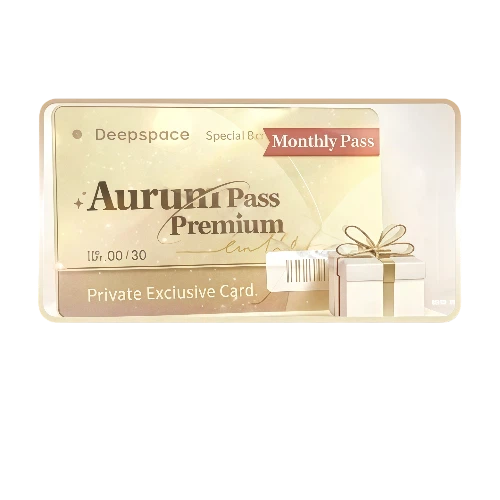
Aurum Pass
Aurum Pass
$ 4.55
$ 4.99
Companionship Pack
Companionship Pack
$ 17.00
$ 18.99
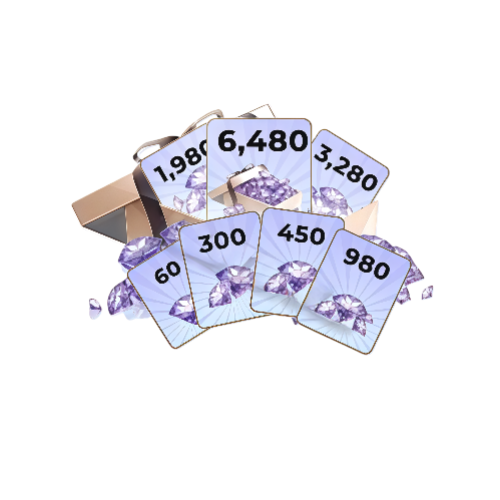
60 Crystals
60 Crystals
$ 0.90
$ 0.99
300 Crystals + 30 Diamonds
$ 4.40
$ 4.99
450 Crystals + 90 Diamonds
$ 5.96
$ 6.99
980 Crystals + 150 Diamonds
$ 13.37
$ 14.99
1980 Crystals + 360 Diamonds
$ 26.21
$ 29.99
3280 Crystals + 720 Diamonds
$ 44.14
$ 49.99
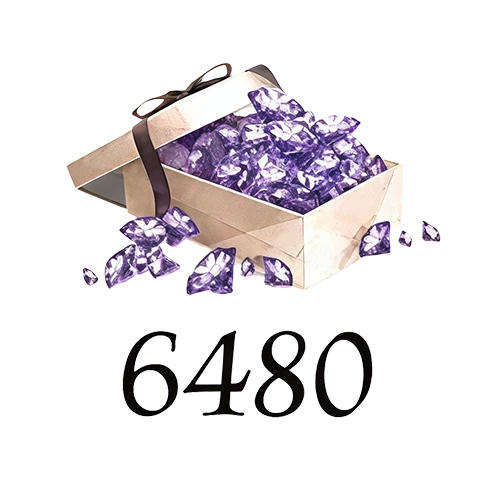
6480 Crystals + 1600 Diamonds
$ 87.39
$ 99.99

Quantity

Price
$0.00
HOW TO BUY?
Total
- +

0

Overall Rating
5.0
2,491 reviews
Overall Rating
5.0
Based on 2,491 reviews
  • 5 Star
    100%
  • 4 Star
    0%
  • 3 Star
    0%
  • 2 Star
    0%
  • 1 Star
    0%
Product Introduction
Recharge guide
User Reviews(2,491)
Love and Deepspace

Love and Deepspace Top-Up—
Crystals and Diamonds

Love and Deepspace combines romance, combat, Memories, and character customization, so the right top-up amount depends on what you are preparing for. BUFFHUB currently supports both self-service and manual top-up routes for eligible products, so check which account information your chosen route requires before paying.

Currency Overview: How Crystals Convert to Diamonds

Crystals and Diamonds serve different purposes, so it helps to decide how you plan to spend before choosing a top-up amount.

“Crystal”

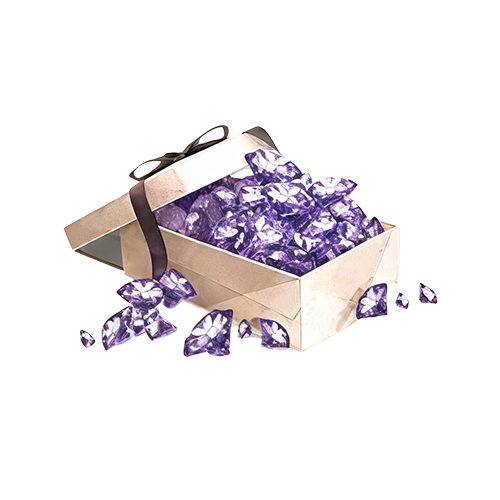
Crystal is a premium in-game currency primarily obtained through top-ups. Crystals can be converted into Diamonds at a 1:1 ratio and can also be used for eligible in-game purchases such as outfits, accessories, photo poses, and other selected Shop content.

How to Use Crystals:

Flexible Conversion

After converting Crystals into Diamonds, you can use your Diamond balance toward eligible Wish spending and other in-game purchases. Wish Pools are a major source of Memories featuring Xavier, Zayne, Rafayel, Sylus, and Caleb, so check the active pool and the Wish currency it uses before converting more than you need.

Exquisite Collections

Instead of converting every Crystal into Diamonds, you can keep part of your Crystal balance for eligible Shop content such as outfits, accessories, and photo poses. This gives you more flexibility when a cosmetic item matters more to you than another Wish.

Why Should You Stock Up on Crystals?

Crystals are most useful when you already know whether your next purchase is for Wishes, cosmetics, or another current Shop option. Planning around that goal can help you avoid converting or spending more than you intended.

Prepare for a Memory You Want

Limited and rerun Wish Pools can feature specific 5-Star Memories. If one of those Memories is your target, check the active Wish rules, your current pity progress, and your existing Wish items before deciding how many Crystals you want to convert into Diamonds.

Keep Your Diamond Budget Flexible

Diamonds can support eligible Wish spending and other in-game purchases, so converting only what you need can leave part of your Crystal balance available for other uses. This is especially useful when several events or Shop options are running close together.

Save Some Crystals for Cosmetics

Selected outfits, accessories, and photo poses can use Crystals directly. If customization matters to you, check the current Shop before converting your full Crystal balance into Diamonds.

Match Your Spending to the Current Event

Love and Deepspace regularly rotates Wish Pools and event content. Reviewing what is actually available before topping up makes it easier to choose a Crystal amount around the Memory, outfit, or purchase you are currently aiming for.

Planning for a Limited Memory? Build the Crystal Budget First, Then Pick the BUFFHUB Route

A Love and Deepspace top-up makes more sense when it starts with a clear target. Maybe you are setting aside Diamonds for a Wish Pool, keeping Crystals for an outfit, or simply replacing part of the balance you already used. BUFFHUB also carries related titles such as Infinity Nikki and Heartopia.

Start with the Memory or Shop item, not the biggest Crystal package

BUFFHUB provides low-priced and competitively priced Love and Deepspace top-up options across different Crystal amounts and selected products. Some options may also carry strong current discounts or promotional pricing, so compare the displayed package, included content, and final price before you pay. If your target is a limited Memory, work backward from your Wish plan; if you are buying an outfit or another Crystal-based item, keeping Crystals unconverted may make more sense.

Self-service and manual top-up use different account routes

For the self-service route shown on this page, you only need your Player ID (Hunter No.) and Server, so your game account password is not required. Manual account-login top-up is a separate route and can require login information for the order to be completed. Choosing the correct route before checkout helps you provide only the information needed for that purchase.

Checkout Options

BUFFHUB provides multiple payment methods, with the available choices shown during checkout. Payment and order information are handled through a secure checkout environment rather than relying on an absolute safety guarantee.

Processing Window

Self-service Love and Deepspace top-ups are usually processed in around 3–5 minutes, while manual top-ups generally take around 15 minutes. Payment checks, order volume, or server conditions can extend those estimates, so they should not be treated as fixed delivery times.

Order Support

If you need help checking your Hunter No., Server, payment, delivery, or order status, customer support is available 24/7 for order-related assistance.

Before paying, copy your Hunter No. directly from your in-game profile, confirm the correct Server, and check the displayed final price against the Crystal package or product you actually want.

Love and Deepspace

Love and Deepspace is an immersive near-future fantasy 3D romance game developed by Infold Games. Players take on the role of a Deepspace Hunter, experience romantic interactions and story scenes from a first-person perspective, fight alongside their companions, and uncover mysteries connected to Deepspace.

Advanced Tips for Hunters:
  • Build a Balanced Collection: Develop Memories with different Stellactrum colors so you can adjust your lineup more effectively for different combat stages.
  • Raise Affinity: Interact with him regularly to increase Affinity and unlock more stories, conversations, and character interactions over time.
  • Learn Each Stage’s Mechanics: Before entering a stage, check its Stellactrum requirements and enemy traits, then choose suitable Memories and a Companion to improve your chances of clearing it efficiently.
More down down
Fold Up up up

Top-Up Information

Item Details
Supported Platform Mobile Devices (iOS/Android)
Supported Servers Global Servers
Information Required for Self-Service Top-Up Player ID (Hunter No.) and Server
Security Encrypted connections help protect your order and account information.

How to Top Up Crystals on BUFFHUB

  1. 01

    Visit the Top-Up Page: Open BUFFHUB, select your preferred language and currency, and sign in to your account.

  2. 02

    Search for the Game: Search for Love and Deepspace and open its page in the game top-up section.

  3. 03

    Enter Your Account Details: Enter your Player ID and select your Server. Check both carefully before continuing.

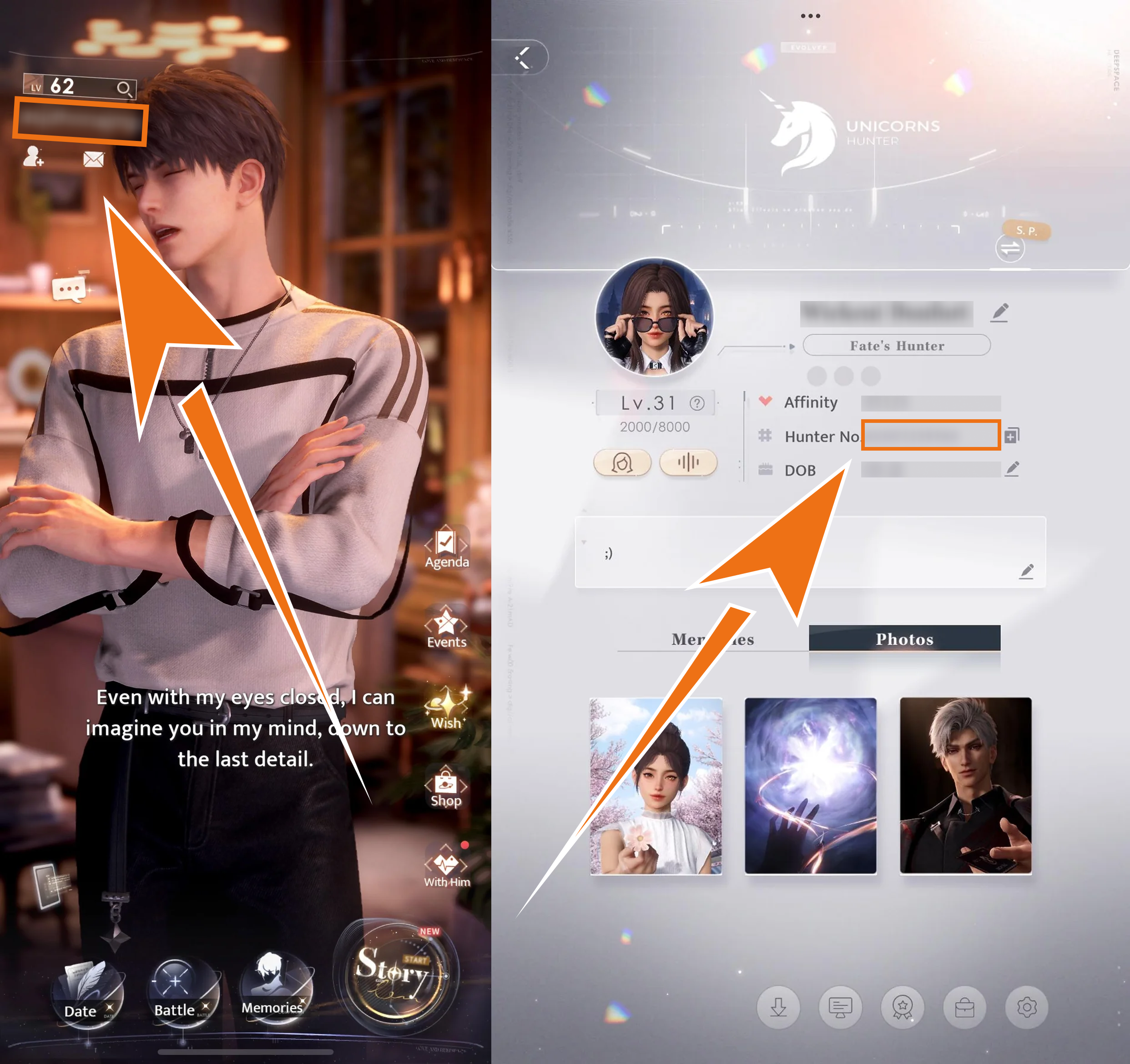
    *You can find your Hunter No. on your in-game profile page:
    How to find your Hunter No. in Love and Deepspace
  4. 04

    Select a Top-Up Amount: Choose your preferred Crystal package, then click “buy now”.

  5. 05

    Complete Payment: Select one of the available payment methods, confirm that the order information is correct, and complete the payment.

  6. 06

    Confirm Delivery: Once the top-up is completed, log back into Love and Deepspace and check your Crystal balance.

Important Notes for Hunters

  • Confirm Your Details: Before submitting a self-service order, carefully check that your Player ID and Server are correct. Incorrect information can send the recharge to the wrong game account.
  • Know Which Route You Are Using: Self-service top-up uses your Player ID and Server and does not require your game account password. A manual account-login top-up is a separate option and can require login information.
  • Check Your Purchase: Virtual items generally cannot be canceled or transferred after a successful top-up. Confirm the selected package, account details, and product information before making payment.
  • Need Assistance? If you encounter an order-related issue, contact BUFFHUB’s 24/7 customer support.

Account Login Top-Up: Manual Top-Up Guide

01

Visit the Page: Go to the BUFFHUB website, select your preferred language and currency, and sign in.

02

Find the Product: Click “Game Top-Up” in the main navigation menu, then select Love and Deepspace (Manual Top-Up).

03

Confirm Your Order: Select the Crystal package, monthly pass, or bundle you would like to purchase, then click “buy now”.

04

Complete Payment: Select one of the available payment methods, confirm that your order information is correct, and complete the payment.

05

Submit Your Details and Wait: Provide the required login information on the order page or contact online customer support as instructed. Staff will then log into the game account and complete the corresponding purchase. Please do not log into the game account while the order is being processed, as this may cause a login conflict.

Waiting page after submitting information for a Love and Deepspace manual top-up

After the information has been submitted, the system will redirect you to the waiting page. Allow some time for the manual top-up order to enter processing.

06

Top-Up Complete:

· Page Notification: Once the top-up has been processed, the page will redirect to the top-up success page.

· Track Your Order: You can also visit “Purchase History” to check your order status and processing progress.

· Log In and Check: Once the order has been completed, log into your Love and Deepspace account and check your Crystal balance or purchased items.

Frequently Asked Questions (FAQ)

Q1: What information is required for a self-service top-up?

A: You generally need your Player ID (Hunter No.) and Server for the self-service route. Copy your Hunter No. from your in-game profile when possible and confirm the correct Server before submitting the order.

Q2: Do I need to provide my Love and Deepspace password?

A: Not for the self-service Player ID and Server route. Your game account password is not required for that method. Manual account-login top-up is a separate route and can require login information.

Q3: How long does a Love and Deepspace top-up usually take?

A: Self-service top-ups are usually processed in around 3–5 minutes, while manual account-login top-ups generally take around 15 minutes. Actual processing can take longer depending on payment verification, order volume, or server conditions.

Q4: What should I do if my payment succeeded but the Crystals have not arrived?

A: First, confirm that the submitted Hunter No. and Server match your account, then log back into the game and check your Crystal balance. If the recharge is still missing, keep your order number ready and contact BUFFHUB’s 24/7 customer support.

More down down
Fold Up up up
wintermoon
Purchased 300 Crystals + 30 Diamonds · Sep 21, 2026

迅速でした。また利用します。

U309215531
Purchased Aurum Pass · Sep 21, 2026

Sangat direkomendasikan!

bookworm
Purchased 1980 Crystals + 360 Diamonds · Sep 21, 2026

For the story keys! Delivered in a blink.

U378748988
Purchased 450 Crystals + 90 Diamonds · Sep 20, 2026

Fast and easy.

U209689069
Purchased 3280 Crystals + 720 Diamonds · Sep 19, 2026

イベント用に購入。すぐに届きました。

RajGamer
Purchased Companionship Pack · Sep 19, 2026

Puluhan detik langsung masuk. Keren!

View All Comments
Sort By :
Latest
wintermoon
Purchased 300 Crystals + 30 Diamonds

迅速でした。また利用します。

Sep 21, 2026
U309215531
Purchased Aurum Pass

Sangat direkomendasikan!

Sep 21, 2026
bookworm
Purchased 1980 Crystals + 360 Diamonds

For the story keys! Delivered in a blink.

Sep 21, 2026
U378748988
Purchased 450 Crystals + 90 Diamonds

Fast and easy.

Sep 20, 2026
U209689069
Purchased 3280 Crystals + 720 Diamonds

イベント用に購入。すぐに届きました。

Sep 19, 2026
RajGamer
Purchased Companionship Pack

Puluhan detik langsung masuk. Keren!

Sep 19, 2026
View All Comments

Product Introduction

  • Alipay Alipay
  • ApplePay ApplePay
  • bancontact bancontact
  • bancontact-1 bancontact-1
  • billease billease
  • blik blik
  • boleto boleto
  • boost boost
  • bpi bpi
  • dana dana
  • Ewallet Ewallet
  • gcash gcash
  • GooglePay GooglePay
  • Ideal Ideal
  • kakao_pay kakao_pay
  • Klarna Klarna
  • konbini konbini
  • Kplus Kplus
  • line line
  • MBWAY MBWAY
  • multibanco multibanco
  • mybank mybank
  • naverpay naverpay
  • NetBanking NetBanking
  • oxxo oxxo
  • payco payco
  • paynow paynow
  • payu payu
  • pix pix
  • Qiwi Qiwi
  • rabbit rabbit
  • samsung samsung
  • sberpay sberpay
  • SBP SBP
  • SEPA SEPA
  • skrill skrill
  • spei spei
  • swish swish
  • tng tng
  • Tosspay Tosspay
  • truemoney truemoney
  • usdt usdt
  • Visa Visa
  • Visa-mastercard Visa-mastercard
  • Visa-mastercard+jbc Visa-mastercard+jbc
  • yoomoney yoomoney
  • Alipay Alipay
  • ApplePay ApplePay
  • bancontact bancontact
  • bancontact-1 bancontact-1
  • billease billease
  • blik blik
  • boleto boleto
  • boost boost
  • bpi bpi
  • dana dana
  • Ewallet Ewallet
  • gcash gcash
  • GooglePay GooglePay
  • Ideal Ideal
  • kakao_pay kakao_pay
  • Klarna Klarna
  • konbini konbini
  • Kplus Kplus
  • line line
  • MBWAY MBWAY
  • multibanco multibanco
  • mybank mybank
  • naverpay naverpay
  • NetBanking NetBanking
  • oxxo oxxo
  • payco payco
  • paynow paynow
  • payu payu
  • pix pix
  • Qiwi Qiwi
  • rabbit rabbit
  • samsung samsung
  • sberpay sberpay
  • SBP SBP
  • SEPA SEPA
  • skrill skrill
  • spei spei
  • swish swish
  • tng tng
  • Tosspay Tosspay
  • truemoney truemoney
  • usdt usdt
  • Visa Visa
  • Visa-mastercard Visa-mastercard
  • Visa-mastercard+jbc Visa-mastercard+jbc
  • yoomoney yoomoney
Language & Currency
  • Language
    English
    中文(繁体)
    日本語
    Bahasa Indonesia
    Bahasa Melayu
    Français
    Italiano
    Deutsch
    Русский
    Español
    한국어
  • Display Currency
    $ USD
    € EUR
    £ GBP
    C$ CAD
    A$ AUD
    S$ SGD
    Ұ JPY
    ₩ KRW
    SA SAR
    AED AED
    RM MYR
    ₱ PHP
    Rp IDR
    ฿ THB
    NT$ TWD
    HK$ HKD
    ₫ VND
    MX$ MXN
    R$ BRL
    ₽ RUB