














Related searches
0 results
Not found
No content related to ""
theme-light theme-light-text
theme-dark-text theme-light
Pokémon TCG Pocket

Pokémon TCG Pocket

broadcast broadcast
Due to a large number of orders, delivery may be delayed by 1-5 minutes. Please wait patiently.
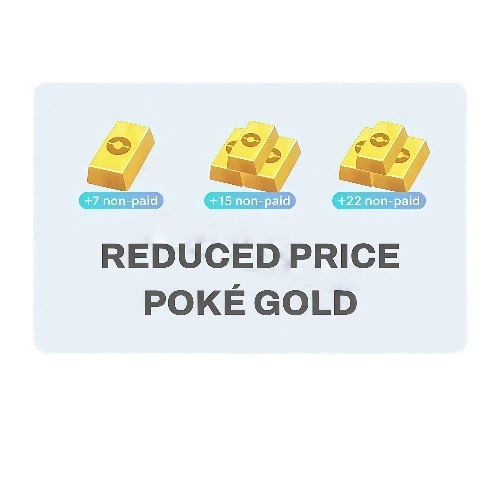
Reduced Price Poké Gold All-In-One
Total 0/1
Reduced Price Poké Gold All-In-One
$ 9.73
$ 13.97
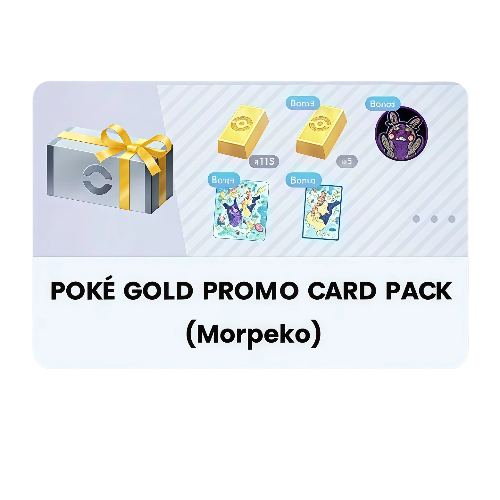
Promo Card Pack (Morpeko)
$ 16.03
$ 22.99
Poké Gold x5
Poké Gold x5
$ 0.71
$ 0.99
Poké Gold x25 + 1
Poké Gold x25 + 1
$ 3.49
$ 4.99
Poké Gold x50 + 7
Poké Gold x50 + 7
$ 6.97
$ 9.99
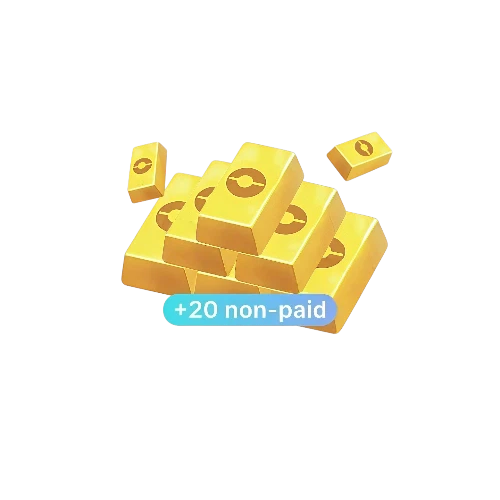
Poké Gold x100 + 20
Poké Gold x100 + 20
$ 13.95
$ 19.99
Poké Gold x200 + 50
Poké Gold x200 + 50
$ 27.89
$ 39.99
Poké Gold x500 + 190
$ 69.70
$ 99.99

Quantity

Price
$0.00
HOW TO BUY?
Total
- +

₩0

Overall Rating
5.0
3,450 reviews
Overall Rating
5.0
Based on 3,450 reviews
  • 5 Star
    99%
  • 4 Star
    1%
  • 3 Star
    0%
  • 2 Star
    0%
  • 1 Star
    0%
Product Introduction
Recharge guide
User Reviews(3,450)

Pokémon TCG Pocket Poké Gold Top-Up Deals – Keep More Resources Ready for Your Next Pack Session

Pokémon TCG Pocket turns the fun of collecting Pokémon cards into a mobile experience built around booster packs, Wonder Pick, and streamlined battles. Poké Gold can be used to shorten certain waiting times for opening packs and using Wonder Pick, as well as for other eligible in-game actions when the required items are unavailable. BUFFHUB offers Poké Gold and selected bundles for Trainers who want to prepare more resources for a new expansion, event, or collecting session.

More Poké Gold, Less Friction Before the Next Pack Opening

BUFFHUB brings Poké Gold options, selected discounts, checkout choices, and different top-up routes together on one page, alongside services for Pokémon GO, SD Gundam G Generation ETERNAL, and Monster Strike.

Low-Priced Options Strong Selected Discounts Fast Processing Secure Checkout Multiple Payment Methods 24/7 Support

Self-Service keeps the account step in your hands. For the Self-Service Top-Up route, you enter the required sign-in information through the self-service interface yourself, choose the corresponding Poké Gold or bundle, and redeem the purchased content in the in-game shop. This is different from the Manual Top-Up route, which can require account information to be submitted for order processing, so check the selected service before continuing; payment and order details are handled through a secure checkout process, and 24/7 customer support is available if you need help with the order or account-linking steps.

About Pokémon TCG Pocket

Pokémon TCG Pocket is a mobile card-collecting game developed by Creatures Inc. and DeNA Co., Ltd. It adapts the Pokémon Trading Card Game into a digital format focused on collecting cards, opening booster packs, building decks, and playing fast battles with streamlined rules.

A major part of the collecting experience is the game’s immersive cards, which use digital effects to make players feel as though they have entered the world of the card’s illustration. Players can open two booster packs every day at no cost, collect cards featuring both nostalgic and game-exclusive artwork, use Wonder Pick to find additional cards, and battle other players with 20-card decks. Pokémon TCG Pocket is available on iOS and Android.

More down down
Fold Up up up

Top-Up Information and Important Notes

Item Details
Supported Platform Mobile (Android / iOS)
Supported Region Global Server
Required Information
1. Game account, password, and player name (or UID)

2. Linked third-party account information (such as a Nintendo Account)

Estimated Delivery Time Usually credited in around 3 minutes, although actual processing time may vary depending on the order and current system conditions
Important Note Please make sure all submitted information is accurate. If your account is linked to a Nintendo Account, we recommend using it to sign in first for a smoother top-up process.

Top-Up Guide

Self-Service Top-Up (Highly Recommended)

For a faster and more convenient experience, we recommend using the Self-Service Top-Up option:

  1. 1

    Access the Service:

    Search for and select Pokémon TCG Pocket in the service portal.

  2. 2

    Choose an Item:

    Select the amount of Poké Gold or the bundle you would like to purchase, then click “buy now”.

  3. 3

    Sign In and Redeem:

    Open the self-service interface and sign in to your game account. If your account is linked to a Nintendo Account, please use that linked account first.

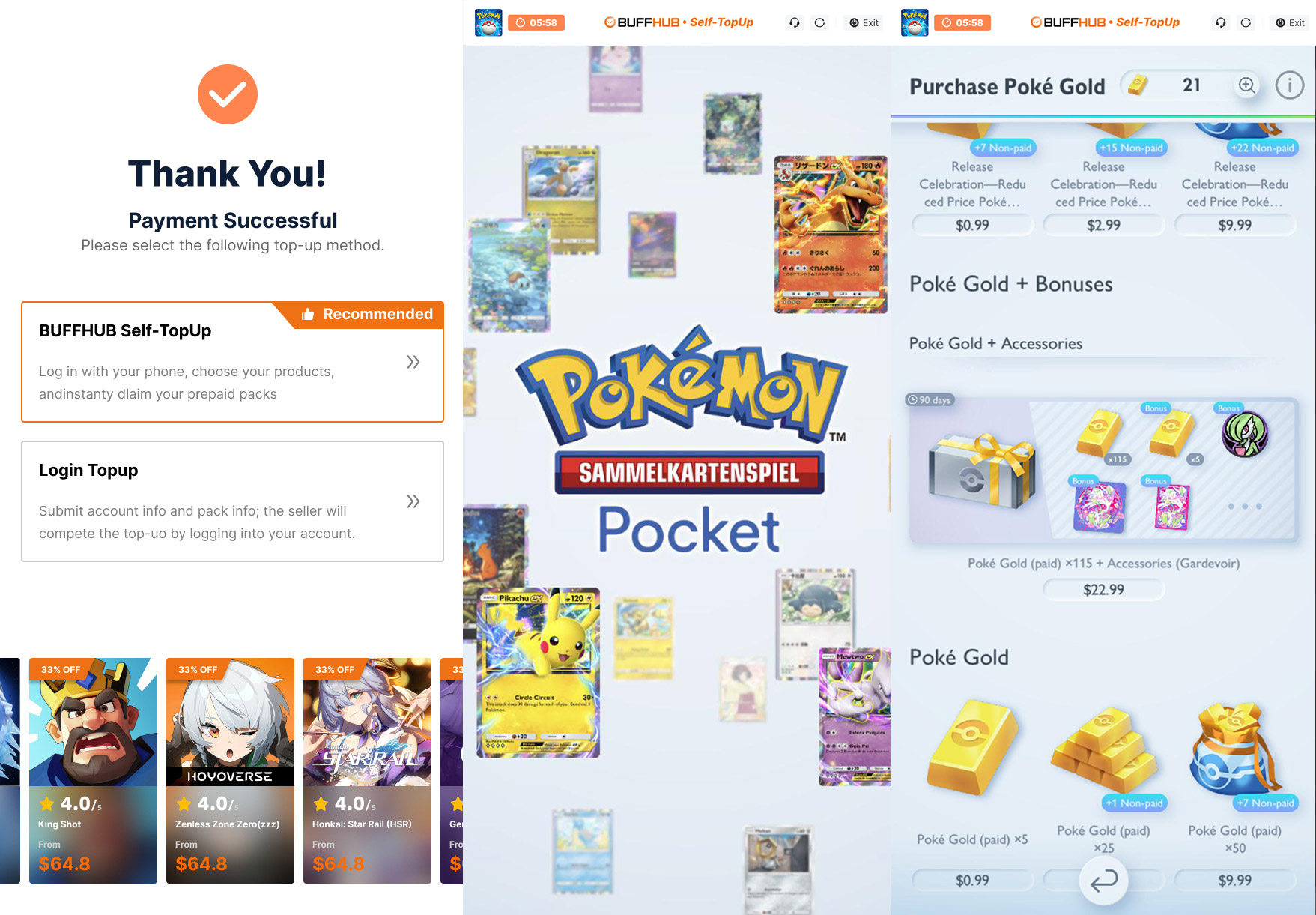
    Guide to signing in to the Pokémon TCG Pocket self-service interface and selecting a linked account

    ▲ Image: Guide to signing in to the self-service interface and selecting a linked account

  4. 4

    Confirm and Claim:

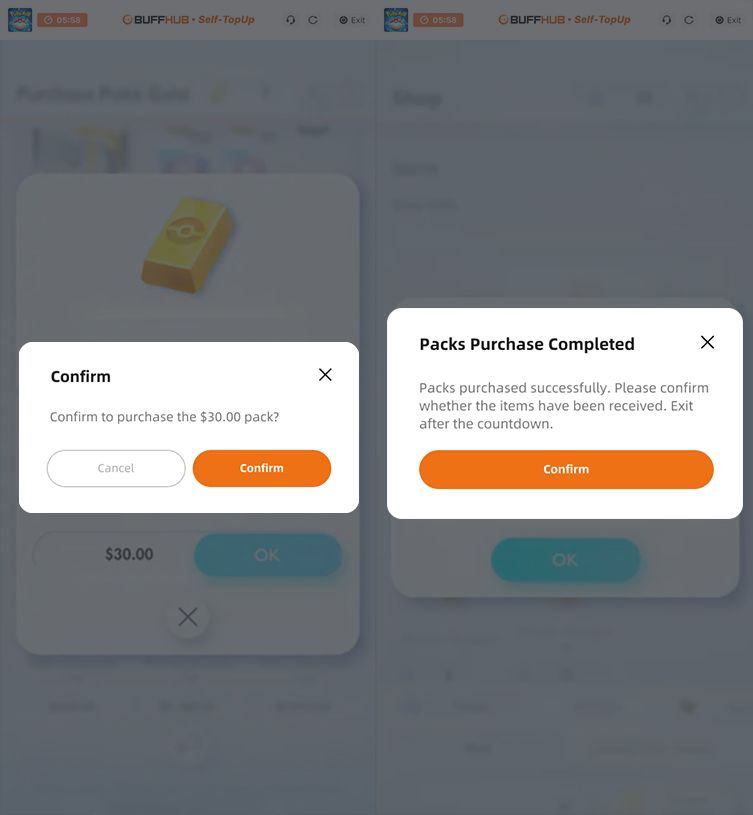
    Confirm and redeem the content you purchased in the in-game shop. After the items have been successfully claimed, the self-service system is designed to clear your sign-in records when you exit.

    Pokémon TCG Pocket in-game shop screen for confirming and redeeming purchased content

    ▲ Image: In-game shop screen for confirming and redeeming purchased content

Login Top-Up: Manual Top-Up Guide

  1. 01

    Visit the Page: Go to the BUFFHUB website, select your preferred language and currency, and sign in.

  2. 02

    Find the Product: From the navigation bar on the homepage, select Game Top-Up > Pokémon TCG Pocket (Manual Top-Up).

  3. 03

    Confirm Your Order: Select the Poké Gold amount, bundle, or other available top-up item you want, then click “buy now”.

  4. 04

    Complete Payment: Select your preferred payment method and complete the transaction.

  5. 05

    Submit Your Information and Wait: Provide your login details on the order page or contact customer support. A technician will then sign in and complete the purchase. Please do not sign in to your account during this process.

    Waiting page after submitting information for a Pokémon TCG Pocket Manual Top-Up

    After your information has been submitted successfully, the system will automatically redirect you to the Waiting Page. Please wait while the technician begins processing your order.

  6. 06

    Top-Up Complete:

    Page Redirect: Once the order has been processed, the page will automatically redirect you to the top-up confirmation page.

    Order Tracking: You can also open Purchase History at any time to check your order status and top-up progress.

    Check Your Items: Once the top-up is confirmed, sign in to your Pokémon TCG Pocket account and check the purchased Poké Gold or other item.

Frequently Asked Questions (FAQ)

Q1: What Is Poké Gold, and What Can It Be Used For?

Poké Gold is an in-game currency that can be purchased with real-world money and used for several time-saving actions:

  • Booster Packs: Poké Gold can shorten the waiting time before opening packs when you do not have enough Pack Hourglasses.
  • Wonder Pick: It can shorten Wonder Pick waiting time when you do not have enough Wonder Hourglasses.
  • Expired Wonder Picks: Poké Gold can be used to restore an expired Wonder Pick when you do not have enough Rewind Watches.
  • Solo Event Battles: It may also be used for certain solo event battles when you do not have enough Event Hourglasses, depending on the event requirements.
Q2: Why Does the BUFFHUB Guide Recommend Linking a Nintendo Account First?

The current BUFFHUB Self-Service Top-Up instructions recommend using a linked Nintendo Account first when available because it can make the account sign-in step more straightforward within this top-up flow. Make sure the linked account belongs to the Pokémon TCG Pocket save data you want to use before continuing.

Q3: I Play Using an Apple Account. Can I Still Use This Top-Up Service?

The current BUFFHUB instructions advise players who originally use an Apple Account to link their game progress to a Nintendo Account or Google Account before using the relevant top-up flow. Check that the linked account is connected to the correct Pokémon TCG Pocket save data before submitting an order.

Q4: Will the Displayed Price Change by Region or Currency?

Prices may be displayed in US dollars (USD) or another supported checkout currency depending on the selected region and payment settings. Check the current price and exchange rate shown before completing the purchase, especially if you normally pay in TWD, HKD, or another local currency.

More down down
Fold Up up up
U231759608
Purchased Poké Gold x500 + 190 · Sep 25, 2026

Schnelle und unkomplizierte Abwicklung, alles wie gewohnt :)

U420835213
Purchased Poké Gold x100 + 20 · Sep 25, 2026

Legit

vmRSWV6f
Purchased Poké Gold x200 + 50 · Sep 24, 2026

buffhub is the goat

U644026488
Purchased Poké Gold x25 + 1 · Sep 24, 2026

Muy rápido y seguro

MZWUwmeaw
Purchased Poké Gold x100 + 20 · Sep 24, 2026

Grazie mille

enze7j6rC
Purchased Poké Gold x500 + 190 · Sep 24, 2026

Super geklappt

View All Comments
Sort By :
Latest
U231759608
Purchased Poké Gold x500 + 190

Schnelle und unkomplizierte Abwicklung, alles wie gewohnt :)

Sep 25, 2026
U420835213
Purchased Poké Gold x100 + 20

Legit

Sep 25, 2026
vmRSWV6f
Purchased Poké Gold x200 + 50

buffhub is the goat

Sep 24, 2026
U644026488
Purchased Poké Gold x25 + 1

Muy rápido y seguro

Sep 24, 2026
MZWUwmeaw
Purchased Poké Gold x100 + 20

Grazie mille

Sep 24, 2026
enze7j6rC
Purchased Poké Gold x500 + 190

Super geklappt

Sep 24, 2026
View All Comments

Product Introduction

Remind

  • Alipay Alipay
  • ApplePay ApplePay
  • bancontact bancontact
  • bancontact-1 bancontact-1
  • billease billease
  • blik blik
  • boleto boleto
  • boost boost
  • bpi bpi
  • dana dana
  • Ewallet Ewallet
  • gcash gcash
  • GooglePay GooglePay
  • Ideal Ideal
  • kakao_pay kakao_pay
  • Klarna Klarna
  • konbini konbini
  • Kplus Kplus
  • line line
  • MBWAY MBWAY
  • multibanco multibanco
  • mybank mybank
  • naverpay naverpay
  • NetBanking NetBanking
  • oxxo oxxo
  • payco payco
  • paynow paynow
  • payu payu
  • pix pix
  • Qiwi Qiwi
  • rabbit rabbit
  • samsung samsung
  • sberpay sberpay
  • SBP SBP
  • SEPA SEPA
  • skrill skrill
  • spei spei
  • swish swish
  • tng tng
  • Tosspay Tosspay
  • truemoney truemoney
  • usdt usdt
  • Visa Visa
  • Visa-mastercard Visa-mastercard
  • Visa-mastercard+jbc Visa-mastercard+jbc
  • yoomoney yoomoney
  • Alipay Alipay
  • ApplePay ApplePay
  • bancontact bancontact
  • bancontact-1 bancontact-1
  • billease billease
  • blik blik
  • boleto boleto
  • boost boost
  • bpi bpi
  • dana dana
  • Ewallet Ewallet
  • gcash gcash
  • GooglePay GooglePay
  • Ideal Ideal
  • kakao_pay kakao_pay
  • Klarna Klarna
  • konbini konbini
  • Kplus Kplus
  • line line
  • MBWAY MBWAY
  • multibanco multibanco
  • mybank mybank
  • naverpay naverpay
  • NetBanking NetBanking
  • oxxo oxxo
  • payco payco
  • paynow paynow
  • payu payu
  • pix pix
  • Qiwi Qiwi
  • rabbit rabbit
  • samsung samsung
  • sberpay sberpay
  • SBP SBP
  • SEPA SEPA
  • skrill skrill
  • spei spei
  • swish swish
  • tng tng
  • Tosspay Tosspay
  • truemoney truemoney
  • usdt usdt
  • Visa Visa
  • Visa-mastercard Visa-mastercard
  • Visa-mastercard+jbc Visa-mastercard+jbc
  • yoomoney yoomoney
Language & Currency
  • Language
    English
    中文(繁体)
    日本語
    Bahasa Indonesia
    Bahasa Melayu
    Français
    Italiano
    Deutsch
    Русский
    Español
    한국어
  • Display Currency
    $ USD
    € EUR
    £ GBP
    C$ CAD
    A$ AUD
    S$ SGD
    Ұ JPY
    ₩ KRW
    SA SAR
    AED AED
    RM MYR
    ₱ PHP
    Rp IDR
    ฿ THB
    NT$ TWD
    HK$ HKD
    ₫ VND
    MX$ MXN
    R$ BRL
    ₽ RUB