


















Related searches
0 results
Not found
No content related to ""
theme-light theme-light-text
theme-dark-text theme-light
Last Z: Survival Shooter

Last Z: Survival Shooter

broadcast broadcast
Due to a large number of orders, delivery may be delayed by 1-5 minutes. Please wait patiently.
100 Gold Bar
100 Gold Bar
$ 0.99
$ 0.99
500 Gold Bar
500 Gold Bar
$ 4.57
$ 4.99
1,000 Gold Bar
1,000 Gold Bar
$ 8.98
$ 9.99
2,000 Gold Bar
2,000 Gold Bar
$ 17.97
$ 19.99
5,000 Gold Bar
5,000 Gold Bar
$ 44.91
$ 49.99
10,000 Gold Bars
10,000 Gold Bars
$ 89.83
$ 99.99

Quantity

Price
$0.00
HOW TO BUY?
Total
- +

0

Overall Rating
5.0
2,912 reviews
Overall Rating
5.0
Based on 2,912 reviews
  • 5 Star
    99%
  • 4 Star
    1%
  • 3 Star
    0%
  • 2 Star
    0%
  • 1 Star
    0%
Product Introduction
Recharge guide
User Reviews(2,912)
BUFFHUB EXCLUSIVE TOP-UP SERVICE

Last Z: Survival Shooter Top-Up — Gold Bars


Last Z: Survival Shooter currently supports [Self-Service Top-Up]. After payment, you can enter the dedicated top-up environment, sign in using the login method linked to your game account, and complete the matching Gold Bar or pack purchase yourself. If your account is linked to Google or Facebook, select the corresponding login option; a separate Login Top-Up route is also available when assisted processing is needed.

Product Overview: Gold Bars and Pack Redemption

Gold Bars give you a flexible way to pay for eligible items and packs inside Last Z: Survival Shooter, while BUFFHUB also organizes top-up options around different Gold Bar amounts and pack values.

💰 About Gold Bars

Gold Bars are an in-game virtual item used to exchange for eligible virtual goods in Last Z: Survival Shooter. Once Gold Bars have been credited to a character, they cannot be transferred between characters with different UIDs, so make sure you are using the correct account before completing the purchase. After the top-up, open the in-game Store to check your Gold Bar balance and the packs currently available for redemption.

🧾 How Gold Bars Are Used

When you redeem an eligible pack in the in-game Store, available Gold Bars are given priority for the purchase. If your Gold Bar balance is not enough for that redemption, the existing balance is not partially consumed. Check both your current balance and the Gold Bar requirement of the pack before confirming.

📦 Pack Redemption Rules:

  • For BUFFHUB pack-value products, the value you purchase, such as $19.99, should match the original listed price of the eligible pack you intend to select during the redemption flow.
  • Remaining Balance: The current BUFFHUB redemption flow states that if an eligible pack costs less than the purchased value, the unused balance is returned to your account balance. Check the amount shown in the order flow before confirming your selection.

Build the Top-Up Around the Gold Bars You Actually Plan to Spend

A Last Z purchase can start with a Gold Bar amount, a specific pack price, or a pack you already know you want from the in-game Store. Instead of treating every order like the same generic recharge, BUFFHUB lets you compare the current Gold Bar options first and then choose how you want the purchase handled.

Before You Log In: Compare the Gold Bar Value

BUFFHUB currently lists several lower-priced Last Z Gold Bar options compared with their displayed reference prices, while selected products can also carry strong promotional discounts. The saving is not identical across every denomination, so check the live product price before paying and choose the amount that best fits the pack or Gold Bar balance you actually need.

After Payment: Keep the Pack Choice in Your Hands

Self-Service Top-Up is the more direct route when you are comfortable signing in and choosing the matching product yourself. You enter your login through the dedicated interface rather than sending your game password directly to customer support, then complete the Gold Bar or pack selection in the game environment. This route is designed for fast processing, and orders are usually handled quickly, although the actual time can vary with payment checks, login verification, order volume, and the selected product. If the order requires assisted handling instead, Login Top-Up remains a separate option.

Checkout and order follow-up stay in the same purchase flow. BUFFHUB provides a secure checkout environment with multiple payment methods for players in different regions. Depending on what is available on your payment page, options can include Visa and Mastercard card payments, PayPal, digital wallets, and supported local payment methods; some regions may also have additional local or convenience-store payment options. Because payment availability and possible processing fees can vary by country, currency, and payment provider, check the methods and final amount shown at checkout before confirming the transaction. If you run into a payment issue, login verification problem, interrupted Self-Service session, pack-matching question, or an order that needs checking, 24/7 customer support is available for order-related assistance.

That setup makes more sense for Last Z than a generic list of recharge promises: first check how many Gold Bars or which pack value you need, compare the current price and discount, and then choose the top-up route that matches how you want to complete the purchase. BUFFHUB also provides top-up pages for Whiteout Survival, Last War: Survival Game, Dark War: Survival, Tiles Survive!, and Kingshot.

About Last Z: Survival Shooter

Last Z: Survival Shooter combines zombie-apocalypse strategy with dodge-and-shoot combat, exploration, Shelter development, and long-term account progression. Players fight through infected areas, expand their Shelter, strengthen their forces, and develop their economy and technology as they push farther into the wasteland. Gold Bars give you additional options for eligible in-game purchases throughout that progression.

🚀 Accelerate Your Progress

Redeem Gold Bars for eligible packs that can include Speedups and other progression resources, helping you manage longer building, research, and training queues.

⚔️ Develop Powerful Heroes

Use eligible packs to obtain Hero development resources, then focus your investment on the Heroes that form the core of your main squad instead of spreading limited materials too widely.

📦 Replenish Strategic Resources

Selected packs can provide development resources used across Shelter growth, technology, troops, and other account-progression systems. Check the live in-game pack contents before redeeming your Gold Bars.

💡 Advanced Tips for New Players:

1. Prioritize Headquarters Upgrades: Headquarters progression affects the level ceiling and development of other parts of your base, so keep an eye on the building requirements for your next HQ upgrade before committing too many resources elsewhere.

2. Manage Speedups Carefully: During the early game, consider saving longer Speedups for upgrades that would otherwise keep an important construction or research queue occupied for a long period. Shorter upgrades are easier to finish while you are actively playing.

3. Focus on Your Main Heroes: Concentrating Hero EXP, Shards, gear, and other limited development resources on a dependable core squad can be more efficient than splitting those materials evenly across every Hero you unlock.

More down down
Fold Up up up

Top-Up Information

Item Details
Supported Platforms Last Z: Survival Shooter on iOS, Android, and the supported PC version
Supported Servers Global servers
Required Information
For Self-Service Top-Up, sign in through the dedicated interface using the login method linked to your game account. For Manual Login Top-Up, prepare the registered email address, Player ID, login method, verification information, and a screenshot of the target pack when requested on the order page.
Payment and Security Complete payment through the BUFFHUB checkout process. Multiple payment methods may be available depending on your region and payment page.

How to Find Your Player ID

If you need your account information for a manual order or support check, follow these steps to find the details shown in Last Z: Survival Shooter:

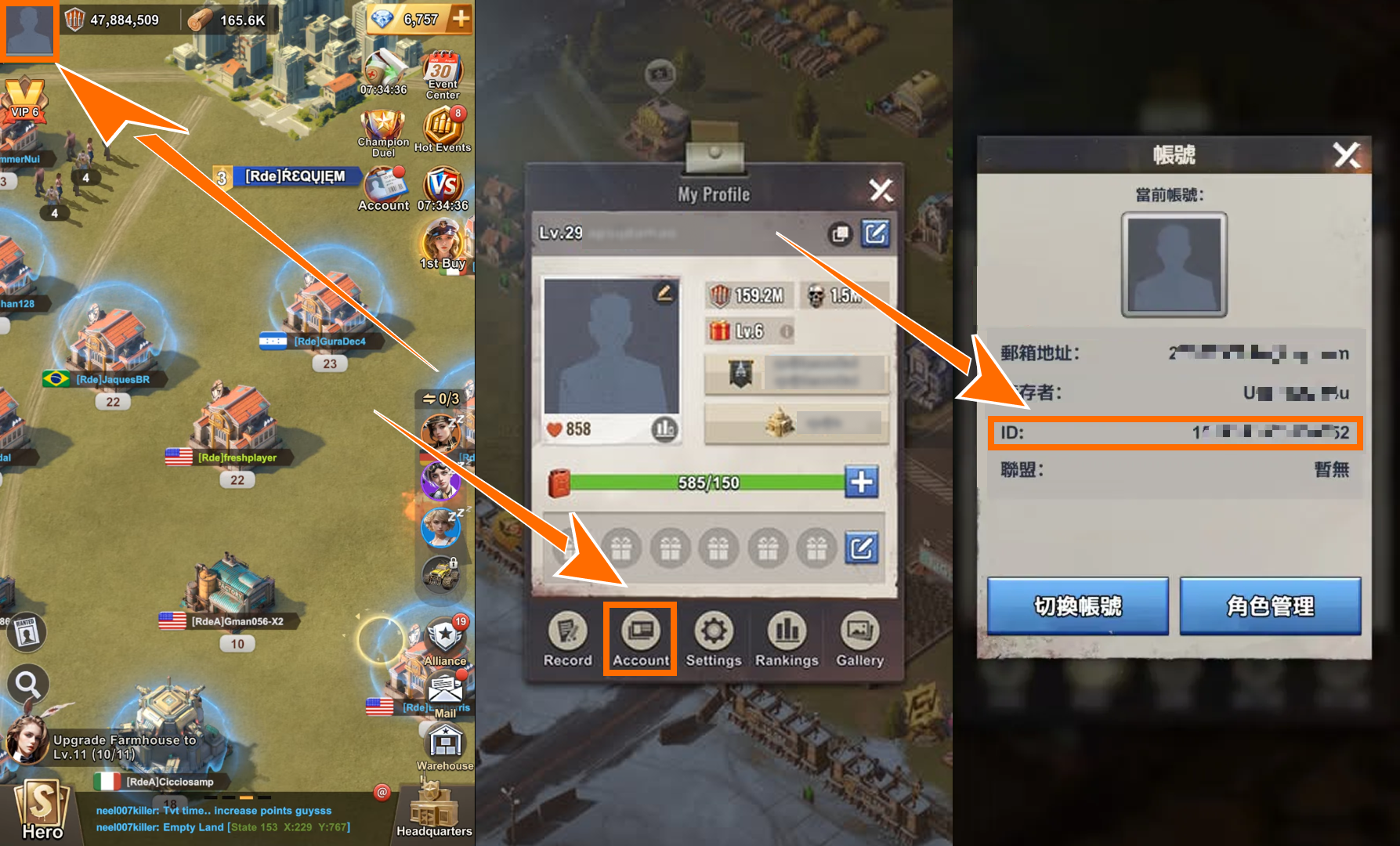
  1. Tap the Profile Picture icon in the upper-left corner of the main game screen.
  2. Select the Account tab from the menu.
  3. On the Account page, copy the displayed registered email address (GameUID) and Player ID (UserID).
Where to find your Player ID in Last Z: Survival Shooter
Check the account information carefully before continuing. Gold Bars credited to one UID cannot be transferred to a character with a different UID, and incorrect account information may also delay an assisted order.

How to Top Up Last Z: Survival Shooter on BUFFHUB

Follow these steps to complete a Last Z Gold Bar or pack purchase through Self-Service Top-Up:

01

Visit the Website: Go to BUFFHUB.COM, select your preferred language and currency, and sign in to your BUFFHUB account.

02

Open the Product Page: Select Last Z: Survival Shooter from the game top-up list to open its dedicated product page.

03

Choose Your Product and Pay: Check the Gold Bar amount, pack value, and quantity carefully, then select “Buy Now” and complete the payment.

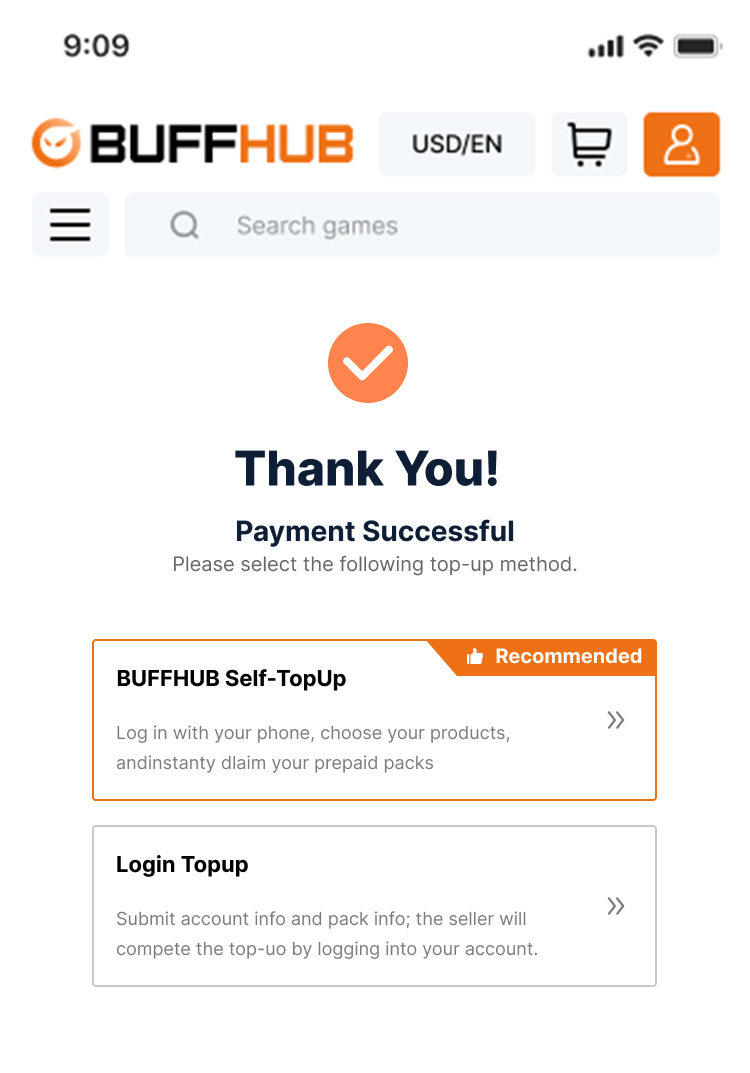
Starting Self-Service Top-Up for Last Z: Survival Shooter
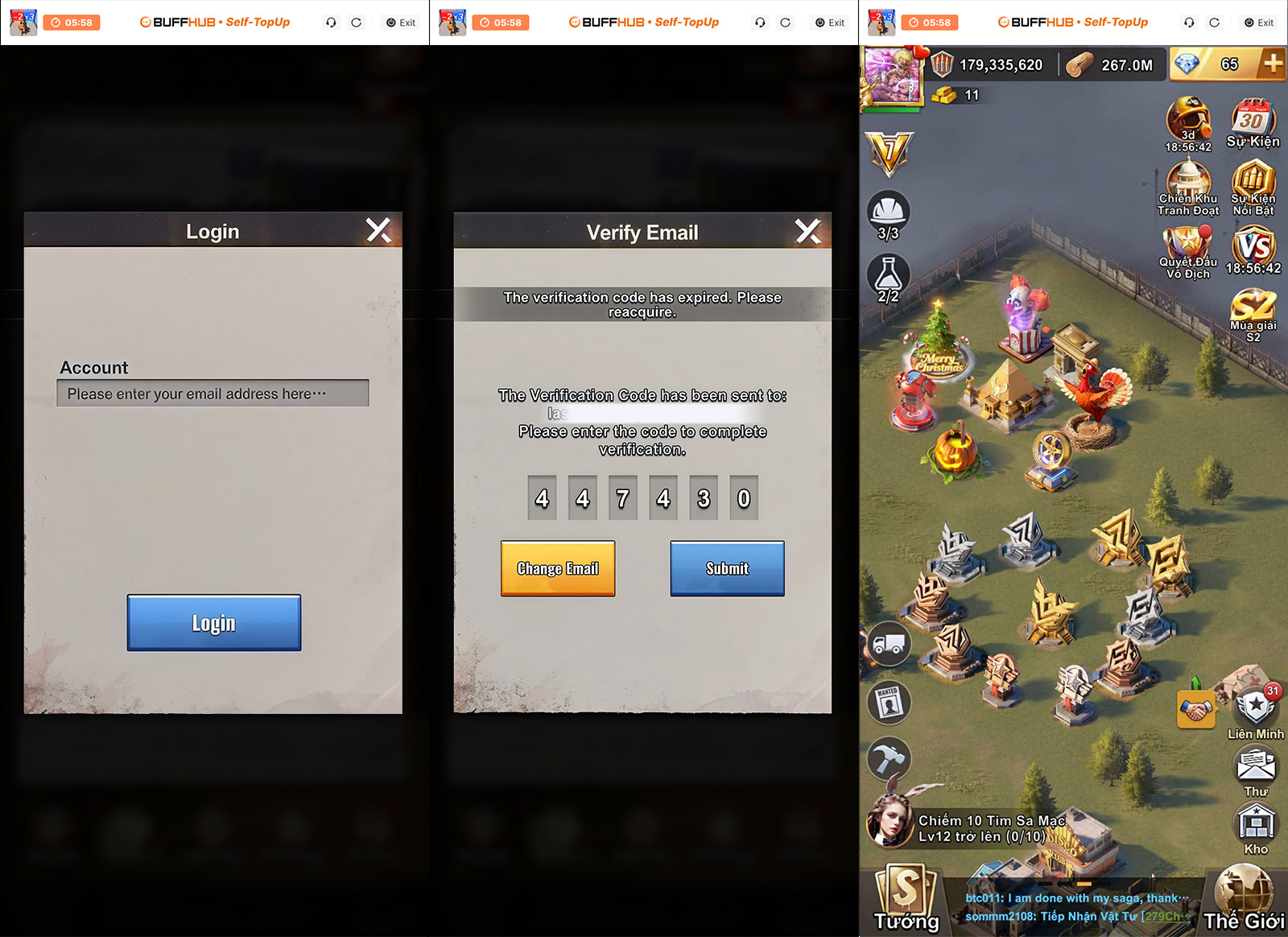
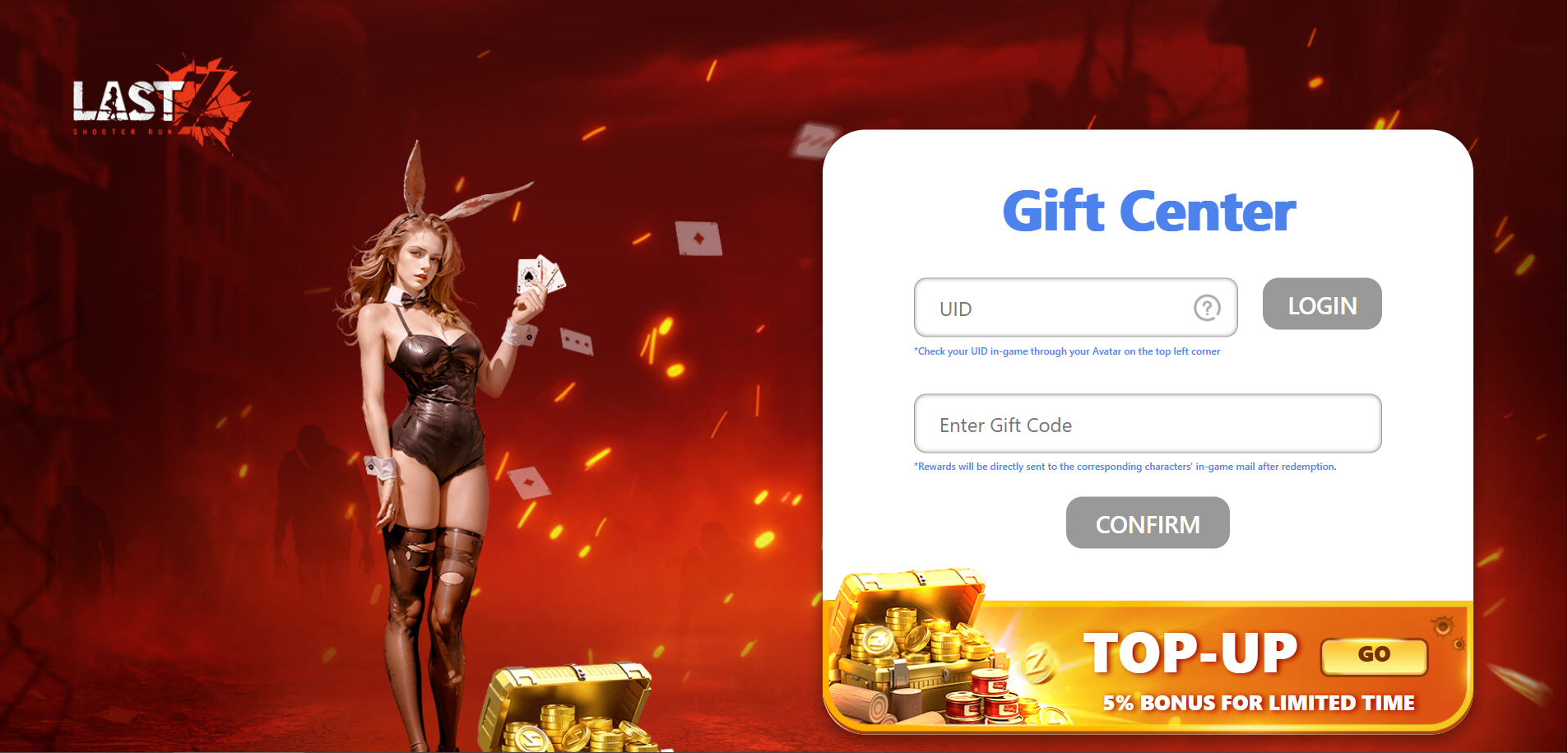
Signing in to a Last Z: Survival Shooter account
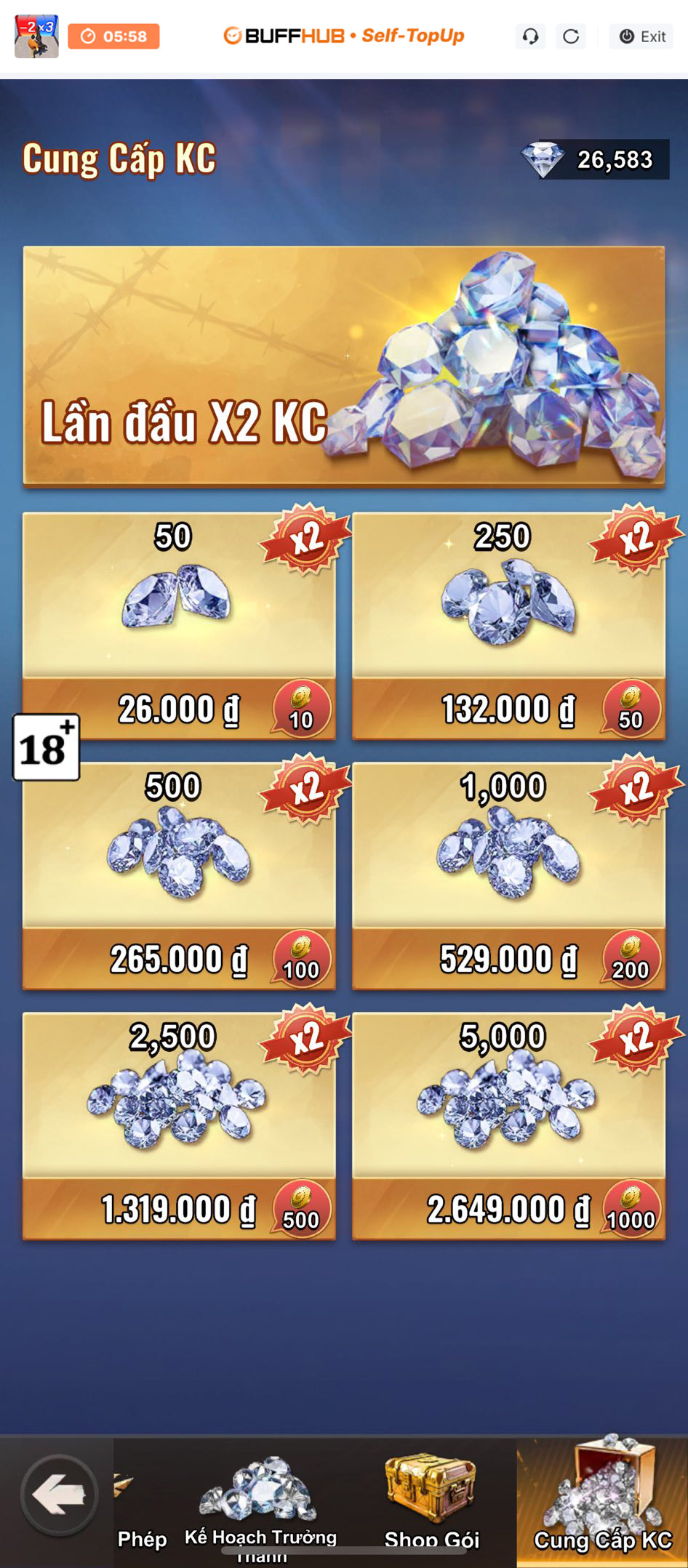
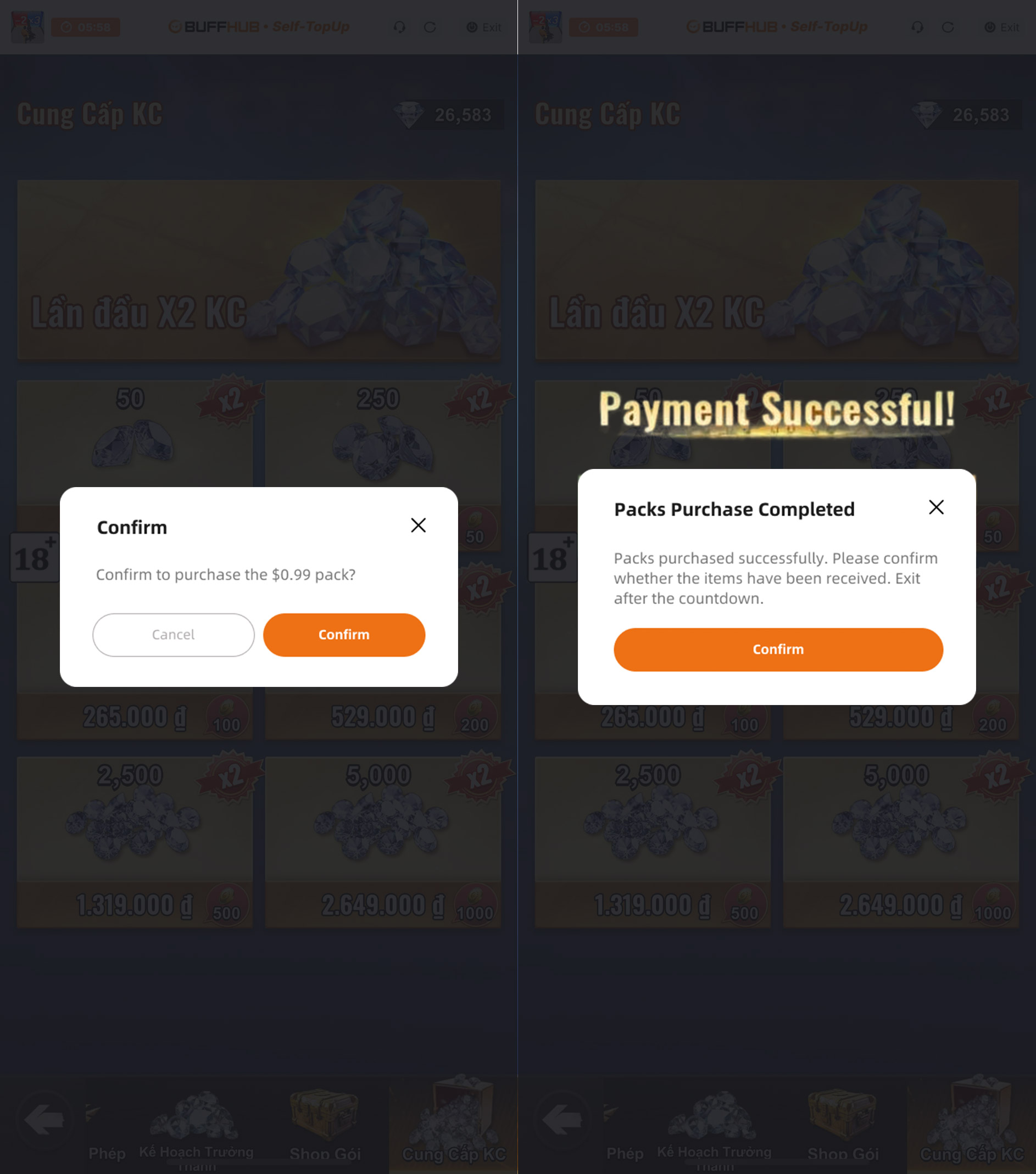
Selecting an in-game pack that matches the purchased value
Confirming delivery of a Last Z: Survival Shooter top-up

Login Top-Up: Manual Top-Up Process

01

Visit the Website: Go to the BUFFHUB website, select your preferred language and currency, and sign in to your BUFFHUB account.

02

Find the Product: Select “Game Top-Up” from the main navigation menu, then open the Last Z: Survival Shooter product page.

03

Confirm Your Order: Select the Gold Bar amount, pack, or top-up value you need. Check the product details, then select “Buy Now.”

04

Complete Payment: Choose one of the payment methods currently available at checkout, confirm the order amount, and complete the transaction through the payment page.

05

Submit the Required Information and Wait: Provide the account and verification information requested for Manual Login Top-Up on the order page or through customer support. A manual top-up specialist can then sign in and complete the selected in-game purchase. Do not sign in to the same Last Z account while the manual order is being processed.

Waiting page after submitting information for a manual top-up

After the required information has been submitted, the system will redirect you to the Waiting Page. Keep the order page available while the manual top-up specialist begins processing the purchase.

06

Check the Completed Top-Up:

Page Redirect: After the order has been processed, the page will redirect to the Top-Up Successful page.

Check It Yourself: You can also open Purchase History to view the latest order status and top-up progress.

Confirm the Purchase: Once the order is marked as completed, sign in to Last Z: Survival Shooter and check the Gold Bar balance or selected pack on the correct account.

⚠️ Important Notes

1.

Displayed Currency: The in-game Store and payment page may display different currencies depending on your account, region, and payment route. Check the final price and the pack value carefully before confirming the purchase.

2.

Account Access: During Self-Service Top-Up or Manual Login Top-Up, avoid signing in to the same game account from another device. Simultaneous login activity may interrupt the purchase flow or sign the active session out.

3.

Verification Information: If additional verification is requested during login, check the order page and follow the instructions shown there. Providing the requested verification information when prompted can help avoid unnecessary processing delays.

4.

Login Information: The current BUFFHUB Self-Service Top-Up instructions state that login records and related information used during the session are cleared after the Self-Service session is closed. Use only the information requested for the selected top-up method.

Frequently Asked Questions

Q1: What information do I need for a Last Z top-up?

For Self-Service Top-Up, sign in through the dedicated interface using the login method linked to the account receiving the purchase. For Manual Login Top-Up, you may be asked for the registered email address, Player ID, login method, verification information, and a screenshot of the target pack.

Q2: Can Gold Bars be transferred to another Last Z UID?

No. Gold Bars are tied to the UID of the character that receives them and cannot be transferred between characters with different UIDs. Check that you are using the correct Last Z account before completing the purchase.


Q3: What if several in-game packs have the same price?

If the BUFFHUB product uses pack-value redemption, select an eligible in-game pack whose listed price matches the value you purchased. If several eligible packs share that price, check the pack name and contents carefully before confirming the one you want.

Q4: What should I do if Self-Service Top-Up disconnects or stops?

Keep the order page available and avoid making a duplicate payment. Follow any recovery or login instructions shown in the order flow. If you still cannot continue, prepare your order details, registered email address, Player ID, and target pack information before contacting customer support.

More down down
Fold Up up up
U641125559
Purchased 1,000 Gold Bar · Sep 06, 2026

Все хорошо, спасибо!

U495420735
Purchased 100 Gold Bar · Sep 06, 2026

best

U756063617
Purchased 5,000 Gold Bar · Sep 06, 2026

ottimo

U294599475
Purchased 1,000 Gold Bar · Sep 06, 2026

einfach gut

U646888995
Purchased 1,000 Gold Bar · Sep 06, 2026

🔥

Helpful(0)
U242137537
Purchased 5,000 Gold Bar · Sep 06, 2026

bagus

View All Comments
Sort By :
Latest
U641125559
Purchased 1,000 Gold Bar

Все хорошо, спасибо!

Sep 06, 2026
U495420735
Purchased 100 Gold Bar

best

Sep 06, 2026
U756063617
Purchased 5,000 Gold Bar

ottimo

Sep 06, 2026
U294599475
Purchased 1,000 Gold Bar

einfach gut

Sep 06, 2026
U646888995
Purchased 1,000 Gold Bar

🔥

Sep 06, 2026
Helpful(0)
U242137537
Purchased 5,000 Gold Bar

bagus

Sep 06, 2026
View All Comments

Product Introduction

  • Alipay Alipay
  • ApplePay ApplePay
  • bancontact bancontact
  • bancontact-1 bancontact-1
  • billease billease
  • blik blik
  • boleto boleto
  • boost boost
  • bpi bpi
  • dana dana
  • Ewallet Ewallet
  • gcash gcash
  • GooglePay GooglePay
  • Ideal Ideal
  • kakao_pay kakao_pay
  • Klarna Klarna
  • konbini konbini
  • Kplus Kplus
  • line line
  • MBWAY MBWAY
  • multibanco multibanco
  • mybank mybank
  • naverpay naverpay
  • NetBanking NetBanking
  • oxxo oxxo
  • payco payco
  • paynow paynow
  • payu payu
  • pix pix
  • Qiwi Qiwi
  • rabbit rabbit
  • samsung samsung
  • sberpay sberpay
  • SBP SBP
  • SEPA SEPA
  • skrill skrill
  • spei spei
  • swish swish
  • tng tng
  • Tosspay Tosspay
  • truemoney truemoney
  • usdt usdt
  • Visa Visa
  • Visa-mastercard Visa-mastercard
  • Visa-mastercard+jbc Visa-mastercard+jbc
  • yoomoney yoomoney
  • Alipay Alipay
  • ApplePay ApplePay
  • bancontact bancontact
  • bancontact-1 bancontact-1
  • billease billease
  • blik blik
  • boleto boleto
  • boost boost
  • bpi bpi
  • dana dana
  • Ewallet Ewallet
  • gcash gcash
  • GooglePay GooglePay
  • Ideal Ideal
  • kakao_pay kakao_pay
  • Klarna Klarna
  • konbini konbini
  • Kplus Kplus
  • line line
  • MBWAY MBWAY
  • multibanco multibanco
  • mybank mybank
  • naverpay naverpay
  • NetBanking NetBanking
  • oxxo oxxo
  • payco payco
  • paynow paynow
  • payu payu
  • pix pix
  • Qiwi Qiwi
  • rabbit rabbit
  • samsung samsung
  • sberpay sberpay
  • SBP SBP
  • SEPA SEPA
  • skrill skrill
  • spei spei
  • swish swish
  • tng tng
  • Tosspay Tosspay
  • truemoney truemoney
  • usdt usdt
  • Visa Visa
  • Visa-mastercard Visa-mastercard
  • Visa-mastercard+jbc Visa-mastercard+jbc
  • yoomoney yoomoney
Language & Currency
  • Language
    English
    中文(繁体)
    日本語
    Bahasa Indonesia
    Bahasa Melayu
    Français
    Italiano
    Deutsch
    Русский
    Español
    한국어
  • Display Currency
    $ USD
    € EUR
    £ GBP
    C$ CAD
    A$ AUD
    S$ SGD
    Ұ JPY
    ₩ KRW
    SA SAR
    AED AED
    RM MYR
    ₱ PHP
    Rp IDR
    ฿ THB
    NT$ TWD
    HK$ HKD
    ₫ VND
    MX$ MXN
    R$ BRL
    ₽ RUB