














Related searches
0 results
Not found
No content related to ""
theme-light theme-light-text
theme-dark-text theme-light
Pokémon Go

Pokémon Go

The self-service top-up system is available 24/7. Welcome to try it out!
5.0
34.8k+ Sold
99% Positive
See All Our Reviews
game-bg game-bg
game-bg game-bg
game-bg game-bg
game-bg game-bg
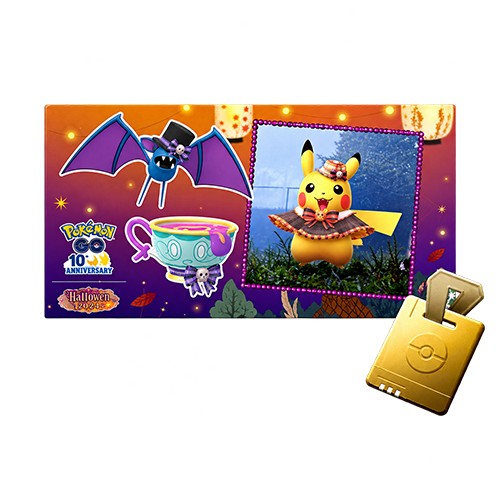
GO Pass Deluxe: Halloween
$ 3.23
$ 7.99
cart cart
Buy Now
game-bg game-bg
game-bg game-bg
game-bg game-bg
game-bg game-bg
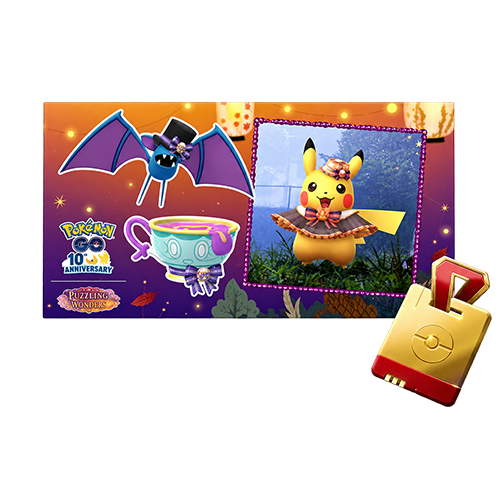
GO Pass Deluxe: Halloween +10 Ranks
$ 4.00
$ 9.99
cart cart
Buy Now
game-bg game-bg
game-bg game-bg
game-bg game-bg
game-bg game-bg
550 Poké Coins
550 Poké Coins
$ 2.09
$ 4.99
cart cart
Buy Now
game-bg game-bg
game-bg game-bg
game-bg game-bg
game-bg game-bg
1200 Poké Coins
1200 Poké Coins
$ 4.00
$ 9.99
cart cart
Buy Now
game-bg game-bg
game-bg game-bg
game-bg game-bg
game-bg game-bg
2500 Poké Coins
2500 Poké Coins
$ 8.22
$ 19.99
cart cart
Buy Now
game-bg game-bg
game-bg game-bg
game-bg game-bg
game-bg game-bg
5200 Poké Coins
5200 Poké Coins
$ 15.11
$ 39.99
cart cart
Buy Now
game-bg game-bg
game-bg game-bg
game-bg game-bg
game-bg game-bg
14500 Poké Coins
14500 Poké Coins
$ 34.00
$ 99.99
cart cart
Buy Now
your order
secure
Order Information
Server:
Global
Top-up Method
Login Top-up
Subtotal
$0
Discount
-$0
Total
$0
Proceed to Payment
VISA payment Mastercard payment PayPal payment PayPal payment
Instant Delivery
Instant Delivery
Within 1-5 minutes
Global Server
Global Server
All Regions Supported
100% Secure
100% Secure
SSL Encrypted
24/7 Support
24/7 Support
We're always here
Order Information
  • Server:

    Global

  • Top-up Method

    Login Top-up

Overall Rating
5.0
4,396 reviews
Overall Rating
5.0
Based on 4,396 reviews
  • 5 Star
    99%
  • 4 Star
    1%
  • 3 Star
    0%
  • 2 Star
    0%
  • 1 Star
    0%
Product Introduction
Recharge guide
User Reviews(4,396)

Trainer Top-Up Guide

Pokémon GO Top-Up
PokéCoins & GO Pass

Pokémon GO turns real-world exploration into catching, Raid Battles, Gym battles, and team play.
BUFFHUB offers Self-Service Top-Up for eligible Pokémon GO products. Access the dedicated Self-Service interface, sign in to your game account, and complete the eligible in-game purchase yourself. Check the available products and order requirements before checkout.

PokéCoins and GO Pass: Understanding Your Purchase Options

Choose the PokéCoin amount or supported GO Pass product that matches your current in-game plans.

About PokéCoins:

PokéCoins are the premium in-game currency used to purchase items from the Pokémon GO Shop. Depending on the available selection, you can spend them on Premium Battle Passes, Egg Incubators, Lucky Eggs, Incense, Lure Modules, Poké Balls, Item Bag upgrades, and Pokémon Storage upgrades. Choosing an amount based on your upcoming activities can help you manage your in-game spending.

In-Game Purchase Selection:

Some orders are intended for a particular in-game purchase rather than a general currency balance. When using Self-Service Top-Up, follow the denomination shown in your order and select an eligible PokéCoin package or supported GO Pass product with the corresponding listed value. Always check the eligible product and its displayed value before confirming your purchase.

What Can PokéCoins Bring to Your Next Adventure?

Prepare for More Raid Battles

PokéCoins can be used for Premium Battle Passes and other Raid-related Shop options. Premium Battle Passes allow you to enter additional in-person Raid Battles and can also unlock Premium Rewards in GO Battle League.

Plan Egg Hatching and XP Sessions

Egg Incubators help you hatch more Eggs as you explore, while Lucky Eggs increase the XP you earn for a limited time. Both are useful when preparing for a focused hatching session or planning a period of faster Trainer progression.

Get More from GO Pass Rewards

GO Pass is a limited-time reward system, and eligible events may offer a paid Deluxe track with additional rewards. Check the active GO Pass and its reward tiers before purchasing to see whether the available rewards fit your current goals.

Keep Items and Storage Ready

PokéCoins also support everyday gameplay through Poké Balls, Incense, Lure Modules, and storage upgrades. Extra Item Bag or Pokémon Storage capacity can be particularly useful when a full inventory interrupts a longer catching session.

Choose Self-Service Top-Up for Your Next Adventure

Whether you need more Raid Passes, additional storage, Egg Incubators, or access to the current GO Pass Deluxe rewards, choosing the right product is an important part of planning your next purchase. BUFFHUB offers different PokéCoin amounts and supported GO Pass products, with a dedicated Self-Service Top-Up interface that lets you complete the in-game purchase yourself. The wider game catalog also includes Pokémon Trading Card Game Pocket.

TRAINER PLAN

Match your purchase to the items you actually want

BUFFHUB offers different Pokémon GO PokéCoin amounts and supported GO Pass products, giving Trainers more flexibility when planning their purchases. Instead of automatically choosing the largest denomination, compare the displayed price with the PokéCoins, Shop items, or event rewards you intend to obtain. For Self-Service orders, pay particular attention to the eligible in-game product and its corresponding value before confirming the purchase. This helps keep your order aligned with the item you want to receive.

SELF-SERVICE TOP-UP

Complete your purchase through the dedicated interface

After completing payment, open the corresponding order from Purchase History and select Self-Service Top-Up. Sign in through the dedicated interface using the method linked to your Pokémon GO account. Once inside the game, open the Pokémon GO Shop or the relevant GO Pass purchase page, then select an eligible product matching the denomination shown in your BUFFHUB order. Review the in-game purchase details before confirming the transaction.

PROCESSING & SUPPORT

Keep your Self-Service session open until completion

During Self-Service redemption, keep the dedicated interface open and avoid signing in to the same game account from another device. Follow the instructions displayed after completing the in-game purchase, then exit the Self-Service results as directed. The submitted login information will be cleared automatically after the process. Completion depends on the in-game redemption process. If you encounter an issue with your order, payment, or account access, BUFFHUB customer support is available 24/7.

The Appeal of Pokémon GO

Pokémon GO is a location-based mobile game that connects real-world exploration with catching Pokémon, completing the Pokédex, Gym battles, Raid Battles, and other activities. Trainers explore real locations, encounter different Pokémon, build stronger teams, and take part in adventures alongside other players. Whether you are collecting Pokémon, preparing for a difficult Raid, or working through event rewards, there is always another goal to pursue.

Advanced Trainer Tips:

Improve Catch Rates: The target ring color indicates how difficult a Pokémon is to catch: green indicates lower difficulty, orange is intermediate, and red indicates higher difficulty. Berries, stronger Poké Balls, curveballs, and well-timed throws can improve your chances during harder encounters.

Evolution and Mega Evolution: Many Pokémon require Candy to evolve, although certain evolutions have additional conditions. A Mega-Evolved Pokémon normally remains Mega-Evolved for eight hours. Catching Pokémon that share a type with your active Mega-Evolved Pokémon can also award additional Candy.

More down down
Fold Up up up

Pokémon GO Top-Up Information

Supported Platforms Mobile (iOS / Android)
Supported Servers Global Servers
Available Top-Up Method Self-Service Top-Up
Self-Service Access Sign in to your Pokémon GO account through the dedicated Self-Service interface and complete the eligible in-game purchase yourself.
Payment Secure checkout environment with multiple supported payment methods. Available options may vary by region and order.

Self-Service Top-Up: Complete Your In-Game Purchase

  1. 01

    Choose Your Product and Complete Payment: Select the PokéCoin amount or supported GO Pass product you want to purchase. Review the denomination and order details, then complete payment through the checkout page.

  2. 02

    Open the Self-Service Option: After payment, go to Purchase History and open the corresponding order details. Select Self-Service Top-Up to enter the dedicated top-up interface.

  3. 03

    Sign In to Your Pokémon GO Account: Follow the prompts in the Self-Service interface and sign in using the method connected to your game account. Make sure you have entered the intended account before moving to the purchase screen.

  4. 04

    Open the In-Game Shop: Once signed in, access the Pokémon GO Shop or the relevant GO Pass purchase page. Find the eligible product corresponding to the denomination in your BUFFHUB order.

  5. 05

    Select and Confirm the Purchase: Choose an eligible PokéCoin package or supported GO Pass product with the corresponding listed value. Review the in-game purchase details and complete the redemption according to the on-screen instructions.

  6. 06

    Wait for Completion and Check Your Account: Keep the Self-Service interface open while the redemption is being processed. Do not close the page or sign in to the same game account from another device during this period. After completion, follow the result-page instructions and exit the Self-Service results. The submitted login information will be cleared automatically. You can then return to the game and verify the purchased content.


Important Notes Before Your Top-Up

Self-Service Account Usage

During Self-Service redemption, keep the dedicated interface open and avoid signing in to the same game account from another device. Wait until the purchase process is complete before returning to your regular game session.

Matching the In-Game Purchase

For Self-Service orders that require equivalent-value redemption, select an eligible in-game PokéCoin package or supported GO Pass product matching the denomination shown in your order. Check the displayed value before confirming the purchase.

Account Access and Privacy

Make sure you sign in to the correct Pokémon GO account through the dedicated Self-Service interface. Follow the on-screen instructions throughout the process. The submitted login information will be cleared automatically after the top-up process is completed.

Virtual Product Policy

Check the selected product, denomination, and account information before payment. Once the purchased virtual content has been successfully credited to your account, refunds and exchanges are not accepted.

Frequently Asked Questions (FAQ)

Q: How does Self-Service Top-Up work?

A: After completing payment, open your order through Purchase History and select Self-Service Top-Up. Sign in through the dedicated interface, access the relevant in-game purchase page, and complete the eligible PokéCoin or GO Pass purchase yourself.

Q: Can I choose a different in-game product with the same price?

A: For eligible Self-Service orders, you can select a supported PokéCoin package or GO Pass product with the corresponding listed value shown in your order. Only choose products that are eligible for the selected denomination.

Q: How long does a Pokémon GO Self-Service Top-Up usually take?

A: Completion depends on the in-game redemption process and the time needed to complete the purchase. Payment verification or other processing requirements may also affect the overall time. You can check Purchase History for the latest order status.

Q: What should I do if Self-Service Top-Up does not complete successfully?

A: Keep your order number and contact BUFFHUB customer support. The team can check the current order status and help identify the next available step. Avoid placing another order or starting a separate login session before the existing order has been checked. Customer support is available 24/7 for order-related assistance.

Q: Can I sign in to the same game account on another device during Self-Service Top-Up?

A: No. Keep the dedicated Self-Service interface open and avoid signing in to the same Pokémon GO account from another device while the purchase is being processed. Return to your regular game session after the process is complete.

More down down
Fold Up up up
U230775335
Purchased 1200 Poké Coins · Nov 10, 2026

That worked out well, ty 🙌

U445151790
Purchased GO Pass Deluxe: Halloween +10 Ranks · Nov 10, 2026

Good overall

U361853836
Purchased 14500 Poké Coins · Nov 10, 2026

It worked for me.

U703429532
Purchased GO Pass Deluxe: Halloween · Nov 10, 2026

What showed up in game matched the GO Pass Deluxe: October option I picked 👍

U997179082
Purchased 1200 Poké Coins · Nov 10, 2026

1200 Poké Coins was ready before I checked back.

U678137280
Purchased GO Pass Deluxe: Halloween +10 Ranks · Nov 10, 2026

No problems using it, ty.

View All Comments
Sort By :
Latest
U230775335
Purchased 1200 Poké Coins

That worked out well, ty 🙌

Nov 10, 2026
U445151790
Purchased GO Pass Deluxe: Halloween +10 Ranks

Good overall

Nov 10, 2026
U361853836
Purchased 14500 Poké Coins

It worked for me.

Nov 10, 2026
U703429532
Purchased GO Pass Deluxe: Halloween

What showed up in game matched the GO Pass Deluxe: October option I picked 👍

Nov 10, 2026
U997179082
Purchased 1200 Poké Coins

1200 Poké Coins was ready before I checked back.

Nov 10, 2026
U678137280
Purchased GO Pass Deluxe: Halloween +10 Ranks

No problems using it, ty.

Nov 10, 2026
View All Comments

Product Introduction

  • Alipay Alipay
  • ApplePay ApplePay
  • bancontact bancontact
  • bancontact-1 bancontact-1
  • billease billease
  • blik blik
  • boleto boleto
  • boost boost
  • bpi bpi
  • dana dana
  • Ewallet Ewallet
  • gcash gcash
  • GooglePay GooglePay
  • Ideal Ideal
  • kakao_pay kakao_pay
  • Klarna Klarna
  • konbini konbini
  • Kplus Kplus
  • line line
  • MBWAY MBWAY
  • multibanco multibanco
  • mybank mybank
  • naverpay naverpay
  • NetBanking NetBanking
  • oxxo oxxo
  • payco payco
  • paynow paynow
  • payu payu
  • pix pix
  • Qiwi Qiwi
  • rabbit rabbit
  • samsung samsung
  • sberpay sberpay
  • SBP SBP
  • SEPA SEPA
  • skrill skrill
  • spei spei
  • swish swish
  • tng tng
  • Tosspay Tosspay
  • truemoney truemoney
  • usdt usdt
  • Visa Visa
  • Visa-mastercard Visa-mastercard
  • Visa-mastercard+jbc Visa-mastercard+jbc
  • yoomoney yoomoney
  • Alipay Alipay
  • ApplePay ApplePay
  • bancontact bancontact
  • bancontact-1 bancontact-1
  • billease billease
  • blik blik
  • boleto boleto
  • boost boost
  • bpi bpi
  • dana dana
  • Ewallet Ewallet
  • gcash gcash
  • GooglePay GooglePay
  • Ideal Ideal
  • kakao_pay kakao_pay
  • Klarna Klarna
  • konbini konbini
  • Kplus Kplus
  • line line
  • MBWAY MBWAY
  • multibanco multibanco
  • mybank mybank
  • naverpay naverpay
  • NetBanking NetBanking
  • oxxo oxxo
  • payco payco
  • paynow paynow
  • payu payu
  • pix pix
  • Qiwi Qiwi
  • rabbit rabbit
  • samsung samsung
  • sberpay sberpay
  • SBP SBP
  • SEPA SEPA
  • skrill skrill
  • spei spei
  • swish swish
  • tng tng
  • Tosspay Tosspay
  • truemoney truemoney
  • usdt usdt
  • Visa Visa
  • Visa-mastercard Visa-mastercard
  • Visa-mastercard+jbc Visa-mastercard+jbc
  • yoomoney yoomoney
Language & Currency
  • Language
    English
    中文(繁体)
    日本語
    Русский
    Bahasa Melayu
    한국어
    Français
    Italiano
    Deutsch
    Español
    Português
  • Display Currency
    $ USD
    € EUR
    £ GBP
    ₽ RUB
    C$ CAD
    A$ AUD
    S$ SGD
    Ұ JPY
    ₩ KRW
    SA SAR
    AED AED
    RM MYR
    ₱ PHP
    Rp IDR
    ฿ THB
    NT$ TWD
    HK$ HKD
    ₫ VND
    MX$ MXN
    R$ BRL