


Related searches
0 results
Not found
No content related to ""
theme-light theme-light-text
theme-dark-text theme-light
Knives Out

Knives Out

60 + 5 Vouchers
60 + 5 Vouchers
$ 0.99
180 + 10 Vouchers
180 + 10 Vouchers
$ 2.99
300 + 16 Vouchers
300 + 16 Vouchers
$ 4.98
680 + 36 Vouchers
680 + 36 Vouchers
$ 9.99
1280 + 110 vouchers
1280 + 110 vouchers
$ 19.95
1980 + 175 Vouchers
1980 + 175 Vouchers
$ 29.93
3280 + 320 Vouchers
3280 + 320 Vouchers
$ 49.89
6480 + 750 Vouchers
6480 + 750 Vouchers
$ 99.77

Quantity

Price
$0.00
HOW TO BUY?
Total
- +

0

Overall Rating
5.0
0 reviews
Overall Rating
5.0
Based on 0 reviews
  • 5 Star
    0%
  • 4 Star
    0%
  • 3 Star
    0%
  • 2 Star
    0%
  • 1 Star
    0%
Product Introduction
Recharge guide
User Reviews(0)
KNIVES OUT VOUCHER TOP-UP

Knives Out Top Up — Get Vouchers for Your Next Battle

Knives Out drops players into a large-scale battle royale where survival, teamwork, vehicles, and customization all play an important role. If you want access to more in-game content, Knives Out Vouchers are the in-game currency obtained through recharging and can be used for other currencies or purchases from the in-game mall. To complete a Knives Out top-up, prepare your UID and Server, choose the Voucher amount you need, and complete your purchase. After the recharge has been completed, you can check the result directly in the game.

Why Top Up on buffhub.com?

BuffHub gives Knives Out players a dedicated place to purchase Knives Out Vouchers using the UID and Server information required for the recharge. You can also explore other games and services on BuffHub, including Punishing: Gray Raven, CapCut, Ragnarok M: Eternal Love, Snowbreak: Containment Zone, and Watcher of Realms.

🎮

UID + Server Top-up

Knives Out top-ups use your UID and Server as the required recharge information. Make sure both are entered accurately before completing your purchase.

🌐

Multiple Server Options

The available server options include KNIVES OUT (Global), Battle Royale (NA), 荒野行動 (JP), PC - Asia, PC - America, and PC - Japan.

💎

Purchase Knives Out Vouchers

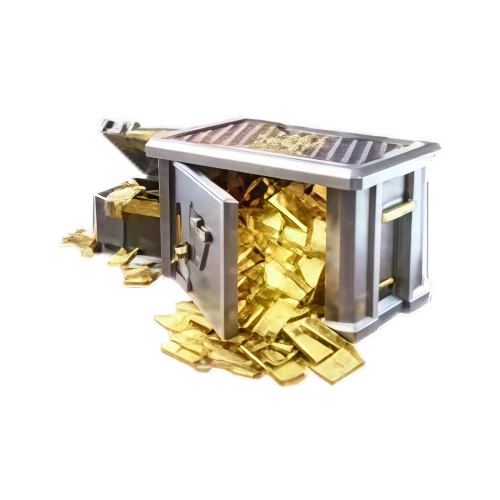
Knives Out Vouchers are an in-game currency obtained through recharging and can be used for purchases within Knives Out.

👕

Customize Your Look

Knives Out offers a variety of customization content, including fashion outfits and exclusive skins that allow players to personalize their appearance on the battlefield.

🔫

Unlock More In-game Content

Vouchers can be used to exchange for other types of in-game currency or purchase items from the game mall, including content such as skins, premium weapons, and military vehicles.

Check Your Recharge In-game

Once the recharge has been successfully completed, you can check the top-up result directly in Knives Out.

ABOUT KNIVES OUT

Knives Out Game Profile

Knives Out is a large-scale multiplayer battle royale game built around survival combat and team play. Its battlefield supports more than 100 players, giving you a large map to explore while searching for your own path to survival. Players can team up with friends, fight together, travel around the battlefield in sports cars, and use teamwork to increase their chances of making it through each match. The game also emphasizes personal customization, with fashion outfits and other appearance options available for players who want their character to stand out.


What Are Knives Out Vouchers?

Knives Out Vouchers are an in-game currency obtained through recharging. Players can use Vouchers to exchange for other types of currency or purchase items available in the in-game mall. Depending on what you want to add to your account, Vouchers can be used toward content such as exclusive skins, premium weapons, military vehicles, and other customization options. Recharge the amount you need, then check your account in the game after the transaction has been completed.

 
More down down
Fold Up up up

Knives Out Top-up Information and Important Notes

Product Knives Out Vouchers
Supported Servers KNIVES OUT (Global) / Battle Royale (NA) / 荒野行動 (JP) / PC - Asia / PC - America / PC - Japan
Required Info UID + Server
Top-up Result After the recharge is completed, check your Vouchers directly in the game.

⚠️ Important:

Please make sure your UID and Server are entered accurately before completing the recharge. Incorrect recharge information may prevent the Vouchers from being credited to the intended game account in time.

Before paying, confirm that you have selected the correct Knives Out server and Voucher denomination for your account.

🔍 What Do You Need Before Top-up?

  • 1
    Prepare the UID of the Knives Out account you want to recharge.
  • 2
    Confirm which Server your account belongs to before placing the order.
  • 3
    Check the UID and Server again carefully so the recharge information matches the intended Knives Out account.
💡 Tip: Avoid typing your UID from memory. Check the information in your game account before submitting the order.

🛒 How to Top Up Knives Out Vouchers on BuffHub

1 Choose the Knives Out Voucher denomination you want to purchase.
2 Select the correct Server and enter your Knives Out UID.
3 Review your account information and the Voucher amount, then proceed to checkout and select an available payment method.

Frequently Asked Questions (FAQ)

1. What are Knives Out Vouchers?

Knives Out Vouchers are an in-game currency obtained through recharging. They can be used to exchange for other types of game currency or purchase items available through the in-game mall.

2. What information do I need to top up Knives Out?

You need the UID and Server of the Knives Out account you want to recharge. Make sure both pieces of information are correct before completing the order.

3. Which Knives Out servers are available for top-up?

The listed server options include KNIVES OUT (Global), Battle Royale (NA), 荒野行動 (JP), PC - Asia, PC - America, and PC - Japan. Select the server that matches your account before purchasing.

4. What can I use Knives Out Vouchers for?

Vouchers can be exchanged for other types of in-game currency or used to purchase items in the game mall. Available content can include exclusive skins, premium weapons, military vehicles, fashion items, and other customization content.

5. Where can I check my Vouchers after the recharge?

After the recharge has been successfully completed, you can check the result directly in Knives Out. Make sure you are logged into the same account associated with the UID and Server entered during the purchase.

6. Why should I double-check my UID and Server?

The recharge is processed according to the account information you provide. Entering an incorrect UID or Server may prevent the Vouchers from being credited to the intended account in time, so carefully verify both before submitting your order.

More down down
Fold Up up up

No reviews yet.

Sort By :
Latest

No reviews yet.

Product Introduction

  • Alipay Alipay
  • ApplePay ApplePay
  • bancontact bancontact
  • bancontact-1 bancontact-1
  • billease billease
  • blik blik
  • boleto boleto
  • boost boost
  • bpi bpi
  • dana dana
  • Ewallet Ewallet
  • gcash gcash
  • GooglePay GooglePay
  • Ideal Ideal
  • kakao_pay kakao_pay
  • Klarna Klarna
  • konbini konbini
  • Kplus Kplus
  • line line
  • MBWAY MBWAY
  • multibanco multibanco
  • mybank mybank
  • naverpay naverpay
  • NetBanking NetBanking
  • oxxo oxxo
  • payco payco
  • paynow paynow
  • payu payu
  • pix pix
  • Qiwi Qiwi
  • rabbit rabbit
  • samsung samsung
  • sberpay sberpay
  • SBP SBP
  • SEPA SEPA
  • skrill skrill
  • spei spei
  • swish swish
  • tng tng
  • Tosspay Tosspay
  • truemoney truemoney
  • usdt usdt
  • Visa Visa
  • Visa-mastercard Visa-mastercard
  • Visa-mastercard+jbc Visa-mastercard+jbc
  • yoomoney yoomoney
  • Alipay Alipay
  • ApplePay ApplePay
  • bancontact bancontact
  • bancontact-1 bancontact-1
  • billease billease
  • blik blik
  • boleto boleto
  • boost boost
  • bpi bpi
  • dana dana
  • Ewallet Ewallet
  • gcash gcash
  • GooglePay GooglePay
  • Ideal Ideal
  • kakao_pay kakao_pay
  • Klarna Klarna
  • konbini konbini
  • Kplus Kplus
  • line line
  • MBWAY MBWAY
  • multibanco multibanco
  • mybank mybank
  • naverpay naverpay
  • NetBanking NetBanking
  • oxxo oxxo
  • payco payco
  • paynow paynow
  • payu payu
  • pix pix
  • Qiwi Qiwi
  • rabbit rabbit
  • samsung samsung
  • sberpay sberpay
  • SBP SBP
  • SEPA SEPA
  • skrill skrill
  • spei spei
  • swish swish
  • tng tng
  • Tosspay Tosspay
  • truemoney truemoney
  • usdt usdt
  • Visa Visa
  • Visa-mastercard Visa-mastercard
  • Visa-mastercard+jbc Visa-mastercard+jbc
  • yoomoney yoomoney
Language & Currency
  • Language
    English
    中文(繁体)
    日本語
    Bahasa Indonesia
    Bahasa Melayu
    Français
    Italiano
    Deutsch
    Русский
    Español
    한국어
  • Display Currency
    $ USD
    € EUR
    £ GBP
    C$ CAD
    A$ AUD
    S$ SGD
    Ұ JPY
    ₩ KRW
    SA SAR
    AED AED
    RM MYR
    ₱ PHP
    Rp IDR
    ฿ THB
    NT$ TWD
    HK$ HKD
    ₫ VND
    MX$ MXN
    R$ BRL
    ₽ RUB