
Related searches
0 results
Not found
No content related to ""
theme-light theme-light-text
theme-dark-text theme-light
Free Fire

Free Fire

broadcast broadcast
Due to a large number of orders, delivery may be delayed by 1-5 minutes. Please wait patiently.
Global
Malaysia Singapore
Brazil
USA Latam
Indonesia
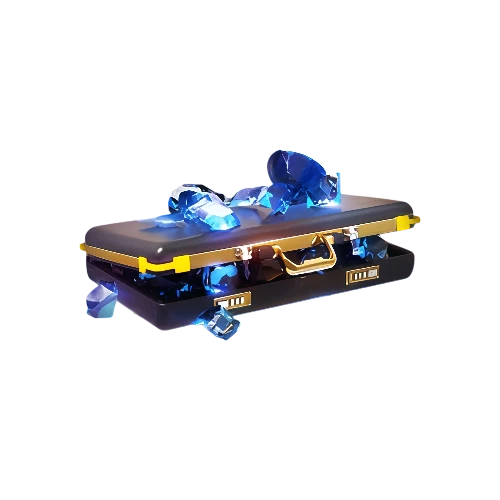
100 Diamonds
100 Diamonds
$ 1.09
$ 1.22
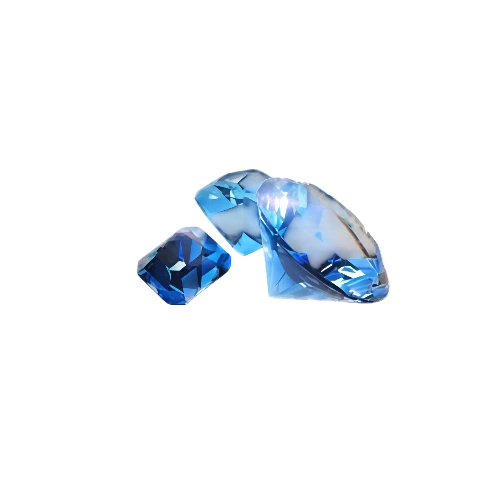
310 Diamonds
310 Diamonds
$ 3.49
$ 3.99
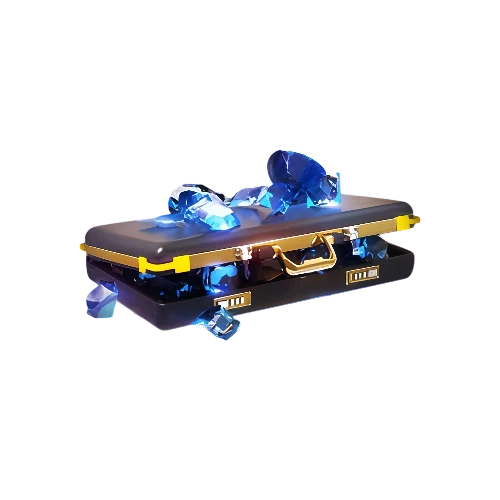
520 Diamonds
520 Diamonds
$ 5.44
$ 7.99
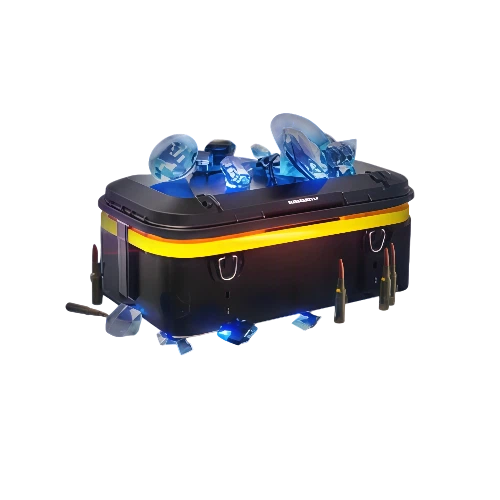
1060 Diamonds
1060 Diamonds
$ 10.93
$ 11.99
2180 Diamonds
2180 Diamonds
$ 21.86
$ 22.88

Quantity

Price
$0.00
HOW TO BUY?
Total
- +

0

Overall Rating
5.0
4,012 reviews
Overall Rating
5.0
Based on 4,012 reviews
  • 5 Star
    99%
  • 4 Star
    1%
  • 3 Star
    0%
  • 2 Star
    0%
  • 1 Star
    0%
Product Introduction
Recharge guide
User Reviews(4,012)

Free Fire Diamond Top-Up Guide A Practical UID Recharge Guide

Free Fire moves quickly, especially in its signature 10-minute Battle Royale matches, and Diamonds give you access to eligible premium, cosmetic, and event content between games. BUFFHUB supports direct Free Fire Diamond top-ups using your UID, so you can choose the amount you need and send it to the correct account without providing your game login password. Processing is usually quick, although actual timing can vary with order volume, payment checks, and platform conditions.

01

Product Intro: What Free Fire Diamonds Are For

Diamonds are Free Fire's premium currency, so the amount you need depends on what is currently available in your account, Store, and active events.

About Diamonds:
Diamonds can be used for eligible premium content such as the Booyah Pass, Luck Royale, outfits, emotes, gun skins, and other Store or event items. Available content and Diamond costs can change as new events and updates arrive.
Current Diamond Pricing:
BUFFHUB lists several Free Fire Diamond denominations with lower-priced options and promotional discounts on selected products. Since prices and savings can change by denomination and region, compare the live product price and final checkout amount before ordering.
First Top-Up Bonus Eligibility:
Some accounts or regions may display first-top-up or denomination-specific bonus offers. Eligibility can depend on your account history, region, selected product, and the promotion currently shown in Free Fire, so check your in-game bonus status before purchasing rather than assuming a previous offer still applies.
02

What Can You Use Free Fire Diamonds For?

Diamonds expand the range of premium and event content you can choose from, but they do not replace positioning, aim, teamwork, or other match skills. Plan your spending around the content you actually want rather than treating every Diamond purchase as a gameplay upgrade.

PASS

Access Booyah Pass and Event Content

Diamonds can be used for eligible Booyah Pass content and other premium or event-based purchases. Check the current rewards and event duration before spending so you know what is available on your account.
ROYale

Take Part in Luck Royale

Luck Royale regularly features rotating outfits, gun skins, bundles, and other collectibles. Diamond costs and available rewards can change between rotations, so check the current prize pool before deciding how much to top up.
STYLE

Build the Look You Want

Use Diamonds on eligible outfits, emotes, weapon skins, vehicle cosmetics, and other customization items. Limited and collaboration content may rotate in and out, so availability depends on the current Store and event schedule.
GEAR

Check Weapon Skin Attributes Before Buying

Some Free Fire gun skins and upgrade systems can involve different weapon attributes or effects. Review the current in-game details for the exact skin you want, since attributes and upgrade mechanics vary by item and can be adjusted in later updates.

From Choosing a Diamond Pack to Getting Back in the Match

Say you are a few Diamonds short for a Booyah Pass purchase, a Luck Royale draw, or an item that is about to leave the Store. The first thing worth checking is not a long list of promises but the live package table: BUFFHUB offers lower-priced Free Fire Diamond options across several denominations, with strong current discounts and promotional pricing on selected products. Compare the amount you actually need and the final checkout price before paying.

Once you have chosen the package, checkout gives you access to multiple payment methods, with the methods available depending on your region and payment page. The transaction is handled through a secure checkout process; payment processing is handled through supported payment processors, so you can complete the purchase without giving BUFFHUB unnecessary access to your Free Fire account.

The next part is simple: enter the correct Free Fire UID. This direct top-up route does not require your Free Fire login password or other game login credentials, which keeps the recharge focused on the player information needed for delivery. Copy the UID from your profile when possible and check it once more before confirming the order.

After payment, Free Fire UID orders are usually processed quickly, often in around 30 seconds to 5 minutes. Actual delivery can take longer when order volume is high, payment verification needs additional time, or the platform displays a temporary delay notice, so the timing should be treated as an estimate rather than a fixed delivery promise.

If the Diamonds take longer than expected or you notice an issue with the order, 24/7 customer support is available for order-related questions, UID checks, payment-status questions, and delivery follow-up. That gives you somewhere to check the order instead of repeatedly resubmitting a payment or creating another recharge for the same account.

About Free Fire

Free Fire is Garena's free-to-play survival shooter for mobile devices. Its Battle Royale matches place 50 players on an island where they search for weapons and supplies, stay inside the safe zone, and fight to become the last survivor or team standing, with a typical match built around a fast 10-minute format. The game also includes modes such as Clash Squad alongside its Battle Royale experience.

Advanced Survivor Tips:

  • + Check the Booyah Pass Before Spending: Look through the current reward track and how much progress you realistically expect to make during the season before using Diamonds on the premium option.
  • + Match Purchases to Your Playstyle: Free Fire has character skills, weapon systems, and cosmetic content, but spending alone does not determine match results. Prioritize the content you actually use instead of buying purely because an item is new or limited.
  • + Read Weapon Skin Details: Some gun skins can use different attributes or upgrade-related effects. Check the current Armory information for the exact item before spending Diamonds rather than assuming every Legendary or Evo skin provides the same type of stat change.
More down down
Fold Up up up
INFO

Top-Up Information

Item Description
Supported Platforms Mobile Game (Android / iOS)
Supported Servers / Regions Current BUFFHUB routes include Global, Malaysia / Singapore, Brazil, USA / Latam, and Indonesia. Choose the route that matches your Free Fire account.
Required Info Free Fire UID
Estimated Delivery Time Automated processing; Free Fire orders are usually credited in around 30 seconds to 5 minutes, although temporary delays can occur during heavier order volume or additional payment checks

Guide: How to Find Your Free Fire UID

1
Launch the Game: Open Free Fire on your mobile device and log in to the account you want to top up.
2
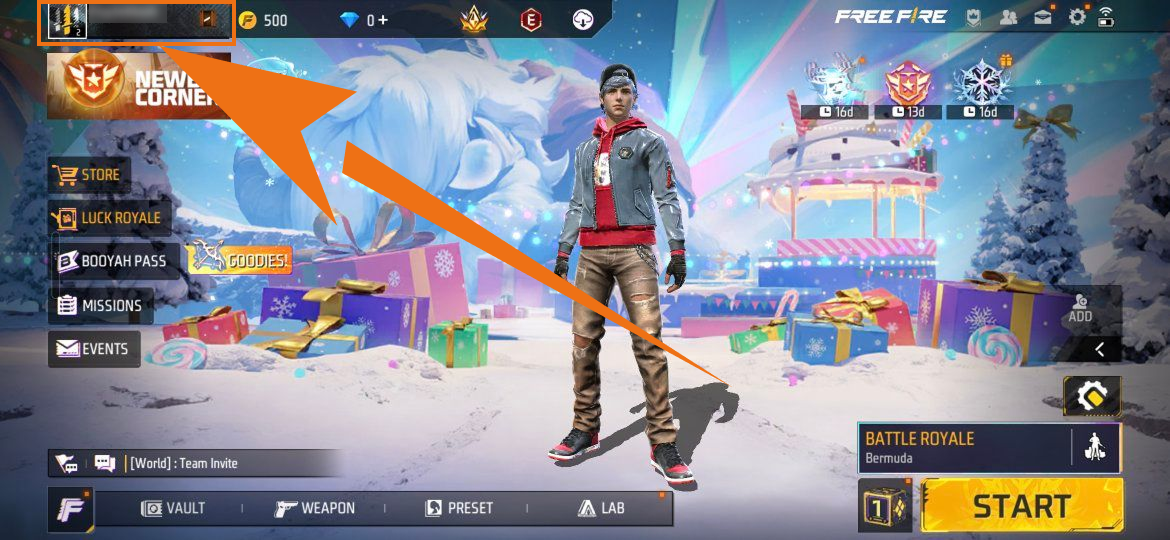
Open Your Profile: Tap your user avatar or name in the top-left corner of the main menu.
Free Fire profile entry screen
3
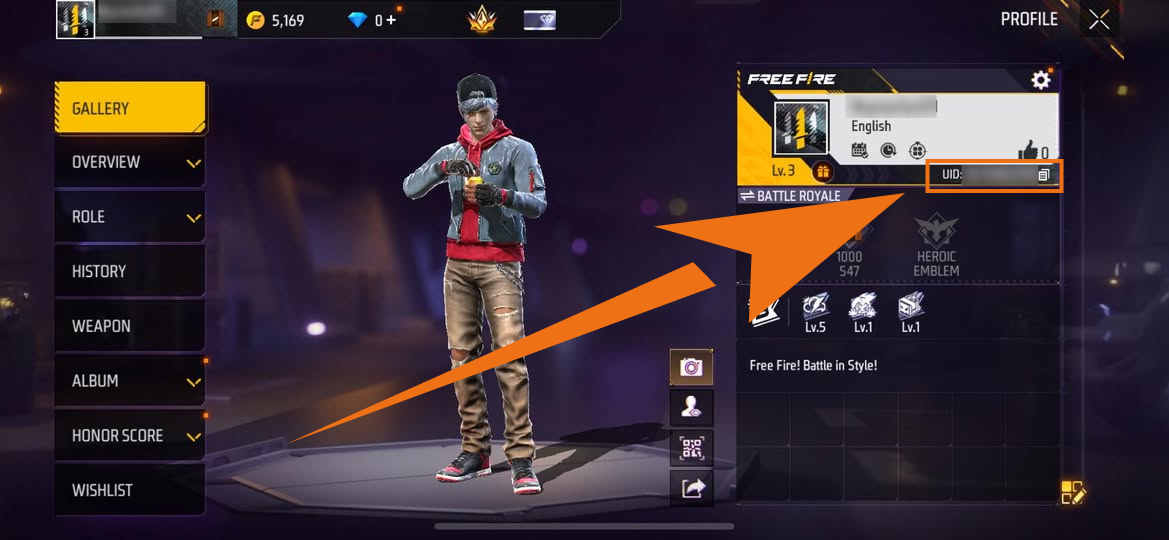
Copy Your UID: Find the Player ID (UID) shown on your profile. Use the copy button when available instead of entering the number from memory, then check it again before placing the order.
Free Fire Player ID UID location

How to Top Up Free Fire on BUFFHUB

Visit BUFFHUB: Go to the BUFFHUB homepage and select your preferred language and currency.
Open Free Fire: Click Game Top-Up in the navigation bar and open the Free Fire product page.
Select Your Diamonds: Choose the account region, Diamond denomination, and quantity you want to purchase, then click "Buy Now".
Enter Your UID: Enter the Free Fire UID for the receiving account, check the number carefully, and choose one of the payment methods currently available at checkout.
Check Delivery: After payment confirmation, Free Fire Diamonds are usually credited in around 30 seconds to 5 minutes. Temporary delays can occur during heavier order volume or additional payment checks. Once the order is complete, reopen Free Fire and check the Diamond balance on the correct account.
!

Important Notes

UID Accuracy:
Free Fire Diamonds are delivered according to the UID submitted with the order. If a completed direct top-up is successfully credited to the UID you provided, it generally cannot be canceled or refunded, so double-check the number before payment.
Region Selection:
The current BUFFHUB product page shows separate routes for Global, Malaysia / Singapore, Brazil, USA / Latam, and Indonesia. Select the route that matches your Free Fire account, and check the live product page before ordering because regional availability can change.

UID Direct Top-Up:
This Free Fire direct top-up route requires your UID rather than your game login credentials. Your Free Fire account password is not required, which avoids unnecessary login access during the recharge process.
?

Frequently Asked Questions (FAQ)

Q1: What information is required for a Free Fire top-up?

A: The direct top-up requires the Free Fire UID for the account receiving the Diamonds. You do not need to provide your Free Fire login password for this recharge method.

Q2: Which Free Fire region should I choose?

A: Choose the regional route on the live BUFFHUB product page that matches your Free Fire account. The current options include Global, Malaysia / Singapore, Brazil, USA / Latam, and Indonesia, but availability can change over time.

Q3: How long does a Free Fire Diamond top-up usually take?

A: Free Fire UID orders are usually processed in around 30 seconds to 5 minutes after payment confirmation. Actual timing can vary, and BUFFHUB may display temporary delay notices when order volume is high. If an order remains pending longer than expected, check its status or contact 24/7 customer support.

Q4: What happens if I enter the wrong UID?

A: Check the UID carefully before paying. If a completed direct top-up has already been successfully credited to the incorrect UID you submitted, the order generally cannot be canceled or refunded.

Q5: How do I know whether a first top-up bonus applies?

A: Check the bonus status currently displayed on your Free Fire account and the selected product before ordering. First-top-up or denomination-specific bonus eligibility can vary by region, account purchase history, product, and active promotion, so a bonus shown or used previously should not be treated as permanently available.

More down down
Fold Up up up
U638617005
Purchased 100+10 Diamonds · Sep 09, 2026

Excelente app

U491593425
Purchased 3240 Diamond · Sep 09, 2026

Muy bue servicio llega las recargas enseguida

U900695644
Purchased 5600 + 560 Diamonds · Sep 09, 2026

Bien

U126168821
Purchased 530 Diamonds · Sep 09, 2026

Es genial

yZaXakx3
Purchased 2180 Diamonds · Sep 09, 2026

Fast

U577200907
Purchased 100+10 Diamonds · Sep 09, 2026

Muy segura y confiable

View All Comments
Sort By :
Latest
U638617005
Purchased 100+10 Diamonds

Excelente app

Sep 09, 2026
U491593425
Purchased 3240 Diamond

Muy bue servicio llega las recargas enseguida

Sep 09, 2026
U900695644
Purchased 5600 + 560 Diamonds

Bien

Sep 09, 2026
U126168821
Purchased 530 Diamonds

Es genial

Sep 09, 2026
yZaXakx3
Purchased 2180 Diamonds

Fast

Sep 09, 2026
U577200907
Purchased 100+10 Diamonds

Muy segura y confiable

Sep 09, 2026
View All Comments

Product Introduction

  • Alipay Alipay
  • ApplePay ApplePay
  • bancontact bancontact
  • bancontact-1 bancontact-1
  • billease billease
  • blik blik
  • boleto boleto
  • boost boost
  • bpi bpi
  • dana dana
  • Ewallet Ewallet
  • gcash gcash
  • GooglePay GooglePay
  • Ideal Ideal
  • kakao_pay kakao_pay
  • Klarna Klarna
  • konbini konbini
  • Kplus Kplus
  • line line
  • MBWAY MBWAY
  • multibanco multibanco
  • mybank mybank
  • naverpay naverpay
  • NetBanking NetBanking
  • oxxo oxxo
  • payco payco
  • paynow paynow
  • payu payu
  • pix pix
  • Qiwi Qiwi
  • rabbit rabbit
  • samsung samsung
  • sberpay sberpay
  • SBP SBP
  • SEPA SEPA
  • skrill skrill
  • spei spei
  • swish swish
  • tng tng
  • Tosspay Tosspay
  • truemoney truemoney
  • usdt usdt
  • Visa Visa
  • Visa-mastercard Visa-mastercard
  • Visa-mastercard+jbc Visa-mastercard+jbc
  • yoomoney yoomoney
  • Alipay Alipay
  • ApplePay ApplePay
  • bancontact bancontact
  • bancontact-1 bancontact-1
  • billease billease
  • blik blik
  • boleto boleto
  • boost boost
  • bpi bpi
  • dana dana
  • Ewallet Ewallet
  • gcash gcash
  • GooglePay GooglePay
  • Ideal Ideal
  • kakao_pay kakao_pay
  • Klarna Klarna
  • konbini konbini
  • Kplus Kplus
  • line line
  • MBWAY MBWAY
  • multibanco multibanco
  • mybank mybank
  • naverpay naverpay
  • NetBanking NetBanking
  • oxxo oxxo
  • payco payco
  • paynow paynow
  • payu payu
  • pix pix
  • Qiwi Qiwi
  • rabbit rabbit
  • samsung samsung
  • sberpay sberpay
  • SBP SBP
  • SEPA SEPA
  • skrill skrill
  • spei spei
  • swish swish
  • tng tng
  • Tosspay Tosspay
  • truemoney truemoney
  • usdt usdt
  • Visa Visa
  • Visa-mastercard Visa-mastercard
  • Visa-mastercard+jbc Visa-mastercard+jbc
  • yoomoney yoomoney
Language & Currency
  • Language
    English
    中文(繁体)
    日本語
    Bahasa Indonesia
    Bahasa Melayu
    Français
    Italiano
    Deutsch
    Русский
    Español
    한국어
  • Display Currency
    $ USD
    € EUR
    £ GBP
    C$ CAD
    A$ AUD
    S$ SGD
    Ұ JPY
    ₩ KRW
    SA SAR
    AED AED
    RM MYR
    ₱ PHP
    Rp IDR
    ฿ THB
    NT$ TWD
    HK$ HKD
    ₫ VND
    MX$ MXN
    R$ BRL
    ₽ RUB