Related searches
0 results
Not found
No content related to ""
theme-light theme-light-text
theme-dark-text theme-light
Genshin Impact

Genshin Impact

broadcast broadcast
The UID recharge channel is currently unavailable. Please choose login recharge to place your order.
Login Top-up
UID Top-up
Blessing of the Welkin Moon
$ 3.6
$ 4.99
Blessing of the Welkin Moon × 3
$ 12.03
$ 14.97
Blessing of the Welkin Moon × 5
$ 20.06
$ 24.95
All-In-One bundle
All-In-One bundle
$ 175.45
$ 229.99
60 Genesis Crystals
60 Genesis Crystals
$ 0.72
$ 0.99
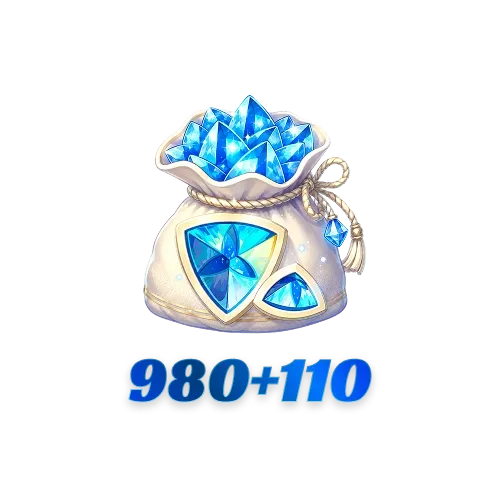
980+110 Genesis Crystals
$ 10.86
$ 14.99
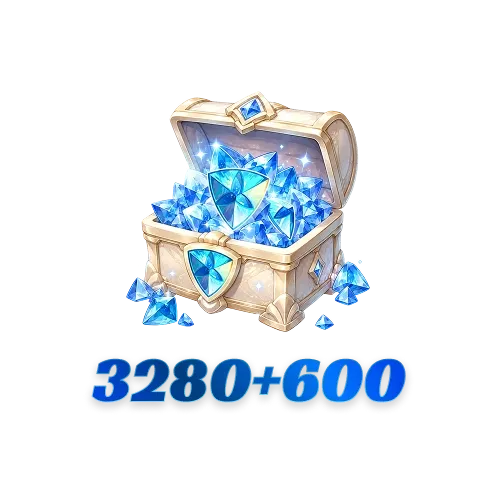
3280 + 600 Genesis Crystals
$ 36.04
$ 49.99
6480 + 1600 Genesis Crystals
$ 72.09
$ 99.99
6480+1600 Genesis Crystals * 3
$ 216.26
$ 299.97
6480+1600 Genesis Crystals * 5
$ 360.43
$ 499.95
6480+1600 Genesis Crystals * 10
$ 720.86
$ 999.9

Quantity

Price
$0.00
HOW TO BUY?
Total
- +

0

Overall Rating
5.0
3,598 reviews

Overall Rating
5.0
Based on 3,598 reviews
  • 5 Star
    99%
  • 4 Star
    1%
  • 3 Star
    0%
  • 2 Star
    0%
  • 1 Star
    0%
Product Introduction
Recharge guide
User Reviews(3,598)
UID & Login Top-Up Options Available

Genshin Impact Top-Up — Genesis Crystals & Blessing of the Welkin Moon


Planning your next Character Event Wish or Weapon Event Wish? BuffHub gives you the lowest price guarantee, stackable coupons, fast delivery, and two ways to top up Genshin Impact online. Choose direct UID delivery for a password-free top-up or select a Login Top-Up when manual delivery is required. From Genesis Crystals to Blessing of the Welkin Moon, every order is handled through a 100% secure, regular top-up process with no ban risk.

Which Genshin Impact Top-Up Option Should I Choose?

Genesis Crystals convert to Primogems at a 1:1 ratio, making crystal packs useful when you want Wishes right away. Blessing of the Welkin Moon provides 300 Genesis Crystals when purchased and 90 Primogems per day for 30 days; you must log in each day to claim the daily Primogems.


Wish Planning Bundles

Up to 180 Character Event Wishes

Contents: (6,480 + 1,600) × 3 + (3,280 + 600) + (980 + 110) Genesis Crystals

Total: 29,210 Genesis Crystals before any available First Purchase Bonus

After conversion, 28,800 Primogems cover 180 Wishes. From zero pity and without a guaranteed featured character, that is the maximum needed to guarantee the featured 5-star after losing the first 50/50.

Up to 160 Weapon Event Wishes

Contents: (6,480 + 1,600) × 3 + (1,980 + 260) Genesis Crystals

Total: 26,480 Genesis Crystals before any available First Purchase Bonus

After conversion, 25,600 Primogems cover 160 Wishes. Under the current Epitomized Path rules, this can guarantee your selected promotional 5-star weapon from zero pity when you chart a course before wishing.

Note: These are worst-case planning amounts. Your existing pity, guarantee status, and available Primogems may reduce the amount you need.

Why Choose BuffHub for Your Genshin Impact Top-Up?

BuffHub is a trusted game top-up platform serving millions of players across more than 200 popular games, including Genshin Impact, Neverness to Everness, Where Winds Meet, and Wuthering Waves. Whether you call it a Genshin Impact top-up or recharge, BuffHub combines competitive pricing, fast processing, flexible delivery methods, and around-the-clock support in one checkout experience.

  • Lowest Price Guarantee — BuffHub consistently beats regular in-game store prices, making it a smart choice when you want a cheap Genshin Impact top-up or a better Genesis Crystals deal.
  • Stackable Coupons Up to 10% Off — New and returning users can apply eligible discount vouchers on top of BuffHub's already competitive prices.
  • Two Delivery Methods — Choose direct UID delivery for a password-free top-up, or select a product marked Login Top-Up when manual account delivery is required.
  • Average 30-Second UID Delivery — Most UID top-ups are completed in about 30 seconds, while Login Top-Ups are usually processed within 1 to 5 minutes after the required account verification is completed.
  • 100% Secure & Never Banned — BuffHub uses regular top-up channels to keep the process secure and risk-free. Your account remains protected throughout the order, with no ban risk from the top-up.
  • 24/7 Live Customer Support — The support team is available around the clock to help with orders, UID or server checks, Login Top-Up verification, and delivery questions.
  • Multiple Payment Methods — BuffHub supports Visa, Mastercard, debit cards, digital wallets, and a growing range of local payment options.
GENSHIN

About Genshin Impact

Genshin Impact is an open-world adventure RPG set in Teyvat. Genesis Crystals can be converted into Primogems at a 1:1 ratio, and Primogems can be used toward Wishes for characters and weapons. Blessing of the Welkin Moon is a 30-day option for players who can log in daily to claim its Primogem rewards.

How Does the Genshin Impact First Purchase Bonus Work?

When the First Purchase Bonus is available on your account, the first purchase of each Genesis Crystals tier awards double the tier's base amount. The normal extra crystals shown on repeat-purchase packs are replaced by the first-purchase bonus; they are not added on top of it. Bonus status is tied to your game account, so check the in-game Shop > Crystal Top-Up screen before ordering.

Genesis Crystals Tier Total with an Unused First Purchase Bonus
60 Genesis Crystals 120 Genesis Crystals
300 Genesis Crystals 600 Genesis Crystals
980 Genesis Crystals 1,960 Genesis Crystals
1,980 Genesis Crystals 3,960 Genesis Crystals
3,280 Genesis Crystals 6,560 Genesis Crystals
6,480 Genesis Crystals 12,960 Genesis Crystals

Important First Purchase Bonus Notes

  • One use per tier — each eligible crystal tier receives its double bonus once while the current bonus is active.
  • Unused bonuses do not stack — if HoYoverse resets the bonus during a special event, an unused bonus from the previous period is not carried forward as a second double bonus.
  • Check your account before buying — open Paimon Menu > Shop > Crystal Top-Up and confirm whether the selected tier still displays the double bonus.
  • Do not rely on predicted reset dates — future resets should be confirmed through official Genshin Impact or HoYoLAB announcements.
More down down
Fold Up up up

What Do I Need to Top Up Genshin Impact?

BuffHub offers two delivery methods for Genesis Crystals and Blessing of the Welkin Moon. A Direct UID Top-Up uses your UID and server without a password. A product marked Login Top-Up is delivered manually and requires temporary account access. Check the method shown on the selected product before ordering.

Method 1: Direct UID Top-Up

Copy both details directly from the game and check them again before payment. Genshin Impact progress is separate on each server.

Required Information
1. Genshin Impact UID
2. Game Server
Supported Servers America, Europe, Asia, and TW, HK, MO
Order Processing Average delivery is about 30 seconds, and most UID orders arrive within seconds to a few minutes.

Method 2: Login Top-Up

Some products require manual delivery after a BuffHub team member signs in to the recipient account. Login Top-Ups are usually completed within 1 to 5 minutes after verification. For a product clearly marked Login Top-Up, prepare:
1. The HoYoverse account email or username, or the login method requested on the order page
2. The corresponding password
3. A verification code if HoYoverse triggers new-device verification

Before choosing this method
Use Login Top-Up only when the selected product requires it. Submit information through the designated BuffHub order flow or customer support channel, stay available if verification is requested, and do not sign in to the game while manual delivery is in progress. After completion, you may change your password and review your trusted devices.

⚠️ Before You Pay:
1) Choose the correct product and method: Confirm whether the item is marked UID Top-Up or Login Top-Up. This page covers Genesis Crystals and Blessing of the Welkin Moon; for Miliastra Wonderland currency, use the separate Chronal Nexus top-up page.
2) For UID orders: Delivery is sent to the UID and server entered at checkout. Completed digital deliveries may not be reversible, so check both fields carefully.
3) For Login Top-Up orders: Keep your phone or email available for verification and avoid signing in while manual delivery is being processed.

How Do I Find My Genshin Impact UID?

  • Launch Genshin Impact and log in to the account you want to top up.
  • Your UID is displayed in the bottom-right corner of the game screen.
  • You can also open the Paimon Menu; the UID appears below your profile information.
  • Copy the UID exactly and select the server where that account progress is stored: America, Europe, Asia, or TW, HK, MO.
How to find your Genshin Impact UID for a UID top-up

How Do I Top Up Genshin Impact on BuffHub?

Genshin Impact UID Top-Up Steps

  1. Visit BuffHub, open Game Top-Up, and select Genshin Impact.
  2. Choose a Genesis Crystals pack or Blessing of the Welkin Moon.
  3. Enter the recipient account's UID and select the correct server.
  4. Review the product, account details, final price, and any currently eligible coupon before selecting Buy Now.
  5. Choose an available payment method and complete payment.
  6. Track the order in Buy History. Most UID orders arrive in about 30 seconds; once complete, log in to Genshin Impact and confirm that the item has arrived.

Steps for Login Top-Up

1
Visit the page: Go to the Buffhub website, select your preferred language and currency, and complete the login.
2
Locate the product: In the home navigation bar, click Game Top-up > Genshin Impact (Login Method).
3
Confirm the order: Select your desired bundle or blessing and click "Top Up Now".
4
Secure payment: Choose your preferred payment method and complete the transaction.
5
Submit Information and Wait
Provide your login details on the order page or by contacting customer service. Subsequently, our professional technicians will log in and complete the purchase. During this process, please do not log in to the account temporarily.

After successful submission, the system will automatically jump to the Waiting Page. It is recommended that you wait a moment on this page, as our manual technical staff will immediately begin processing your order.
Buffhub's professional technical team is processing your top-up in a secure, encrypted environment
6
Top-up Complete:
· Page Jump: After the staff has finished processing, the page will automatically jump to the Top-up Success page.
· Independent Inquiry: You can also enter the "Buy History" at any time to view Order Records and confirm the top-up status.
· Start Using: After confirmation of success, log in to your Genshin Impact account to check your Genesis Crystals.

Frequently Asked Questions

Q: How long does a Genshin Impact top-up take?

UID Top-Ups average about 30 seconds, with most orders arriving within seconds to a few minutes. Login Top-Ups are usually completed within 1 to 5 minutes after the required verification is provided. Peak traffic, payment review, or delayed verification may occasionally extend processing time.

Q: Do I need to provide my HoYoverse password?

Not for a Direct UID Top-Up; that method only requires your UID and server. A Login Top-Up does require temporary login information because the selected product is delivered manually. Always confirm the method label before ordering.

Q: Do I need to stay available during a Login Top-Up?

Yes. A new-device sign-in may trigger email or mobile verification. Monitor the order page and customer support messages so you can provide the requested code promptly, and avoid logging in to the game until the manual delivery is complete.

Q: What security steps should I take for a Login Top-Up?

BuffHub processes Login Top-Up orders in a 100% secure environment through regular top-up channels, with no ban risk. Submit the requested information only through the designated BuffHub order flow or customer support channel. After delivery, you can change your HoYoverse password and review the account's trusted devices for extra peace of mind.

Q: What should I do if I entered the wrong UID or server?

Contact BuffHub support immediately. If delivery has not been completed, the team may still be able to review the order. Once digital currency has been delivered to the submitted account, the transfer may not be reversible.

More down down
Fold Up up up
U138868602
Purchased 60 Genesis Crystals · Aug 31, 2026

Saved a lot of money trying to get Varka. I appreciate buffhub a lot.

U440950713
Purchased 3280 + 600 Genesis Crystals · Aug 31, 2026

awesome :D

U887694654
Purchased 980+110 Genesis Crystals · Aug 31, 2026

its real !

U847362710
Purchased 6480 + 1600 Genesis Crystals · Aug 31, 2026

Very good

U710588262
Purchased 3280 + 600 Genesis Crystals · Aug 31, 2026

Free welkin and they deliver yay BUFFHUB never disappoints.

NahidaFan
Purchased 60 Genesis Crystals · Aug 31, 2026

it work

View All Comments
Sort By :
Latest
U138868602
Purchased 60 Genesis Crystals

Saved a lot of money trying to get Varka. I appreciate buffhub a lot.

Aug 31, 2026
U440950713
Purchased 3280 + 600 Genesis Crystals

awesome :D

Aug 31, 2026
U887694654
Purchased 980+110 Genesis Crystals

its real !

Aug 31, 2026
U847362710
Purchased 6480 + 1600 Genesis Crystals

Very good

Aug 31, 2026
U710588262
Purchased 3280 + 600 Genesis Crystals

Free welkin and they deliver yay BUFFHUB never disappoints.

Aug 31, 2026
NahidaFan
Purchased 60 Genesis Crystals

it work

Aug 31, 2026
View All Comments

Product Introduction

  • Alipay Alipay
  • ApplePay ApplePay
  • bancontact bancontact
  • bancontact-1 bancontact-1
  • billease billease
  • blik blik
  • boleto boleto
  • boost boost
  • bpi bpi
  • dana dana
  • Ewallet Ewallet
  • gcash gcash
  • GooglePay GooglePay
  • Ideal Ideal
  • kakao_pay kakao_pay
  • Klarna Klarna
  • konbini konbini
  • Kplus Kplus
  • line line
  • MBWAY MBWAY
  • multibanco multibanco
  • mybank mybank
  • naverpay naverpay
  • NetBanking NetBanking
  • oxxo oxxo
  • payco payco
  • paynow paynow
  • payu payu
  • pix pix
  • Qiwi Qiwi
  • rabbit rabbit
  • samsung samsung
  • sberpay sberpay
  • SBP SBP
  • SEPA SEPA
  • skrill skrill
  • spei spei
  • swish swish
  • tng tng
  • Tosspay Tosspay
  • truemoney truemoney
  • usdt usdt
  • Visa Visa
  • Visa-mastercard Visa-mastercard
  • Visa-mastercard+jbc Visa-mastercard+jbc
  • yoomoney yoomoney
  • Alipay Alipay
  • ApplePay ApplePay
  • bancontact bancontact
  • bancontact-1 bancontact-1
  • billease billease
  • blik blik
  • boleto boleto
  • boost boost
  • bpi bpi
  • dana dana
  • Ewallet Ewallet
  • gcash gcash
  • GooglePay GooglePay
  • Ideal Ideal
  • kakao_pay kakao_pay
  • Klarna Klarna
  • konbini konbini
  • Kplus Kplus
  • line line
  • MBWAY MBWAY
  • multibanco multibanco
  • mybank mybank
  • naverpay naverpay
  • NetBanking NetBanking
  • oxxo oxxo
  • payco payco
  • paynow paynow
  • payu payu
  • pix pix
  • Qiwi Qiwi
  • rabbit rabbit
  • samsung samsung
  • sberpay sberpay
  • SBP SBP
  • SEPA SEPA
  • skrill skrill
  • spei spei
  • swish swish
  • tng tng
  • Tosspay Tosspay
  • truemoney truemoney
  • usdt usdt
  • Visa Visa
  • Visa-mastercard Visa-mastercard
  • Visa-mastercard+jbc Visa-mastercard+jbc
  • yoomoney yoomoney
Language & Currency
  • Language
    English
    中文(繁体)
    日本語
    Bahasa Indonesia
    Bahasa Melayu
    Français
    Italiano
    Deutsch
    Русский
    Español
    한국어
  • Display Currency
    $ USD
    € EUR
    £ GBP
    C$ CAD
    A$ AUD
    S$ SGD
    Ұ JPY
    ₩ KRW
    SA SAR
    AED AED
    RM MYR
    ₱ PHP
    Rp IDR
    ฿ THB
    NT$ TWD
    HK$ HKD
    ₫ VND
    MX$ MXN
    R$ BRL
    ₽ RUB