

BIGO LIVE is one of those apps that looks simple at first, but quickly opens up into a full live-streaming world. You can watch creators, chat in real time, send virtual gifts, join live rooms, or start your own broadcast from your phone. For new users, that can feel exciting and a little confusing at the same time.



The good news is that BIGO LIVE is not hard to understand once you know how the main systems work. The app is built around live interaction. Instead of watching edited videos in silence, you enter real rooms, talk with hosts, support them with gifts, and become part of a small live community.













This guide will walk you through everything you need to know as a beginner. We will cover how to create an account, how to watch streams, what BIGO LIVE Diamonds are, how gifts and Beans work, how to start streaming, and how features like PK Battles and Multi-Guest rooms help creators grow.
What is BIGO LIVE?
BIGO LIVE is a live-streaming social platform where people broadcast themselves in real time. Some users sing, dance, play games, host talk sessions, or simply chat with viewers. Others use the app as a place to meet new people and follow creators they enjoy.
Compared with platforms that focus on short videos, BIGO LIVE feels more direct. The platform is not mainly about scrolling through clips. It is about entering a room while something is happening and joining the conversation as it unfolds.
That real-time feeling is what makes the app different. Viewers can type in chat, tap hearts, send gifts, follow hosts, or join special live formats. Streamers can react immediately, answer questions, thank supporters, and build a stronger bond with regular viewers.
For beginners, the easiest way to understand BIGO LIVE is this: it is part entertainment app, part social app, and part creator platform. You can use it casually as a viewer, or you can treat it as a serious place to grow as a streamer.
How to Create a BIGO LIVE Account
Creating a BIGO LIVE account only takes a few minutes. You can download the app from the Apple App Store or Google Play Store, then sign up with a phone number, email, or social login depending on what is supported in your region.
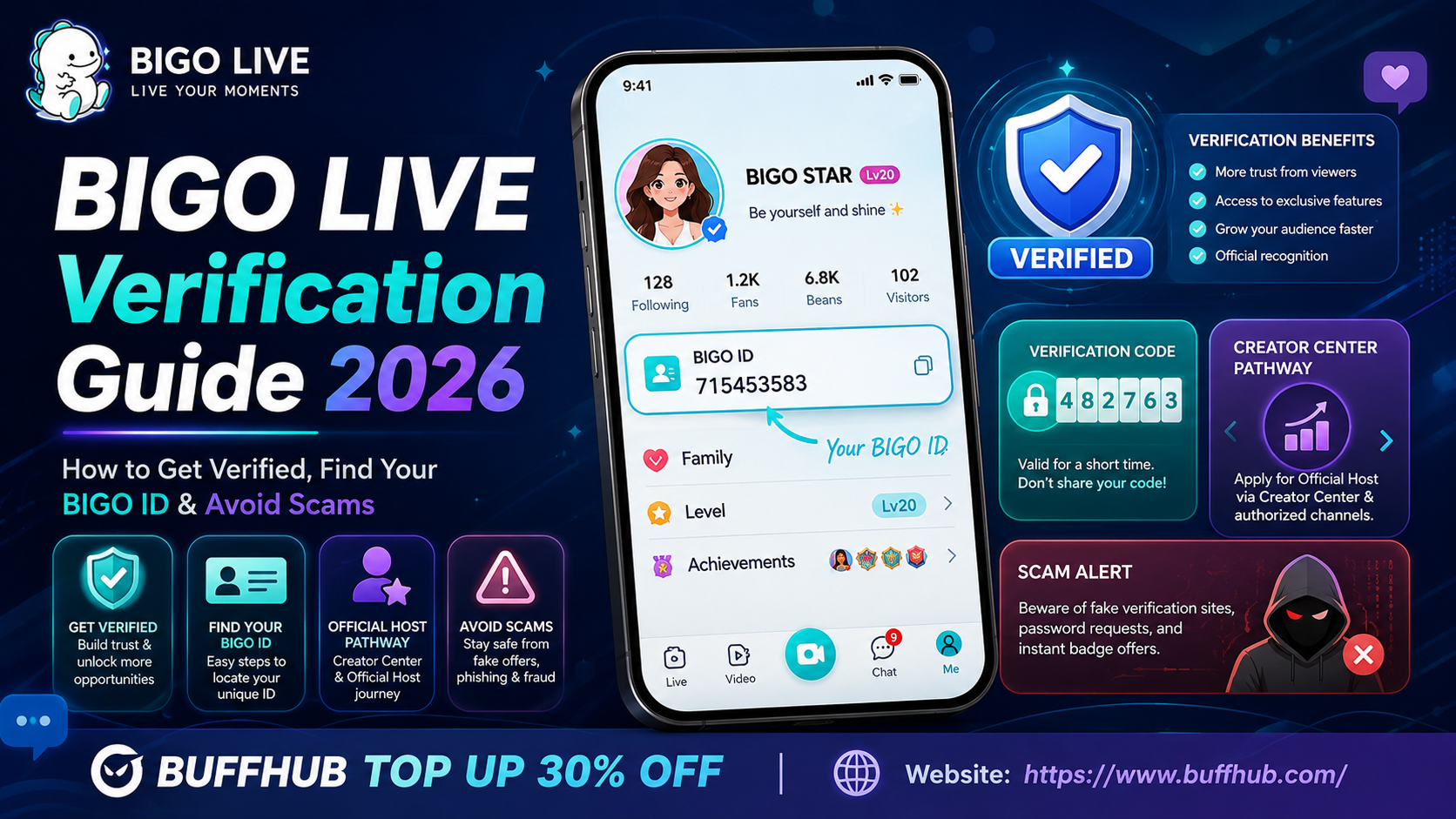
After signing up, you should spend a little time on your profile. This step matters more than many beginners think. Your BIGO ID, profile picture, and bio help other users decide whether they want to follow you or join your room later.
A clear profile photo usually works better than a dark or blurry one. Your username should also be easy to remember. If you plan to stream often, it is smart to use a name that matches your other social platforms, so people can find you outside the app too.
Your bio does not need to be long. One or two lines are enough. You can mention what you stream, what language you use, or what kind of vibe viewers can expect. A simple profile already makes you look more serious than an empty account.
How the BIGO LIVE App Works
Once you enter the app, the bottom navigation bar is where most things happen. The Home area shows live rooms and recommended creators. The Discover or Explore section helps you find trending events, categories, and themed rooms. The center button is used to go live. Messages are where you find direct chats and system notices, while the Profile section keeps your wallet, settings, stats, and account tools.
The app may look busy at first because live rooms are always changing. You will see thumbnails, host names, viewer counts, and sometimes room previews. These small details help you decide which stream to enter.
As a viewer, you can simply browse and watch without spending anything. You can also follow hosts you like, chat with them, tap hearts, or send gifts. As a streamer, the same app becomes your broadcast tool. You can start a live session, choose your stream mode, manage viewers, and check your performance after the stream ends.
This is why BIGO LIVE is easy to start but deep enough to keep using. You can stay casual, or you can slowly learn the creator side and build your own audience.
| App Area | What It Does |
|---|---|
| Home | Shows live rooms, popular streams, nearby hosts, and followed creators. |
| Discover / Explore | Highlights events, categories, trends, and recommended streams. |
| Go Live Button | Lets you start your own broadcast. |
| Messages | Shows direct messages, system notices, and support messages. |
| Profile / Me | Contains your wallet, settings, stats, badges, and account tools. |
How to Watch Streams on BIGO LIVE
Watching streams is the easiest way to learn the platform. You can enter rooms from the Popular tab, Nearby tab, search results, categories, or your Following feed. If you are new, it is worth spending some time just watching how different hosts run their rooms.
Some streamers focus on music. Some talk with viewers for hours. Some play games. Some use Multi-Guest rooms to bring several people on screen. The more rooms you visit, the faster you understand the culture of the app.
When you join a room, you can greet the host, ask a question, or react to what is happening. Good chat behavior matters. Keep messages friendly, avoid spam, and do not push too hard for attention. A clean and respectful chat makes the room better for everyone.
If you find a host you like, tap Follow. After that, their live sessions will be easier to find, and you may receive notifications when they go live. Over time, regular viewers often become familiar names in a room, which makes the experience feel more personal.
What Are BIGO LIVE Diamonds?
BIGO LIVE Diamonds are the main premium currency for viewers. You use Diamonds to send virtual gifts to streamers. These gifts can be simple, funny, flashy, or expensive depending on the type you choose.
Diamonds are important because they power much of the support system inside the app. When a viewer sends a gift, the host gets recognition and may also earn Beans from it. This creates a loop where viewers support creators, and creators can turn that support into income under BIGO LIVE’s rules.
Some users may earn small amounts of Diamonds through events, tasks, or other platform activities. However, if someone wants to send gifts often or buy larger gifts, recharging BIGO LIVE Diamonds is usually the faster method.
For new users, the most important advice is simple: set a budget. Gifts are meant to be voluntary support. They can make a stream more fun, but you should never spend more than you are comfortable with just to get noticed.
How Do Gifts and Beans Work?
The gift system is one of the biggest parts of BIGO LIVE. Viewers buy Diamonds, choose a gift inside a live room, and send it to the host. The gift then appears on screen, often with an animation. Bigger gifts usually create stronger visual effects and attract more attention.
For streamers, gifts matter because they can turn into Beans. Beans are the creator-side currency. When a host receives gifts, they earn Beans based on the value of those gifts. Later, Beans can be withdrawn as real money if the account meets the platform’s rules.
This system is easy to understand once you separate the two sides. Viewers use Diamonds. Streamers receive Beans. Gifts connect the two.
That is also why gifts are more than just decorations. They support the host, affect rankings in some events, and can change the energy of a live room. During PK Battles, for example, gifts can directly help one streamer beat another.
| Currency / Item | Who Uses It? | Main Purpose |
|---|---|---|
| Diamonds | Viewers | Used to buy and send virtual gifts. |
| Virtual Gifts | Viewers send them to hosts | Show support and trigger on-screen effects. |
| Beans | Streamers | Earned from gifts and can be withdrawn under platform rules. |
How to Start Streaming on BIGO LIVE
Starting your own stream is simple, but running a good stream takes preparation. The app gives you the tools, but your room still needs a reason for people to stay.
Before going live, check your setup. A stable internet connection is important because lag can make viewers leave quickly. Your phone should be charged or plugged in. Your camera lens should be clean, and your face should be well lit. Audio also matters. Even a basic pair of earphones with a mic can sound better than using your phone in a noisy room.
You should also think about your topic before you start. A stream called “Chatting” can work if you already have regular viewers, but beginners usually need something more specific. A title like “Late Night Chill Talk,” “Mobile Game Grind,” or “Live Singing Requests” gives people a clearer reason to enter.
When you are ready, tap the Go Live button, choose your stream mode, add a title, pick a cover image, select a category or tags, and start the broadcast. Once people enter, greet them by name if possible. Ask simple questions. Thank followers and gift senders. Keep the room moving.
The first few minutes are especially important. If new viewers see that the host is active and welcoming, they are more likely to stay. If the room feels silent or confusing, they may leave before giving it a chance.
What Stream Modes Are Available on BIGO LIVE?
BIGO LIVE gives users several ways to stream. Standard LIVE is the normal camera stream. Audio LIVE is good if you do not want to show your face. Game LIVE lets you stream gameplay. Multi-Guest LIVE allows several users to appear together, while Virtual LIVE lets you use a digital avatar.
This variety is helpful because not every creator has the same style. Some people are confident on camera. Others prefer voice-only streams. Gamers may want to focus on gameplay, while social creators may enjoy group rooms or panel-style conversations.
If you are nervous, Audio LIVE or Virtual LIVE can be a comfortable first step. If you already like talking with people, a normal live room may be better. If you want faster interaction, Multi-Guest can make your room feel more active because you are not carrying the entire conversation alone.
The best mode depends on your personality. A good streamer does not need to copy everyone else. It is better to choose a format you can keep doing consistently.
Can You Stream Games from PC on BIGO LIVE?
Yes, BIGO LIVE also supports PC game streaming through a dedicated PC tool. This is useful if you want a larger screen, better control, or a more serious gaming setup.
The basic idea is that you install the official BIGO LIVE tool on your computer, set it to live mode, and connect it with your phone app using a BIGO code. After the connection is complete, you can start a Game Live Broadcast and stream your gameplay.
Mobile game streaming is easier for beginners because everything happens on one device. PC streaming takes a little more setup, but it gives you more control over your game, chat, and stream environment.
If your content is mainly gaming, PC streaming can make your broadcast look more stable and professional. Just make sure your internet and computer performance are strong enough before going live.
What Are PK Battles on BIGO LIVE?
PK Battles are one of the most exciting features on BIGO LIVE. A PK is a timed contest between two streamers. Both hosts appear in a split-screen format, and viewers send gifts to support their side. When time runs out, the streamer with the higher score wins.
This format works because it gives viewers a clear goal. They are not just watching a host talk. They are helping their team win. That makes chat faster, gifts more exciting, and the whole room more energetic.
For streamers, PK Battles can also help with growth. When you battle another creator, you appear in front of their viewers too. Some of those viewers may follow you if they like your style.
The best PK Battles feel friendly. They should not become toxic or too aggressive. Many streamers agree on light punishments before the battle, such as singing a song, doing push-ups, or acting out a funny challenge. That keeps the feature fun instead of stressful.
What Are Multi-Guest Rooms?
Multi-Guest rooms let several people appear on camera in the same live room. This turns a normal stream into a group conversation, fan call-in, mini show, or creator hangout.
This feature is useful because live streaming can be hard when you are alone. If chat is quiet, the stream may feel slow. With guests, there is always someone to talk to, react to, or build a topic around.
Creators can use Multi-Guest rooms for music panels, relationship talks, game discussions, fan Q&A sessions, trivia, or casual group chats. The host still has control and can accept guests, reject requests, mute users, remove people, or change the layout.
For beginners, this feature can make streaming feel less lonely. It also helps you meet other creators and build support circles inside the platform.
How to Grow as a New BIGO LIVE Streamer
Growth on BIGO LIVE is not only about going live once and hoping people show up. It comes from consistency, clear content, and real interaction.
A steady schedule helps viewers build a habit. If people know when you usually stream, they are more likely to return. You can mention your schedule in your bio and remind viewers before ending each live session.
Interaction is just as important. Remember regular viewers, greet people when they enter, answer chat when you can, and create small rituals that make your room feel familiar. This is how a casual viewer becomes part of your community.
You should also test different content styles. Some creators grow through music. Others grow through gaming, talk sessions, challenges, or Multi-Guest rooms. Do not assume your first idea is the only option. Use your first month to test what works.
Outside promotion can help too. Short clips from your live streams can be posted on TikTok, Instagram Reels, YouTube Shorts, or X. These clips give people a reason to search your BIGO ID and join your next broadcast.
Is BIGO LIVE Safe?
BIGO LIVE can be safe if you use it carefully. Like any live social platform, it depends partly on the app’s safety tools and partly on your own habits.
You should avoid sharing private information in public rooms. Do not reveal your full legal name, home address, phone number, private schedule, payment details, password, or verification codes. If someone claims to be staff and asks for sensitive information, treat it as suspicious.
You should also be careful with links promising free Diamonds, free Beans, rankings, or account boosts. These offers are often unsafe and can put your account at risk.
If someone harasses you, spams your chat, or breaks the rules, use the block and report tools. Streamers with growing rooms may also need trusted moderators to keep the chat clean.
In simple terms, enjoy the platform, but keep a clear boundary between your public creator identity and your private life.
Can You Earn Money on BIGO LIVE?
Yes, creators can earn money on BIGO LIVE mainly through virtual gifts. Viewers send gifts during live streams, and those gifts turn into Beans for the host. The streamer can later withdraw Beans if they meet the platform’s rules.
Some creators may also earn through agencies, events, rankings, and bonuses. Agencies can offer guidance, community support, and sometimes payment structures based on targets. However, creators should always read the terms carefully before joining any agency.
It is also important to be realistic. New streamers may earn very little at the beginning. A small creator might only receive gifts from friends or a few regular viewers. Larger income usually comes after months of consistent streaming, stronger content, better relationships, and a loyal community.
If you want to earn from BIGO LIVE, treat it like a serious side project. Show up often, improve your stream quality, learn what your viewers like, and build trust before expecting stable income.
Is BIGO LIVE Worth Trying?
BIGO LIVE is worth trying if you enjoy live interaction, social streaming, and real-time community energy. It is especially good for users who like talking with hosts, supporting creators, watching talent streams, or starting their own live room without a complicated setup.
The platform is also strong for creators who enjoy fast feedback. You can see chat reactions immediately, test different stream ideas, join PK Battles, use Multi-Guest rooms, and slowly build a group of regular viewers.
It may not be the best fit if you only want quiet browsing or edited videos. BIGO LIVE is much more active than that. The app rewards people who talk, react, support, perform, and show up regularly.
For most beginners, the best path is simple. Start as a viewer first. Learn how rooms work. Follow a few hosts. Understand Diamonds, gifts, and Beans. Then try your own stream when you feel ready.
Frequently Asked Questions About BIGO LIVE
How do I use BIGO LIVE as a beginner?
The easiest way to use BIGO LIVE as a beginner is to start by watching streams. Enter a few rooms, read the chat, follow hosts you like, and learn how gifts and live interaction work. After that, you can set up your profile and try your first broadcast.
What are BIGO LIVE Diamonds used for?
BIGO LIVE Diamonds are used by viewers to send virtual gifts. These gifts support streamers, create on-screen effects, and can help hosts during events or PK Battles. Streamers receive Beans from gifts, while viewers spend Diamonds.
How do I go live on BIGO LIVE?
To go live on BIGO LIVE, tap the center Go Live button, choose a stream mode, add a title, pick a cover image, select tags or a category, and start your broadcast. Before going live, make sure your internet, lighting, camera, and audio are ready.
Can I stream games on BIGO LIVE?
Yes, you can stream games on BIGO LIVE. Mobile users can use Game LIVE, while PC gamers can use the official PC streaming tool to connect their computer and phone app.
How do BIGO LIVE streamers make money?
BIGO LIVE streamers mainly make money through virtual gifts. Viewers buy Diamonds and send gifts during live streams. Those gifts become Beans for the streamer, and Beans can be withdrawn under the platform’s rules.