

EA SPORTS FC 27 is coming to PC and consoles in September 2026, but when you can actually download and play it depends on the edition and platform you use. The full game launches globally on September 25, 2026, while players with eligible Ultimate Edition or Ultimate Plus Edition access can start playing from September 18. PC players can get FC 27 through the EA app, Steam, or Epic Games Store, while console versions are available for PlayStation, Xbox, Nintendo Switch, and Nintendo Switch 2.



If you are searching for an FC 27 download before launch, there is one important distinction to make. Pre-ordering the game does not automatically mean the full game is already playable, and EA has not yet published a universal FC 27 pre-load schedule for every platform. There is currently an FC 27 Closed Beta running in August, but it is invite-only and should not be confused with the retail version of the game.
When Can You Download EA SPORTS FC 27?
The normal release date for EA SPORTS FC 27 is September 25, 2026. Players who purchase an eligible Ultimate Edition or Ultimate Plus Edition can receive up to seven days of early access, beginning September 18. Standard Edition players will need to wait for the normal launch unless EA announces a separate pre-load period that allows the files to be installed before the game unlocks.
| Version | Download / Access Date | What You Get |
|---|---|---|
| Ultimate Plus Edition | Early Access from September 18, 2026 | Full game with up to 7 days of early access |
| Ultimate Edition | Early Access from September 18, 2026 | Full game with up to 7 days of early access |
| Standard Edition | September 25, 2026 | Full EA SPORTS FC 27 game |
| EA SPORTS FC 27 Lite | September 25, 2026 at 16:00 UTC | Free limited preview with selected game modes |
The date that matters most is therefore September 18 for eligible early-access players and September 25 for the standard launch. FC 27 Lite will also give players a way to download and try part of the game without purchasing the full version. Its available modes are limited, so it should be treated as a preview rather than a free replacement for the complete game.
Which Platforms Can Download FC 27?
EA SPORTS FC 27 is releasing across both current-generation and older consoles, as well as PC. The full game is available through the EA app, Steam, Epic Games Store, PlayStation 5, PlayStation 4, Xbox Series X|S, Xbox One, Nintendo Switch, and Nintendo Switch 2. Some gameplay features differ between generations, so owning the game on an older console does not guarantee access to every mode available on newer hardware.
| Platform | FC 27 Available? | Download Store |
|---|---|---|
| Windows PC | Yes | EA app, Steam, Epic Games Store |
| PlayStation 5 | Yes | PlayStation Store |
| PlayStation 4 | Yes | PlayStation Store |
| Xbox Series X|S | Yes | Xbox Store |
| Xbox One | Yes | Xbox Store |
| Nintendo Switch 2 | Yes | Nintendo eShop |
| Nintendo Switch | Yes | Nintendo eShop |
PC players should also remember that the Windows version is the supported PC release. EA's published FC 27 requirements list Windows 10 or Windows 11 in 64-bit form and do not list a macOS version of the game. Installing the EA app for Mac does not mean the Windows version of FC 27 can run on a Mac.
How to Download FC 27 on PC
There are three main ways to buy FC 27 on PC: the EA app, Steam, and Epic Games Store. The actual game is the same title, so your choice mainly depends on where you prefer to manage your PC library and purchases. However, an EA Account is still important because EA services are used when playing the PC version.
Download FC 27 Through the EA App
The EA app is the most direct way to install the PC version because both the store and game library are handled by EA. The app supports 64-bit Windows 10 and Windows 11, which matches the operating systems listed in FC 27's PC requirements. If you do not already have an EA Account, create one before launch so you do not have to deal with account setup when the game becomes available.
- Install the EA app on your Windows PC.
- Launch the app and sign in to your EA Account.
- Search for EA SPORTS FC 27 in the EA app.
- Choose the edition you want and complete your purchase or pre-order.
- Open Library after the game becomes available to download.
- Find EA SPORTS FC 27 and select the download option.
- Choose your installation location and language.
- Confirm the installation and start the download.
A digital game bought directly through the EA app is automatically added to your Library. When the download becomes available, the app lets you confirm the install location and language before starting the process. This is also the easiest route if you prefer not to run FC 27 through an additional PC storefront.
How to Download FC 27 on Steam
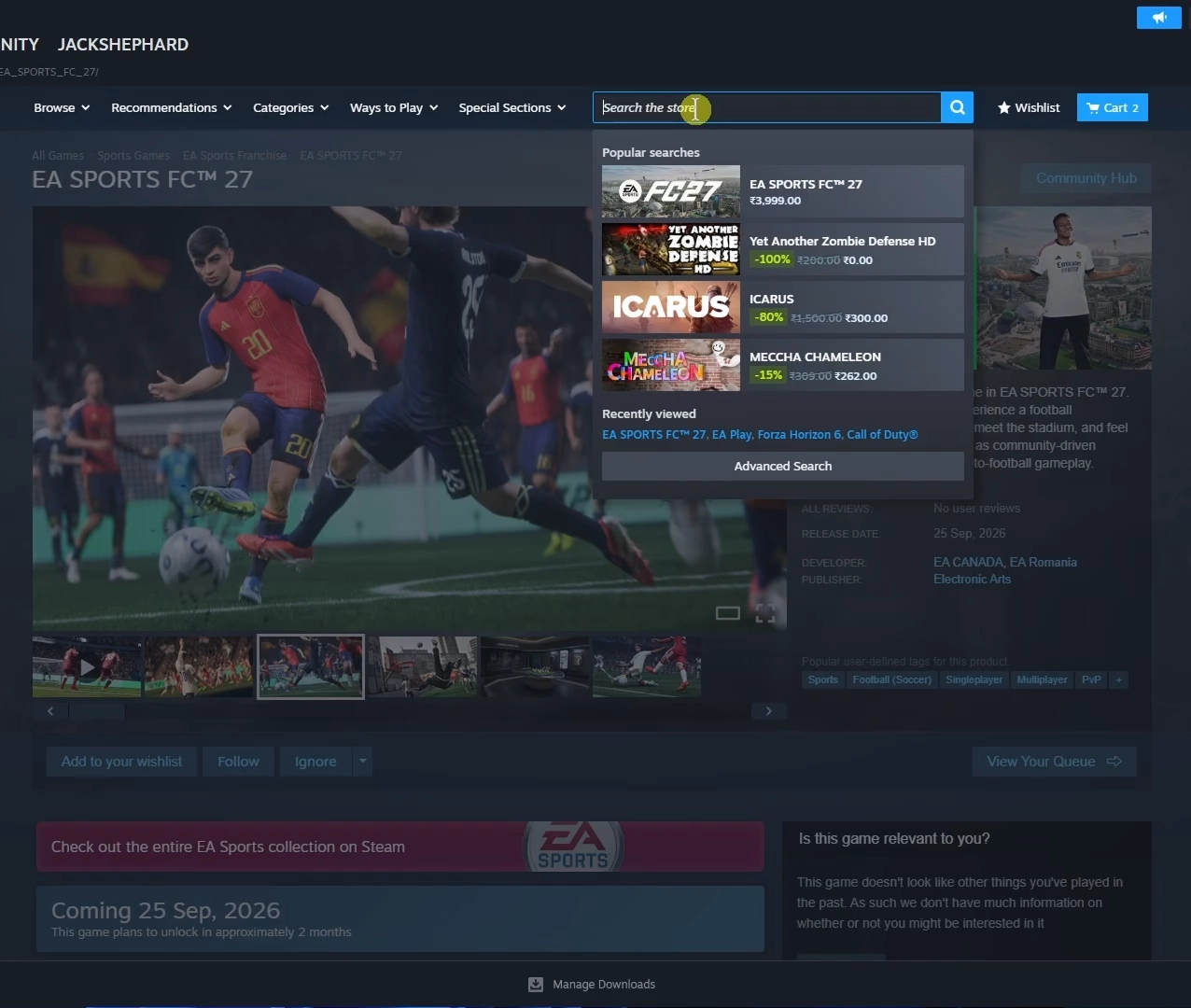
FC 27 is also available directly through Steam. After purchasing or pre-ordering the game, it will appear in your Steam Library, and the installation option becomes usable when the relevant download or early-access period opens. Steam lists the Standard, Ultimate, and Ultimate Plus editions of the game, although limited-time edition availability can change as the pre-order period ends.
- Open Steam and sign in to your account.
- Search for EA SPORTS FC 27.
- Select the edition you want to purchase.
- Complete the purchase and open your Steam Library.
- Select EA SPORTS FC 27 when the download becomes available.
- Choose your installation drive and begin the installation.
- Follow the EA Account and EA app prompts when launching the game.
Buying FC 27 on Steam does not remove the EA requirements. The Steam version requires an EA Account, the EA app, and account linking in order to play. It is better to install the EA app and make sure you can sign in before launch instead of waiting until the first time you start FC 27.
How to Download FC 27 on Epic Games Store
Epic Games Store is the third supported PC storefront for FC 27. Search for the game in Epic, purchase the edition available in your region, and install it through your Epic library once downloads are enabled. EA titles launched through Epic can also require the EA app, so both launchers may be involved when starting the game.
One difference to keep in mind is edition availability. EA has stated that the limited Ultimate Plus Edition is not available through Epic Games Store, while the regular FC 27 editions are supported there. If your main reason for buying early is access to a particular pre-order package, check the edition before completing the purchase rather than assuming every PC storefront offers identical options.
EA SPORTS FC 27 PC System Requirements
FC 27 needs considerably more free storage than a small sports game update, so PC players should prepare their drive before downloading it. EA lists 100 GB of available storage for the minimum configuration and recommends an SSD with 100 GB available for the recommended setup. Leaving some additional free space is sensible because later updates and downloaded language content can increase the amount of storage the game uses.
| Component | Minimum | Recommended |
|---|---|---|
| OS | Windows 10/11 64-bit | Windows 10/11 64-bit |
| Processor | AMD Ryzen 5 1600 / Intel Core i5-6600K | AMD Ryzen 7 2700X / Intel Core i7-6700 |
| Memory | 8 GB DDR4 Dual Channel | 12 GB Dual Channel |
| Graphics | AMD RX 570 / NVIDIA GTX 1050 Ti | AMD RX 5600 XT / NVIDIA GTX 1660 |
| DirectX | DirectX 12 | DirectX 12 |
| Storage | 100 GB available space | 100 GB SSD |
| Internet | Broadband connection | Broadband connection |
If your PC only just meets the minimum requirements, check the storage first rather than focusing only on the graphics card. A nearly full system drive can create installation and update problems even when the CPU and GPU are capable of running the game. Players using multiple drives should choose the installation location carefully before beginning such a large download.
How to Download FC 27 on PS5 or PS4
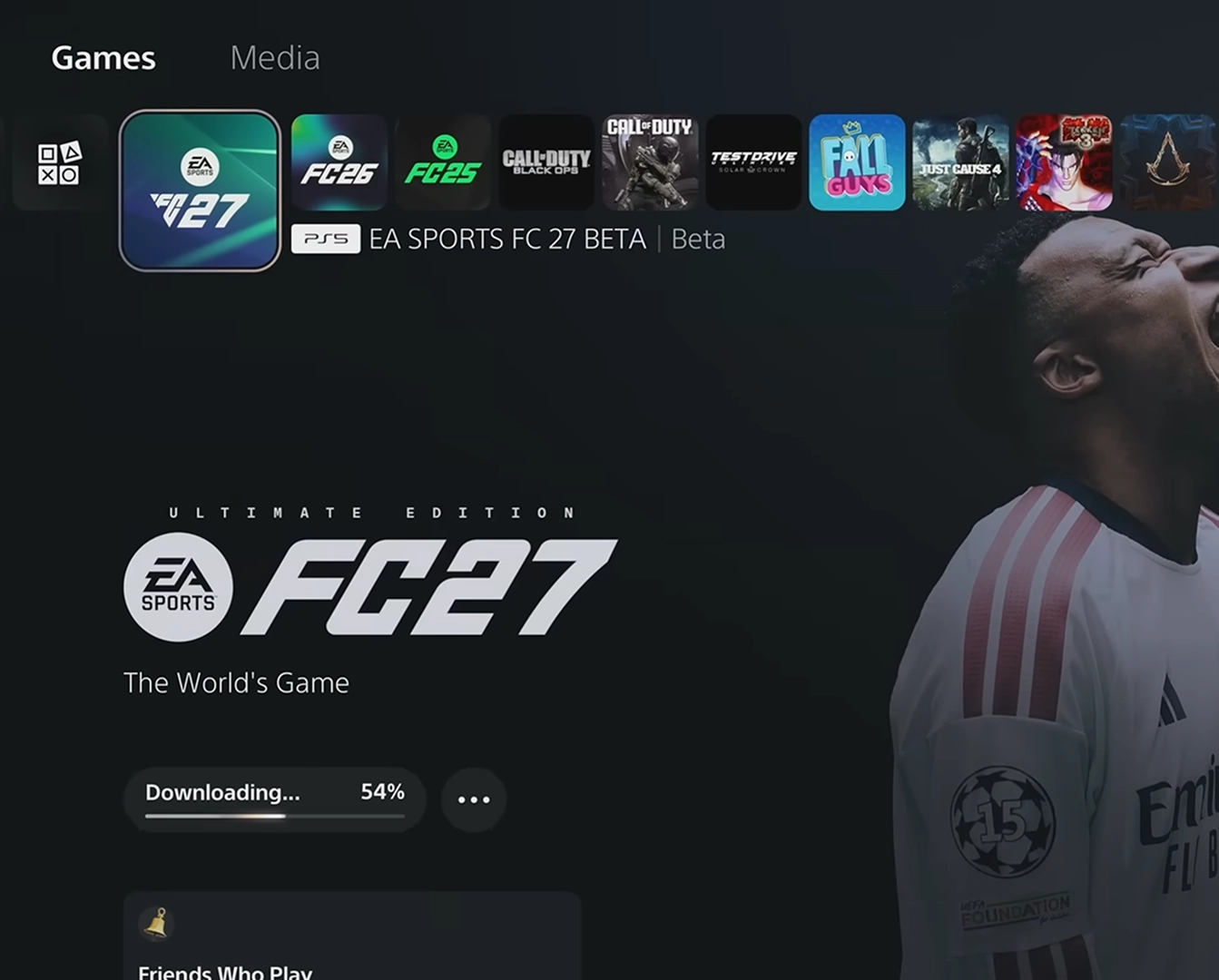
EA SPORTS FC 27 is available on both PlayStation 5 and PlayStation 4. You can purchase the digital version through PlayStation Store, and the game will be attached to the PlayStation account used for the purchase. When downloading becomes available, find FC 27 in your Game Library or purchased games and select the download option for the version you want to install.
- Open PlayStation Store on your PS5 or PS4.
- Search for EA SPORTS FC 27.
- Select the edition you want and purchase or pre-order it.
- Open your Game Library when the download becomes available.
- Select EA SPORTS FC 27.
- Choose the PS5 or PS4 version that matches your console.
- Start the download and wait for the installation to finish.
FC 27 includes Dual Entitlement between PS4 and PS5, allowing an eligible PS4 copy to be upgraded to the PS5 version at no additional cost. After upgrading, both versions can be available for download on compatible hardware. Players upgrading from a physical PS4 copy need a PS5 with a disc drive because the original disc is required.
How to Download FC 27 on Xbox
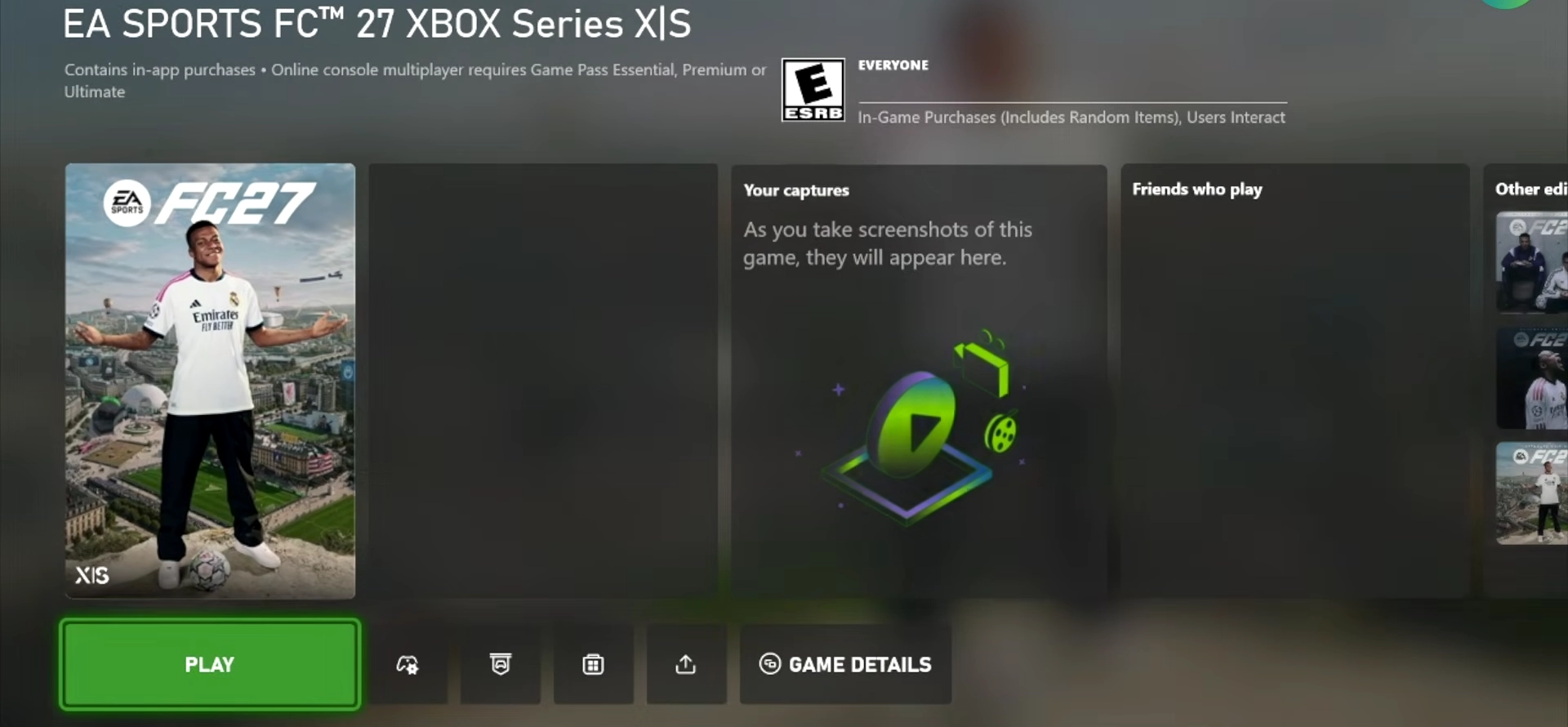
FC 27 supports Xbox Series X|S and Xbox One. After buying the digital version, the game can be found through your owned-game library when installation becomes available. Xbox users who have several consoles should make sure they are installing the version intended for the console they plan to use.
- Open the Xbox Store and search for EA SPORTS FC 27.
- Purchase or pre-order your preferred edition.
- Open My games & apps.
- Select See all.
- Open Full library and then All owned games.
- Find EA SPORTS FC 27 and select it.
- Choose the install option to begin downloading.
Dual Entitlement also applies between Xbox One and Xbox Series X|S. This allows players to upgrade within the Xbox console family without paying for the game a second time. It does not allow cross-family upgrades, such as moving a PlayStation purchase to Xbox.
How to Download FC 27 on Nintendo Switch and Switch 2
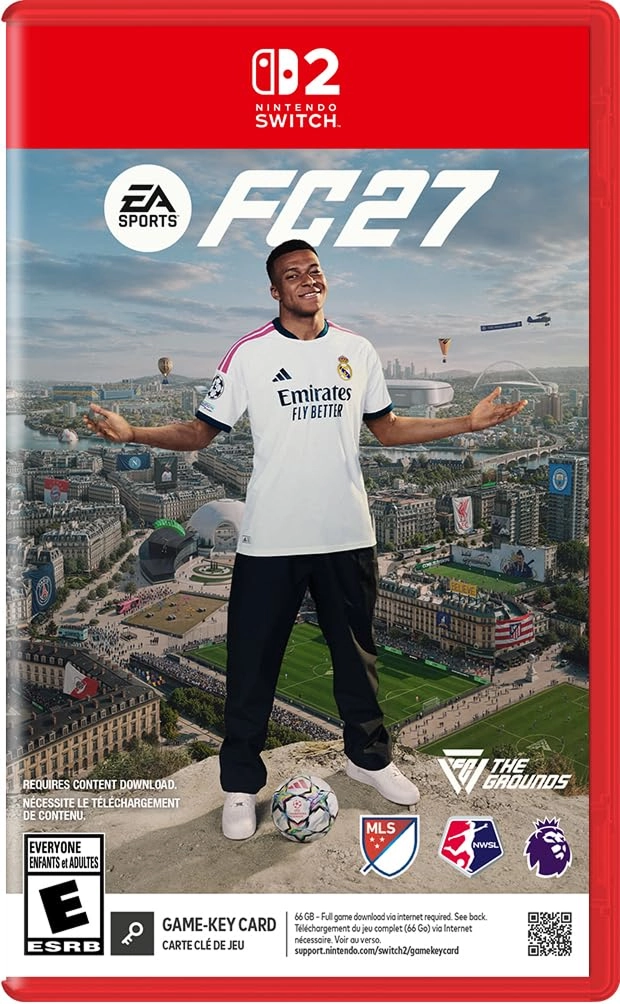
Both Nintendo Switch and Nintendo Switch 2 are included in EA's FC 27 platform lineup. Digital buyers can purchase the game through Nintendo eShop and install it through their Nintendo account. Physical installation works differently depending on the console and edition, so players using a game card should follow the download prompt shown by the system after inserting it.
EA's current installation process for EA SPORTS FC on Switch 2 allows a physical cartridge to trigger the required download automatically after it is inserted. On the original Nintendo Switch, some physical EA SPORTS FC releases can contain only part of the game on the game card and require an additional online download for the complete experience. Because of that, having enough console or microSD storage available is important even if you buy a physical copy.
Can You Download FC 27 for Free?
Yes, but the free version is EA SPORTS FC 27 Lite, not the full retail game. EA plans to release FC 27 Lite on September 25, 2026 at 16:00 UTC for PS5, PS4, Xbox Series X|S, Xbox One, the EA app, Steam, and Epic Games Store. It is a limited preview that provides access to selected content such as Kick-Off and gives players the option to upgrade later.
This makes Lite useful if you want to check how FC 27 feels before buying the full version, especially on PC where performance may be a concern. However, do not expect every Career, Football Ultimate Team, online, or other full-game feature to be available through Lite. Players planning to spend more time in Ultimate Team can also check the available FC 27 Coins options on BuffHub. EA describes Lite as a preview of selected modes rather than the complete FC 27 experience.
Can You Download FC 27 Right Now?
As of August 15, 2026, the normal retail version of FC 27 has not launched yet. Players may be able to purchase or pre-order the game, but normal full-game access begins in September. If you see someone playing or downloading FC 27 during August, they may have access to the separate Closed Beta rather than the release version.
The FC 27 Closed Beta runs from August 5 at 17:00 UTC until August 25, 2026 at 17:00 UTC. Access is invite-only, and signing up for EA Playtesting or EA marketing emails does not guarantee an invitation. EA sends selected players a code through the email connected to their EA Account, and Beta progress does not transfer into the final game.
The Closed Beta is also restricted by region and eligibility. EA currently lists Canada excluding Quebec, Ireland, the United States, and the United Kingdom as supported Beta regions, and participants must be at least 18 years old. If you were not selected, there is no normal public FC 27 Beta download that can be used as a substitute.
Why Can't I Download FC 27 After Pre-Ordering?
If FC 27 appears in your library but there is no active download button, the most likely reason before launch is that the download period has not opened for your edition or platform. A pre-order secures the game and its applicable bonuses, but it does not necessarily make the installation files immediately available. The early-access date and the pre-load date are also different things, so players should not assume that seven days of early access means the game can already be downloaded several weeks before September 18.
If the game should already be downloadable but the EA app is not responding correctly, start by restarting the client and checking your Library again. EA also recommends clearing the EA app cache when game downloads become stuck or fail to start. A PC drive formatted as FAT32 can cause problems with individual files larger than 4 GB, so storage configuration is another possible cause of a download stopping unexpectedly.
How to Prepare for the FC 27 Download
PC players should prepare at least 100 GB of free storage and install the latest version of the EA app before release. If you bought FC 27 through Steam or Epic, make sure your EA Account can sign in correctly and complete any required account linking before launch day. Doing this early removes one of the most common extra steps between finishing a large download and actually starting the game.
Console players should check free storage, system updates, and the account used to purchase the game. If you are using Dual Entitlement, make sure you choose the correct generation when both versions appear in your library. Players with slower internet connections may also want to use any official pre-load option that becomes available closer to release, but the exact FC 27 pre-load timetable should be checked once EA or the platform holder publishes it.
FC 27 Download FAQ
When does FC 27 come out?
EA SPORTS FC 27 launches globally on September 25, 2026. Eligible Ultimate Edition and Ultimate Plus Edition players can receive up to seven days of early access beginning September 18. The exact time shown in an individual digital store can depend on the platform and region.
How much storage does FC 27 need on PC?
EA lists 100 GB of available storage in the minimum PC requirements. The recommended requirements specify 100 GB of SSD space. Keeping additional space available for updates and optional language downloads is a safer choice than filling the drive exactly to the listed requirement.
Do I need the EA app if I buy FC 27 on Steam?
Yes. The Steam PC version requires the EA app and an EA Account, and your Steam and EA accounts need to be linked for the game to work correctly. Installing the EA app before FC 27 launches can therefore save time when you first start the game.
Is EA SPORTS FC 27 available on PS4 and Xbox One?
Yes. FC 27 is releasing on both PlayStation 4 and Xbox One as well as PS5 and Xbox Series X|S. Some newer features are limited by platform, so the older-console versions should not be expected to contain every feature available on current-generation hardware.
Is there a free FC 27 download?
EA SPORTS FC 27 Lite will be free to download from September 25, 2026 at 16:00 UTC on supported PlayStation, Xbox, and PC platforms. It provides a limited selection of FC 27 content rather than the entire game. Players who want access to the full set of modes and features will still need the full version.